Best free AI video generators in 2026: what each one really gives free - RefVid
Turn your own photos into videos in minutes · Your first video is free, no watermark
First video free, no card
A free AI video generator rarely means unlimited video. Most give a small allowance: credits once, every day or every month, often watermarked or for personal use only. This page compares twelve tools on what their free tier really includes, including RefVid, the site you are on.
Every number was read on the vendor's own pricing, help or terms page on November 1, 2026.
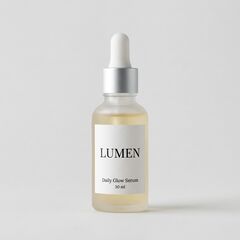
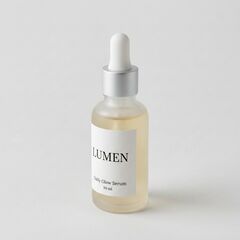
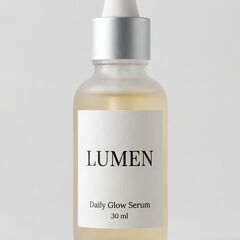
3 photos of a product
Two 5-second clips
The short answer
- For the most free video, Google Flow gives 50 credits a day without a subscription, about seven 4-second 720p clips, and Bing Video Creator gives 10 fast creations plus unlimited standard ones in the Bing phone app. For a clip of your own product or character with no watermark and commercial use allowed, RefVid, the site you are on, makes your first 5-second clip free.
- Kling refills free credits every month, but free clips carry its watermark and are not for commercial use. Runway's 125 one-time credits cover about two 5-second Gen-4.5 clips. Hailuo AI and Vidu give trial credits with a watermark. Pika, Higgsfield, Luma and CapCut have no free video allowance: credit packs only, 0 credits, no free plan, or a 7-day trial.
Best free AI video generators compared: the free tier
- Each row is what the vendor's own pricing, help or terms page said on November 1, 2026, read signed out. Credits are not a shared unit, so where a vendor publishes what one clip costs, the table turns its free credits into clips. Where a vendor publishes no number, the table says so instead of guessing.
| Tool | What you get free | Watermark on free clips | Commercial use on free |
|---|---|---|---|
| RefVid | 180 credits once: your first 5-second clip from your own photos, plus five free images | No | Yes |
| Google Flow | 50 credits a day without a subscription, not rolled over; a 4-second 720p Omni Flash clip costs 7 (4 at 360p) | Invisible SynthID on all video; a visible watermark is a setting, on by default in India, South Korea and Vietnam | Not stated per plan; Google says it does not claim ownership of what you make |
| Bing Video Creator | 10 free creations in Fast mode, unlimited in Standard mode; more fast ones with Microsoft Rewards | Not stated; content credentials are attached and may not be removed | Not stated; Microsoft's terms call the service for entertainment purposes |
| Adobe Firefly | Free daily generations of image, video and audio without a plan; the number of videos is not published | Not stated; Content Credentials are attached | Adobe says outputs of its Firefly models are safe for commercial use |
| Kling AI | Monthly free credits for non-subscribers, claimed at login and valid for 31 days; the amount is not shown signed out | Yes; removal is a paid benefit | No; paid subscribers only |
| Hailuo AI (MiniMax) | One-time trial credits (the sign-up offer showed 150); a 6-second 768p Hailuo 2.3 clip costs 25, about six clips | Yes; removal is paid | Allowed for videos downloaded without a watermark; not stated for watermarked free clips |
| Vidu | Trial credits at sign-up and credits for logging in daily, amounts not published; free Q4 clips cost 4 credits a second | Yes | No |
| Runway | 125 credits once, never expiring; Gen-4.5 costs 12 credits a second, about two 5-second clips | Not stated for Free; "No watermarks" is listed as a Standard plan feature | Runway's terms do not restrict commercial use of outputs |
| Pika | No free credits: 0 a month, credit packs only | No watermark on the Free plan | No |
| Higgsfield | Free plan with 0 credits and "limited use"; most video models not included | Not stated | No |
| Luma (Dream Machine) | No free plan on its pricing page; the app says "Try now for free" with no amount | Not stated per plan | Only for outputs made during a paid subscription |
| CapCut | AI video generation is not in the free plan; a 7-day free trial of the AI video generator | Not stated | Not stated |
Sign-up, free quality and the first paid plan
- None of these free tiers is anonymous: the tools that say so need an account before they make a video, and RefVid asks for no card. Free clips are usually lower resolution than paid ones. The last column is the cheapest paid plan on monthly billing, as the vendor showed it on November 1, 2026.
| Tool | Sign-up | Free quality and length | Cheapest paid plan, monthly |
|---|---|---|---|
| RefVid | Google or email account, no card | 720p without sound on Kling 3.0 Omni, or 4 seconds with sound or at 1080p | A single video from $2.99, a one-time credit pack from $9.90 or a plan from $10 a month; credits never expire |
| Google Flow | Google Account, 18 or older, in a supported country | Omni Flash at 360p or 720p, 4 to 10 seconds; Veo 3.1 Lite and Fast; no 1080p upscaling; free generation may pause from about 2 to 5 PM UTC | Google AI Plus: €4.99 a month with 200 Flow credits (price shown in Ireland) |
| Bing Video Creator | Microsoft account | Not published; video creation is only in the Bing mobile app | No paid plan |
| Adobe Firefly | Not stated | Not published | Firefly Standard: $11.99 a month including VAT as shown, 2,000 credits, up to 20 five-second videos |
| Kling AI | Login | Below 1080p (1080p and 4K are paid); one video per generation | Standard: $6.99 the first month, then $8.80 a month; 660 credits |
| Hailuo AI (MiniMax) | Account | 768p, 6 seconds on Hailuo 2.3 | Standard: $10.50 a month, shown as 30% off $14.99 |
| Vidu | Account | 540p; 720p and up, and 6 to 8 second clips, are paid | Standard: $10 a month, 800 credits |
| Runway | Account | Not published | Standard: $15 a month, 625 credits |
| Pika | Not stated | Not published | Starter: $10 a month, 900 credits |
| Higgsfield | Not stated | Not published | Starter: €19 a month before VAT, 270 credits (price shown in Ireland) |
| Luma (Dream Machine) | Not stated | No free plan | Plus: $30 a month, 10,000 credits |
| CapCut | Not stated | Trial only | Pro: €34.99 a month, up to 100 seconds of Seedance 2.5 video at 720p (price shown in Ireland) |
Best free AI video generator, no subscription: what refills and what runs out
Free allowances come in three kinds. Some refill every day or month, so you can keep making clips without paying. Some are given once, at sign-up. And some free plans give no video at all. Which kind you need depends on whether you want a regular habit or one good clip.
Refills every day: Google Flow (50 credits), Adobe Firefly (a daily limit, number not published) and Bing Video Creator (unlimited in Standard mode, after 10 fast creations). Refills every month: Kling, with watermarked clips for personal use. Vidu adds credits for logging in each day on top of its sign-up credits.
Given once: RefVid (your first 5-second clip), Runway (125 credits that never expire) and Hailuo AI (trial credits). No free video: Pika (credit packs only), Higgsfield (0 credits), Luma (no free plan) and CapCut (a 7-day trial).
What each clip costs today
Watermarks and commercial use on free plans
A free clip you can post on a shop page or a client's feed needs two things: no visible watermark and permission to use it commercially. Kling, Hailuo AI and Vidu add a watermark to free clips, and Kling, Vidu, Pika, Higgsfield and Luma reserve commercial use for paying users.
RefVid's free clip has neither limit: you download the clean MP4 and may use it commercially, as long as you have the right to the photos you upload. Runway's terms do not restrict commercial use of outputs, and Adobe says Firefly model outputs are safe for commercial use. Google and Microsoft do not say per plan, and Microsoft calls Bing's creator a service for entertainment purposes.
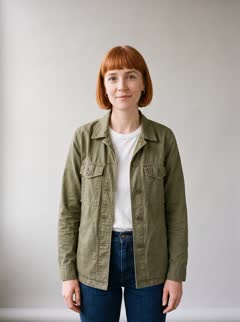
4 photos of a person



Two 5-second clips
Best free AI video generator from image or text
Most free tiers start a clip from a written prompt, from a picture, or both. Google Flow's free credits cover text to video and frames to video, where your image becomes the first or last frame. RefVid starts from 1 to 5 photos of your subject, or from a prompt alone at the same cost.
One picture shows the model only one side of a face or a product. Several photos, front, three-quarter and profile with the label readable, help a clip keep the same subject when it turns. A prompt alone suits b-roll and one-off shots, where the subject does not have to match anything.
1 product photo
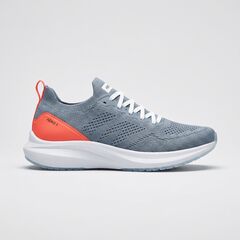
One picture in, one 5-second video out
How to make a free allowance go further
Spend free credits on short clips with one action and one camera move, at the lowest resolution that shows whether the idea works. Write the prompt before you open the tool, and keep the subject large in frame. Re-run only what failed, and upscale or lengthen only the take you will use.
The prompt behind the shelf clip at the top of this page:
"LUMEN stands on a white marble bathroom shelf next to a small green plant, its frosted glass covered in fine water droplets, morning sunlight falling through a frosted window, a little steam drifting through the light. Slow push-in toward the bottle until the LUMEN label fills the centre of the frame, the label text stays crisp. Clean beauty commercial, soft light, shallow depth of field."
How we compared
- We read every allowance, watermark rule, commercial-use rule and price on the vendor's own site on November 1, 2026, signed out: pricing pages, help centres and terms of service. We did not use review sites or price trackers, and we did not sign up to any of them, so allowances shown only after login are marked as not published.
- Prices in euros are what the page showed to a visitor from Ireland. Google's help pages disagree with each other: the Flow credits page gives non-subscribers 50 credits a day, while its getting-started page lists a Google AI subscription as a requirement. We left out PixVerse, Canva, Pollo AI and OpenAI's Sora because their pricing pages did not load for us, and Grok Imagine and Meta AI because they publish no free video allowance.
- Sources: support.google.com/flow (answers 16526234, 16353333 and 16352836) and gemini.google/subscriptions; bing.com/create and Bing's Image and Video Creator terms; adobe.com/products/firefly/plans; kling.ai/app/membership/membership-plan and kling.ai/docs/user-policy; hailuoai.video/subscribe; vidu.com/pricing; runway.com/pricing and runway.com/terms-of-use; pika.art/pricing; higgsfield.ai/pricing; lumalabs.ai/pricing and Luma's terms of service; capcut.com/tools/ai-video-generator.
Start from a template
Each one opens the studio with the shots, shape and length already set. Add your own product and generate.
More on AI video models


Frequently asked questions
What is the best free AI video generator?
It depends on what you need. Google Flow gives the most free video to most people, 50 credits a day. Bing Video Creator is free and unlimited in Standard mode, in the Bing phone app. RefVid makes a clip of your own product or character from your photos, with no watermark and commercial use allowed, and the first 5-second clip is free.
How much does RefVid cost after the free video?
A single video costs from $2.99, a one-time credit pack from $9.90 and a plan from $10 a month. Credits never expire, no clip carries a watermark and every clip may be used commercially. That is a fraction of what a shoot with a production team costs.
What is the best free AI video generator app for iPhone?
Bing Video Creator, if you want an app: Microsoft says its video creation is only in the Bing mobile app, with 10 fast creations and unlimited standard ones free. Google Flow (iPhone and Android), Kling AI and Runway (iOS and Android) and Hailuo AI (iOS) also have phone apps. RefVid works in your phone's browser, with no app to install.
Which free AI video generators have no watermark?
RefVid's free clip has no watermark, and Pika's Free plan lists no watermark (but it has no free credits). Kling, Hailuo AI and Vidu add a watermark to free clips. Google adds an invisible SynthID mark to all Flow video, plus a visible one where you turn it on and by default in a few countries.
Can I use videos from a free AI video generator commercially?
On some. RefVid allows commercial use of the free clip, Runway's terms do not restrict it, and Adobe says Firefly outputs are safe for commercial use. Kling, Vidu, Pika, Higgsfield and Luma keep commercial use for paying users. Check the terms of the tool you use, and only upload photos you have the right to use.
Is there a free AI video generator with no restrictions and no login?
Not among the twelve we checked. Every free tier has a limit: credits, a daily cap, a watermark, a lower resolution or personal use only. Google, Microsoft, Kling, Hailuo AI, Vidu and Runway need an account, and RefVid asks for a Google or email sign-in, with no card.
Which free AI video generator gives the most free video?
On published numbers, Google Flow: 50 credits a day, about seven 4-second 720p clips or twelve at 360p, though free generation may pause at peak hours. Bing Video Creator's Standard mode is unlimited but gives no length or resolution. Kling refills monthly, in an amount it does not show signed out.
Which free AI video generator is best for YouTube?
For a channel you earn from, pick a free clip with no watermark that you may use commercially, such as RefVid's. For Shorts, make vertical 9:16 clips and keep the same face or product across videos, so viewers recognise it.
Can I make a free AI video from text only?
Yes. Google Flow's free credits cover text to video, and on RefVid a clip from a prompt alone costs the same as one from photos, so the free clip can be either. Without photos the model invents the subject, so it will look different in each clip.
Why do some free AI video generators give no free video?
Their free plan is an account, not an allowance. Pika's Free plan has 0 credits a month and sells packs, Higgsfield's has 0 credits, Luma lists no free plan on its pricing page, and CapCut offers a 7-day trial of its AI video generator instead.
How current are these free allowances?
They were read on November 1, 2026, on each vendor's own pricing, help or terms page. Free tiers change often, sometimes weekly, so check the vendor's page before you count on one.