A street-style lookbook, starring you
One outfit, three angles, the way lookbooks are shot: a wide walk toward the camera, a low side angle, then a close detail as you turn. Save yourself once from a few photos and describe the outfit; RefVid keeps your face and the look the same across all three shots.
10 s · 9:16 · silent
Sign in, add your subject, and the studio opens with this template filled in. Your first 3-second clip is free: this template’s first shot.
Made from these photos
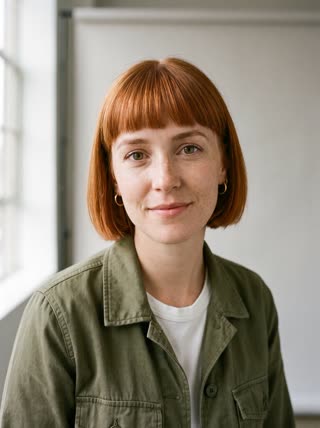
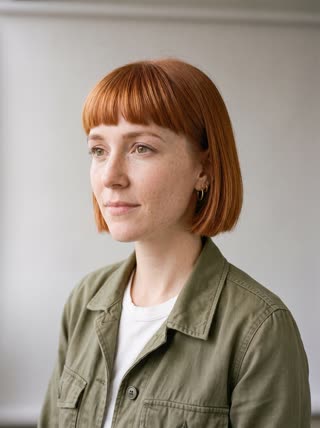
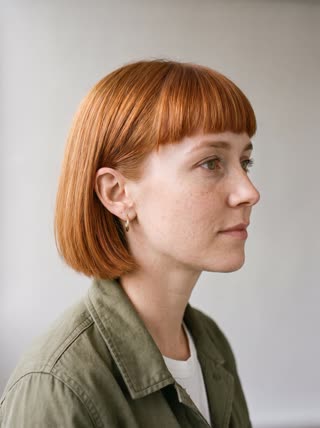
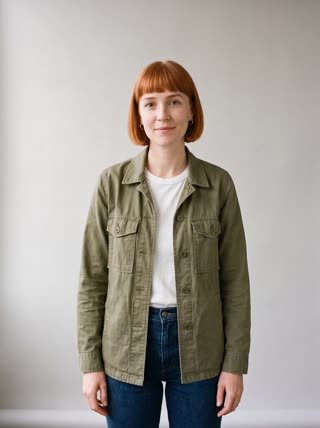
What you get
- You from 1–5 photos, the same face in every angle
- 3 shots, 10 seconds, vertical 9:16
- Editorial street light, no music needed
- No watermark
Who it’s for
For fashion creators testing outfits before a shoot, for small clothing labels that need lookbook content every drop, and for anyone building a personal style account. It also works for stylists showing a client one finished look.
The prompt
What the studio fills in for you. Your subject takes the place in brackets; you can change any of it.
- Shot 1Wide shot: [you] in a camel trench coat over a white tee and wide-leg jeans walks confidently toward the camera down a quiet Paris side street in soft morning light.
- Shot 2Low side angle tracking [you] mid-stride, the coat moving with each step, shopfronts sliding past.
- Shot 3Close-up as [you] turns over the shoulder toward the camera with a slight smile, hair catching the light.
Make it yours
Describe your outfit
Write the exact look in the first shot, including colours and fabrics, such as a black leather jacket over a striped knit and grey trousers.
Change the street
Swap Paris for a Tokyo crossing, a Copenhagen bike lane or a beach boardwalk; the light and backdrop follow the city you name.
Shoot the season
Add rain and an umbrella, autumn leaves, or bright midday summer light to match the collection you are showing.
Photos that work best
People: 1–5 photos with the face clearly visible and evenly lit — a straight-on portrait first, then a three-quarter angle and a profile. Skip sunglasses, heavy filters and group shots; if a photo shows more than one person, the studio can’t tell who you mean.
How it works
- Sign in and add you from 1–5 photos. Each subject is saved once, so every later template takes one tap.
- The studio opens with this template filled in: all 3 shots, 10 seconds, 9:16. Change any word you like.
- Press Generate. The clip is ready in a few minutes, without a watermark, and the same subject is there for the next one.
Questions
- Can I show a specific outfit?
- Describe it in the first shot — "a camel trench coat over a white tee and wide jeans" — and the next shots keep it. For a garment you sell, add it as a product subject.
- Can I change the city or setting?
- Yes: change "a quiet Paris side street" in each shot before you generate.
- How much does this template cost?
- A new RefVid account’s free credits cover one 3-second clip. The full template is 10 seconds: buy it as a single video, with no plan, or use credits from a pack or plan. Current prices are on the pricing page.