Your cooking show opening
Save yourself once from a few photos and RefVid films the opening of your cooking show: you at a warm kitchen counter welcoming viewers, a flash of flame as the pan goes on, then the finished dish set down in front of the camera. Three shots, your face in all of them.
10 s · 16:9 · with sound
Sign in, add your subject, and the studio opens with this template filled in. Your first 3-second clip is free: this template’s first shot.
Made from these photos
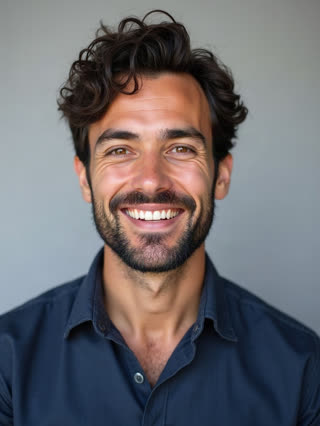
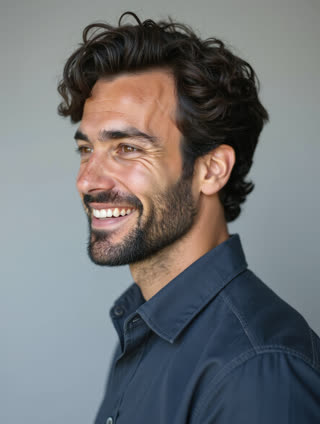
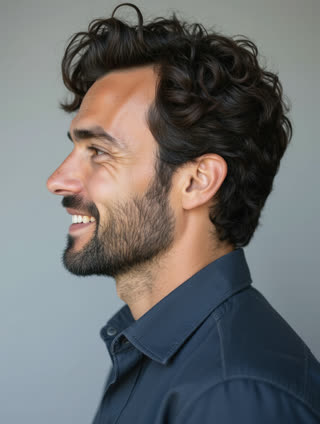
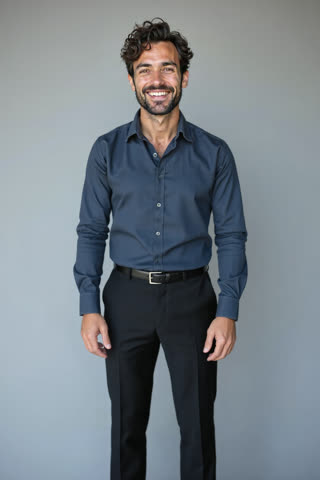
What you get
- You from 1–5 photos, the same chef in all three shots
- 3 shots, 10 seconds, wide 16:9
- Your welcome line and kitchen sounds generated with the video
- No watermark
Who it’s for
For food creators starting a YouTube channel, for cooking teachers and private chefs promoting classes, and for restaurants that want a friendly chef intro without a film crew in the kitchen.
The prompt
What the studio fills in for you. Your subject takes the place in brackets; you can change any of it.
- Shot 1A warm home kitchen with copper pans and herbs on the counter: [you] in a navy apron smiles at the camera and says: "Welcome back to Sunday Kitchen. Today: the easiest pasta you’ll ever make."
- Shot 2Close-up of a pan on the stove as [you] tosses garlic and tomatoes in olive oil and a burst of flame rises. Sizzling sound.
- Shot 3[you] sets down a plate of spaghetti with fresh basil in front of the camera and gives a satisfied nod.
Make it yours
Name your show
Replace the quoted welcome with your show’s name and today’s dish, kept to one short sentence.
Cook your cuisine
Change the pan and the dish to your style: tacos on a griddle, ramen in a pot, pasta tossed in a skillet.
Set your kitchen
Swap the warm home kitchen for a restaurant pass, an outdoor wood fire, or a small city flat.
Photos that work best
People: 1–5 photos with the face clearly visible and evenly lit — a straight-on portrait first, then a three-quarter angle and a profile. Skip sunglasses, heavy filters and group shots; if a photo shows more than one person, the studio can’t tell who you mean.
How it works
- Sign in and add you from 1–5 photos. Each subject is saved once, so every later template takes one tap.
- The studio opens with this template filled in: all 3 shots, 10 seconds, 16:9. Change any word you like.
- Press Generate. The clip is ready in a few minutes, without a watermark, and the same subject is there for the next one.
Questions
- Can I say my own welcome?
- Yes: the line is in quotes in the first shot. Keep it short enough to say in one breath.
- Can a guest chef join?
- Add a second person as a subject (with their agreement) and write them beside you at the counter.
- How much does this template cost?
- A new RefVid account’s free credits cover one 3-second clip. The full template is 10 seconds with sound: buy it as a single video, with no plan, or use credits from a pack or plan. Current prices are on the pricing page.
- Is this an AI cooking video generator for whole recipes?
- It makes the opening and short cooking moments with you as the chef. For a full recipe, film the real steps and use these clips as your intro and transitions.