A birthday video starring your pet
Upload a few photos of your pet once and RefVid throws the party: a tiny party hat, balloons, a small cake with candles, then your pet looking up at the camera with a happy sound in its own voice. It keeps its own face, coat and markings in both shots.
5 s · 9:16 · with sound
Sign in, add your subject, and the studio opens with this template filled in. Your first 3-second clip is free: this template’s first shot.
Made from these photos
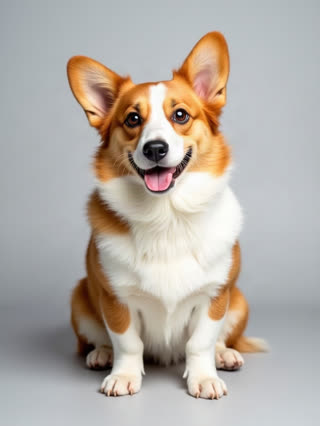
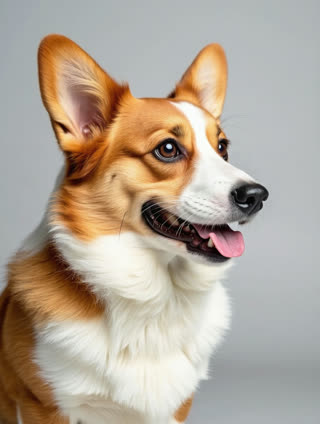
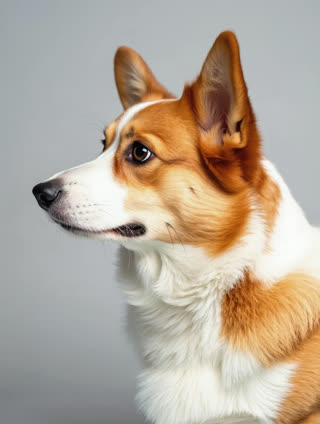
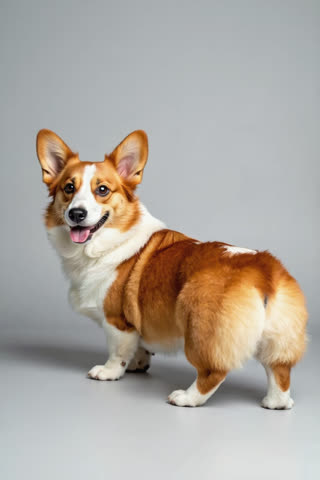
What you get
- Your own pet from 1–5 photos, not a look-alike
- 2 shots, 5 seconds, vertical 9:16
- Party sounds and your pet’s own happy sound, generated with the video
- No watermark
Who it’s for
For pet owners celebrating a birthday or an adoption day, for pet cafés and groomers marking a regular’s special day, and for anyone who wants a cute clip to share without stressing their pet with a real party hat.
The prompt
What the studio fills in for you. Your subject takes the place in brackets; you can change any of it.
- Shot 1[your pet] sits at a little table wearing a tiny striped party hat, colourful balloons behind, a small birthday cake with three lit candles in front. Warm home light, gentle push-in.
- Shot 2[your pet] looks up at the camera next to the cake, tilts its head and makes one small happy sound in its own natural voice. Soft focus on the candles, cosy birthday mood.
Make it yours
Make it their age
Change the number of candles on the cake to your pet’s age, or describe a candle shaped like the number.
Change the treat
Describe a pet-safe treat they really love, such as a bowl of their food with one candle beside it, instead of the cake.
Celebrate gotcha day
Rewrite it as an adoption anniversary with a little banner shape and balloons in their favourite colour.
Photos that work best
Pets: 1–5 sharp photos of the same pet, one face-on at eye level and one of the whole body from the side, so the coat, markings and size come through. Daylight beats flash, which turns eyes green or red.
How it works
- Sign in and add your pet from 1–5 photos. Each subject is saved once, so every later template takes one tap.
- The studio opens with this template filled in: both shots, 5 seconds, 9:16. Change any word you like.
- Press Generate. The clip is ready in a few minutes, without a watermark, and the same subject is there for the next one.
Questions
- Which pets work?
- Any pet you can photograph clearly: dogs, cats, rabbits, birds, even a goose. Use 1 to 5 sharp photos of the same animal, front-on, from the side and full body; RefVid keeps its face, coat or feathers and markings in every shot.
- Is the cake safe for pets?
- It’s only in the video: nothing is fed to anyone. Change "a small cake" to a bowl of treats in the prompt if you prefer.
- How much does this template cost?
- A new RefVid account’s free credits cover one 3-second clip. The full template is 5 seconds with sound: buy it as a single video, with no plan, or use credits from a pack or plan. Current prices are on the pricing page.
- How do I make a dog birthday video?
- Save your dog once from a few photos, open this template and change the number of candles. It works the same for any pet.
- Do cat birthday videos work as well?
- Yes: the prompt says "your pet", so cats, rabbits and other pets work from a few clear photos.