How to make AI videos for TikTok that look like one creator - RefVid
Turn your own photos into videos in minutes · Your first video is free, no watermark
First video free, no cardGenerating confirms everyone pictured agreed. Terms
You make an AI video for TikTok in five steps: set the clip to vertical 9:16 and 5 to 10 seconds, save the person or product you want on screen, write a hook and one action per shot, add sound and text in TikTok, then label it as AI and post on a steady schedule.
This guide walks through each step with real RefVid clips and the prompts behind them, and shows the free way to start.
Step 1: vertical 9:16, 5 to 10 seconds per clip
- Set the aspect ratio to 9:16 before you generate, because TikTok fills the phone screen with vertical video and crops or letterboxes anything else. Keep each clip between 5 and 10 seconds. Short clips are cheaper to redo, and a TikTok of 15 to 30 seconds is simply two or three clips cut together.
- Pick the resolution by where the video ends up: 720p is fine for testing ideas, 1080p for the posts you keep. Every clip on this page is 720 × 1280. In RefVid, a clip on Kling 4 can run from 3 to 30 seconds and on Kling 3.0 Omni up to 15, but for TikTok shorter clips with hard cuts between them usually hold attention better than one long take.
| Setting | For TikTok | Why |
|---|---|---|
| Aspect ratio | 9:16 | Fills the phone screen without bars |
| Clip length | 5–10 s | One idea per clip; join clips in the editor |
| Shots per clip | 1–3 | A cut every 2–4 seconds keeps the pace up |
| Resolution | 720p to test, 1080p to post | Re-do cheap drafts, upload the sharp final |
Step 2: save the person or product once
Decide who or what the account is about and save it before writing a single prompt. TikTok accounts grow around a recognisable face, mascot or product, and AI models redraw faces a little differently every time. Upload 1 to 5 clear photos once in RefVid, and every clip you make afterwards starts from the same subject.
Use a mix of a straight-on face, a three-quarter angle and one full-body photo in plain light. For a product, shoot the front, the back and the label up close. Up to 3 saved subjects can appear in one clip, so a creator holding your product is one generation, not a compositing job.
Step 3: a hook in the first second, one action per shot
- Open on the most surprising frame, not on a setup. TikTok's creative tips for ads say to grab attention in the first three seconds; on a feed people swipe through, aim for the first second and show the change, the reveal or the reaction right away. Then give every shot one clear action.
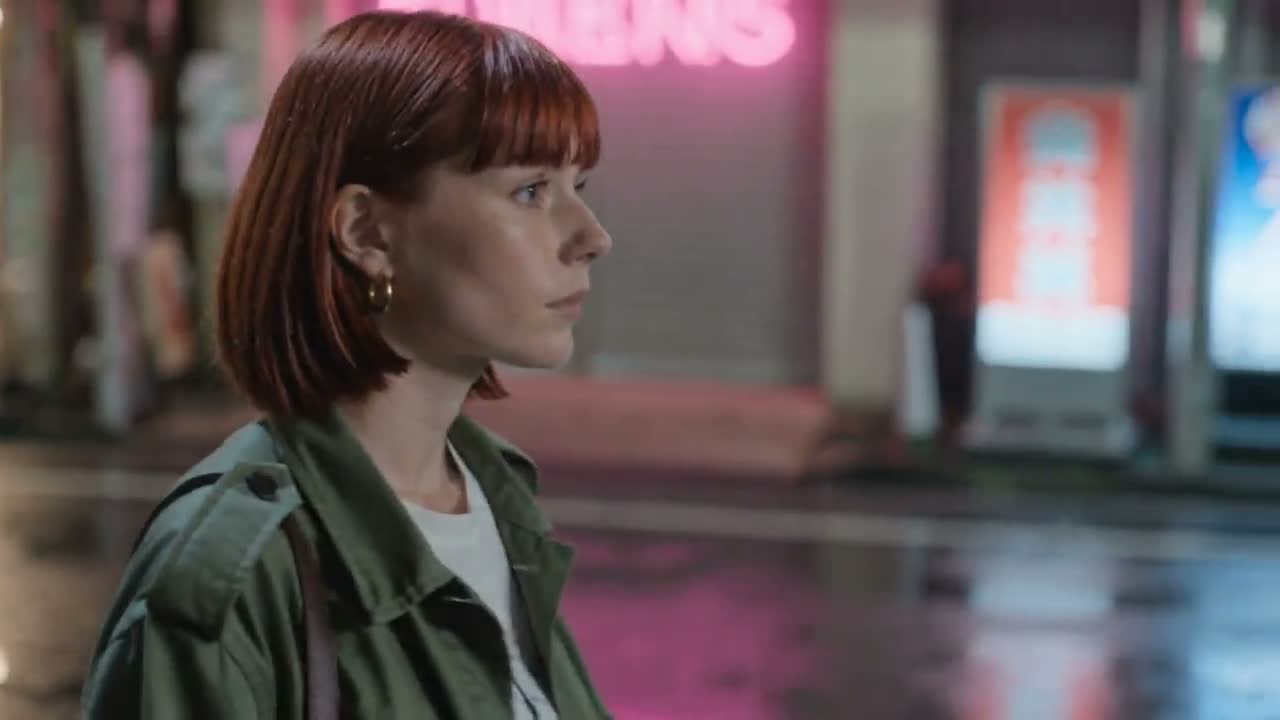
- Write each shot as who, does what, where, and how the camera sees it. Two of the three shots behind the Travel Vlog clip above, with Mia as the saved character: "Handheld vlog shot: Mia walks down a sunny cobbled old-town street lined with cafés and pastel houses, holding the camera at arm’s length, smiling. Street sounds, light breeze." and "Mia turns the camera around to reveal a wide view over terracotta rooftops to the sea at golden hour." In between, she stops by a fountain and says one line to the camera.
- Phone-style words (handheld, selfie, arm's length, phone flash) make a clip look native to TikTok; cinematic words (dolly, crane, anamorphic) make it look like an ad. A clip takes up to 3 shots, and the model cuts between them for you.
Step 4: sound, text and captions in TikTok
- Add sound in TikTok itself. Some models make their own audio: Kling 4 always does, Kling 3.0 Omni can, and quoted lines in a prompt are spoken. Silent clips are normal too. Either way, choose a sound in TikTok's editor when you post, because a trending sound is how a video joins what people are already watching.
- If the clip has dialogue, lower the trending sound under it instead of replacing it. Business accounts can only use TikTok's Commercial Music Library, so a brand account picks from there. Put the hook as on-screen text in the top third, away from the buttons on the right and the caption at the bottom, and turn on TikTok's auto captions for spoken lines, since many people watch with the sound off.
Step 5: check every frame, label it, post steadily
- Watch each clip frame by frame before posting. AI models still slip: an extra finger, a logo that changes, or a costume that does not fully change. In the Costume Try-On clip above, the witch in the last shot is still wearing the vampire's cape. Redo the shot or cut around it; viewers notice in the comments.
- Turn on TikTok's AI-generated content label in the post settings. TikTok asks creators to label realistic AI-generated content and may add the label itself or remove content that breaks its rules, including AI content that misleads about real people. Do not make a real person say or endorse something without their consent.
- Post at a pace you can keep. We post one or two a day, a few hours apart, rather than a burst from a new account. Keep the same subject, the same look and a recurring format so the account reads as one creator. When a format is already trending, copy it beat for beat with your own character, as in our guide to AI TikTok trend videos.
How to make AI videos for free
- Start with the free clip. Every new RefVid account gets one free 5-second video on Kling 3.0 Omni at 720p, silent, with no card and no watermark. Save your subject, write one shot with a strong opening, generate, download the MP4 and add a trending sound in TikTok. That is a complete first post.
- After the free clip you pay per second of video, so test hooks at 720p and 5 seconds, and spend on 1080p and longer clips only for the ideas that worked. Current prices and credit amounts are on the pricing page.
Start from a template
Each one opens the studio with the shots, shape and length already set. Add your own product and generate.
More how-to guides

Frequently asked questions
Can I make AI videos for TikTok for free?
Yes, to start. A new RefVid account gets one free 5-second Kling 3.0 Omni video, no card and no watermark. It is silent, so add a trending sound in TikTok when you post.
How long should an AI video for TikTok be?
Make each clip 5 to 10 seconds and cut two or three together for a 15 to 30 second post. A short loop of one strong clip works too, if the hook is in the first second.
Do I have to label AI videos on TikTok?
TikTok asks you to label realistic AI-generated content, using the AI-generated content setting when you post, and it can add a label itself. Labeling is the safe default for any AI clip of a person.
How do I make AI TikTok videos with the same face every time?
Save the person once from 1 to 5 photos and generate every clip from that saved subject instead of describing the face in words. All the clips on this page show the same character, Mia, made from one set of four photos.
How do I add music to an AI video for TikTok?
Generate the clip, download it, upload it in TikTok and choose a sound in the editor. If the clip has spoken lines, keep its own audio and lower the music under it. Business accounts use TikTok's Commercial Music Library.
Can I use AI videos for TikTok Shop?
You can make product clips with AI, but TikTok Shop has its own content rules and the product on screen must match what you sell. Save the product from real photos so the packaging stays the same, and check TikTok's current Shop policies before posting.
By Louis Chi