A Black Friday ad for your product
Upload a few photos of your product once and RefVid makes the Black Friday look: dark set, pink and blue neon, stacked gift boxes, then a slow push-in on your product with its real label. Leave space for your offer: add the discount as text when you post.
5 s · 9:16 · silent
Sign in, add your subject, and the studio opens with this template filled in. Your first 3-second clip is free: this template’s first shot.
Made from these photos
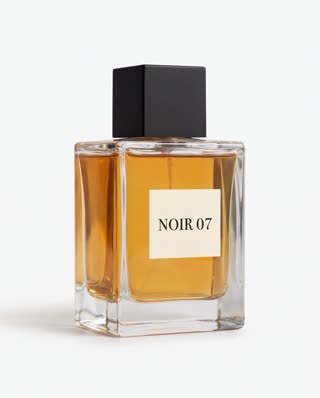
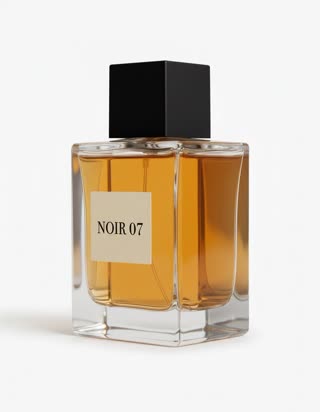
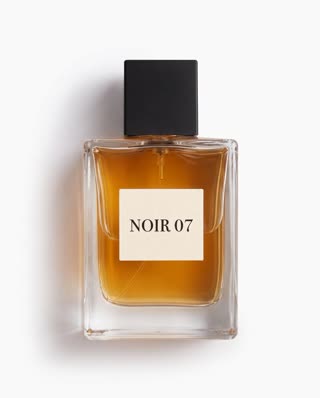
What you get
- Your real product from 1–5 photos, label and all
- 2 shots, 5 seconds, vertical 9:16
- Neon, gift boxes and a clean product hero shot
- No watermark; add your offer text in any editor
Who it’s for
For e-commerce sellers who need sale creative quickly, for brands running ads on TikTok, Reels and Shorts during Black Friday week, and for marketplace sellers who want something better than a static sale banner.
The prompt
What the studio fills in for you. Your subject takes the place in brackets; you can change any of it.
- Shot 1A dark studio set lit by pink and blue neon tubes, stacks of black gift boxes with satin ribbons; [your product] sits on top of the tallest box as the camera rises slowly toward it.
- Shot 2Slow push-in on [your product], neon reflections sliding across it, the label sharp and centred, glittering confetti drifting down. Glossy, premium, high contrast.
Make it yours
Use your colours
Swap the pink and blue neon for your brand colours, or gold and black for a luxury sale.
Change the set
Replace the gift boxes with shopping bags, a glowing countdown-style stage without numbers, or falling ribbons.
Make a series
Open the template with each product in your sale and post them as a set; the scene stays the same across all of them.
Photos that work best
Products: 1–5 photos on a plain background — the front with the label readable, then the back and one side. Shoot in soft daylight to avoid glare on glass and gloss; the video keeps the label only as sharp as your best photo.
How it works
- Sign in and add your product from 1–5 photos. Each subject is saved once, so every later template takes one tap.
- The studio opens with this template filled in: both shots, 5 seconds, 9:16. Change any word you like.
- Press Generate. The clip is ready in a few minutes, without a watermark, and the same subject is there for the next one.
Questions
- Can the video show my discount?
- AI video models often misspell text, so the template leaves the offer out. Add "30% off" or your code as a text layer in TikTok, Instagram or CapCut when you post.
- Can I make one for every product in my shop?
- Yes. Save each product once from a few photos and open the template with each; the shots and look stay the same, only the product changes.
- How much does this template cost?
- A new RefVid account’s free credits cover one 3-second clip. The full template is 5 seconds: buy it as a single video, with no plan, or use credits from a pack or plan. Current prices are on the pricing page.
- What makes Black Friday video ads work?
- A product shot that stops the scroll in the first second and room for the offer as text. The template gives you the first; add the second when you post.
- What do the best Black Friday video ads have in common?
- A clear product, a short clip and the discount on screen. Keep the text in your editor so it is spelled correctly.