Your pet reads the evening news
Upload a few photos of your pet once and RefVid seats it at a TV news desk: studio lights, a city skyline on the screen behind, a little tie, and one headline read straight to camera in a voice made for the video. Write your own headline.
5 s · 16:9 · with sound
Sign in, pick or add your subject, and the studio opens with this template filled in. Your first 3-second clip is free.
Made from these photos
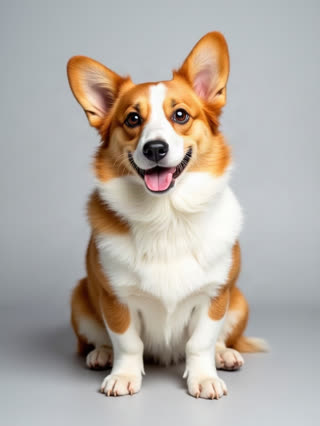
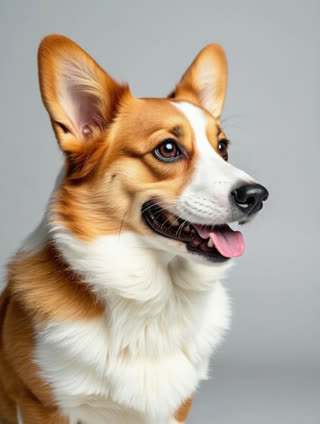
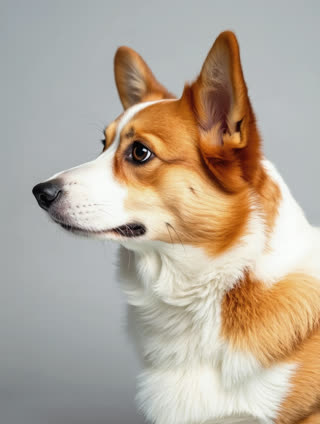
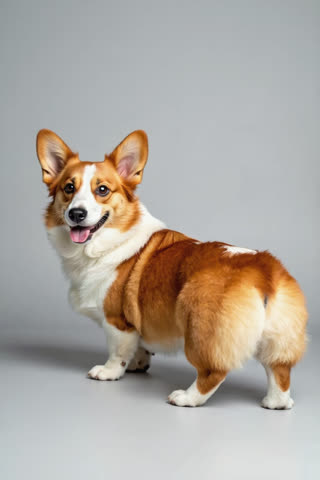
What you get
- Your own pet from 1–5 photos
- 1 shot, 5 seconds, wide 16:9
- The spoken headline and studio sound generated with the video
- No watermark
Who it’s for
For pet accounts that want a running joke, for family announcements told by the pet ("breaking news: we’re moving"), and for brands and shelters sharing news with a face people will stop for.
The prompt
What the studio fills in for you. Your subject takes the place in brackets; you can change any of it.
- A TV news studio with bright lights and a city skyline on the screen behind: [your pet] sits upright behind the news desk wearing a small red tie, looks into the camera and says in a serious newsreader voice: "Good evening. Tonight’s top story: dinner is late again."
Make it yours
Write the headline
Replace the quoted line with your own news: a birthday, a new sibling, a product launch, kept to one short sentence.
Change the desk
Swap the news studio for a weather map, a sports desk with a scoreboard, or a late-night talk-show set.
Go live on location
Rewrite it as a field report: your pet in a raincoat holding a microphone on a windy beach.
Photos that work best
Pets: 1–5 sharp photos of the same pet, one face-on at eye level and one of the whole body from the side, so the coat, markings and size come through. Daylight beats flash, which turns eyes green or red.
How it works
- Sign in and add your pet from 1–5 photos. Each subject is saved once, so every later template takes one tap.
- The studio opens with this template filled in: the shot, 5 seconds, 16:9. Change any word you like.
- Press Generate. The clip is ready in a few minutes, without a watermark, and the same subject is there for the next one.
Questions
- Which pets work?
- Dogs, cats, rabbits and most other pets work from a few clear photos; the prompt only says "your pet", so nothing assumes a species.
- Whose voice is it?
- The model makes a voice for the line. Keep the headline to one short sentence so it fits the shot.
- How much does this template cost?
- A new RefVid account’s free credits cover one 3-second clip. The full template is 5 seconds with sound: buy it as a single video, with no plan, or use credits from a pack or plan. Current prices are on the pricing page.
- How does a talking pet video AI make my pet speak?
- The model generates the voice and mouth movement for the line in quotes, on your pet’s own face from its photos.
- Can I make a talking dog video AI clip with my own words?
- Yes: write your headline in quotes, one short sentence, and generate.