A travel vlog, starring you
Save yourself once from a few photos and RefVid films the travel vlog you didn’t have time to shoot: walking a sunny old-town street with the camera in hand, a line to the viewers, then turning the camera to the view. Your face stays the same in all three shots.
10 s · 9:16 · with sound
Sign in, add your subject, and the studio opens with this template filled in. Your first 3-second clip is free: this template’s first shot.
Made from these photos

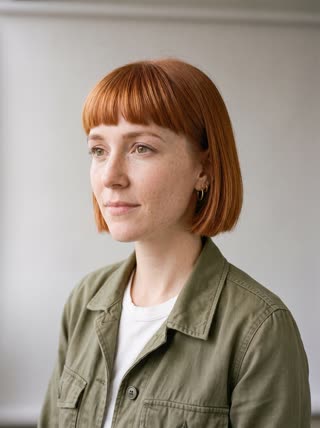

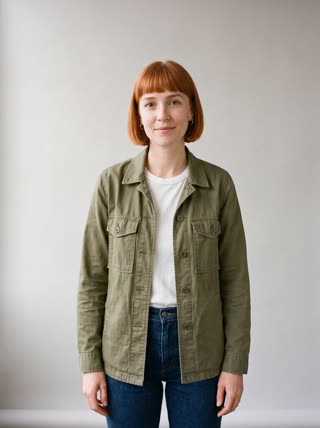
What you get
- You from 1–5 photos, the same face in every shot
- 3 shots, 10 seconds, vertical 9:16
- Your spoken line and street sound generated with the video
- No watermark
Who it’s for
For travel creators who want content from trips they didn’t film, for tourism boards and hotels showing a place with a friendly guide, and for anyone planning a trip who wants to picture themselves there.
The prompt
What the studio fills in for you. Your subject takes the place in brackets; you can change any of it.
- Shot 1Handheld vlog shot: [you] walks down a sunny cobbled old-town street lined with cafés and pastel houses, holding the camera at arm’s length, smiling. Street sounds, light breeze.
- Shot 2[you] stops by a fountain and says to the camera: "Okay, this little street is my favourite thing so far."
- Shot 3[you] turns the camera around to reveal a wide view over terracotta rooftops to the sea at golden hour.
Make it yours
Pick the city
Name a real place in each shot, such as Lisbon’s Alfama, Kyoto’s Gion or your home town’s market street.
Say your line
Replace the quoted line with your own reaction, a tip for viewers, or the name of the café you just found.
Change the ending
Swap the rooftop view for a sunset over a harbour, a mountain lake or a night market lighting up.
Photos that work best
People: 1–5 photos with the face clearly visible and evenly lit — a straight-on portrait first, then a three-quarter angle and a profile. Skip sunglasses, heavy filters and group shots; if a photo shows more than one person, the studio can’t tell who you mean.
How it works
- Sign in and add you from 1–5 photos. Each subject is saved once, so every later template takes one tap.
- The studio opens with this template filled in: all 3 shots, 10 seconds, 9:16. Change any word you like.
- Press Generate. The clip is ready in a few minutes, without a watermark, and the same subject is there for the next one.
Questions
- Can I pick the city?
- Yes: the place is in each shot’s prompt. Write Lisbon, Kyoto or your home town before you generate; real landmarks work, famous people don’t.
- Can I change what I say?
- Yes, the line is in quotes in the second shot; replace it with yours.
- How much does this template cost?
- A new RefVid account’s free credits cover one 3-second clip. The full template is 10 seconds with sound: buy it as a single video, with no plan, or use credits from a pack or plan. Current prices are on the pricing page.
- Is this an AI travel video generator for any city?
- Yes: name the place in each shot. Real cities and landmarks work; famous people don’t.