A flat lay video of your product
The flat lay, but moving: shot straight down on a clean surface, small props slide into the frame one after another around your product until the layout is complete. Upload a few photos once and RefVid keeps your product’s shape and label exactly as they are.
5 s · 1:1 · silent
Sign in, pick or add your subject, and the studio opens with this template filled in. Your first 3-second clip is free.
Made from these photos
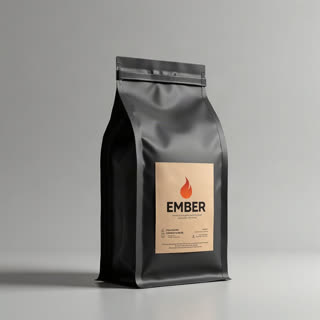
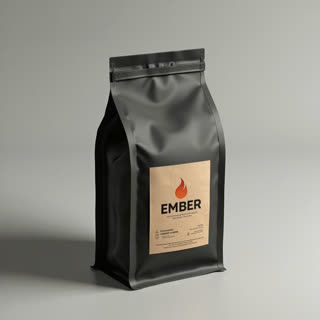
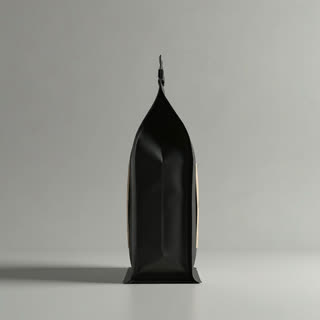
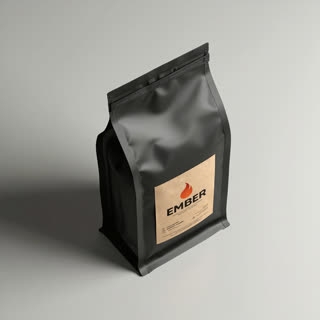
What you get
- Your real product from 1–5 photos
- 1 shot, 5 seconds, square 1:1 for shop pages and ads
- Top-down, styled, clean background
- No watermark
Who it’s for
For shop pages, marketplace listings and Instagram grids where top-down shots are the house style, and for brands selling stationery, coffee, skincare and accessories that look best with styled props.
The prompt
What the studio fills in for you. Your subject takes the place in brackets; you can change any of it.
- Top-down flat lay on a warm beige linen surface: [your product] lies in the centre as a ceramic cup of coffee, a scattering of coffee beans, a small notebook and a sprig of eucalyptus slide into the frame one by one around it. Soft even daylight.
Make it yours
Choose the props
Replace the coffee, beans and notebook with things your buyers use alongside your product, such as a towel and soap or a phone and earbuds.
Change the surface
Swap beige linen for white marble, dark slate, a wooden desk or a pastel paper backdrop.
Tell a routine
Order the props as steps, such as morning skincare from cleanser to cream, so the layout tells a small story.
Photos that work best
Products: 1–5 photos on a plain background — the front with the label readable, then the back and one side. Shoot in soft daylight to avoid glare on glass and gloss; the video keeps the label only as sharp as your best photo.
How it works
- Sign in and add your product from 1–5 photos. Each subject is saved once, so every later template takes one tap.
- The studio opens with this template filled in: the shot, 5 seconds, 1:1. Change any word you like.
- Press Generate. The clip is ready in a few minutes, without a watermark, and the same subject is there for the next one.
Questions
- Can I pick the props?
- Yes: the props are listed in the prompt. Swap the coffee beans and cup for whatever suits your product.
- Can several of my products be in it?
- Yes: add up to two more products as subjects in the studio and write them into the layout.
- How much does this template cost?
- A new RefVid account’s free credits cover one 3-second clip. The full template is 5 seconds: buy it as a single video, with no plan, or use credits from a pack or plan. Current prices are on the pricing page.
- Does a flat lay product video work for marketplaces?
- Yes: it is square, clean and top-down like a listing photo, but moving, which helps a listing stand out.