An unboxing video of your own product
Upload a few photos of your product once and RefVid films the unboxing: a box on a clean table, hands lifting the lid, the product coming out and turning toward the camera. The shape, colours and label stay exactly as in your photos, in all three shots.
10 s · 9:16 · with sound
Sign in, add your subject, and the studio opens with this template filled in. Your first 3-second clip is free: this template’s first shot.
Made from these photos
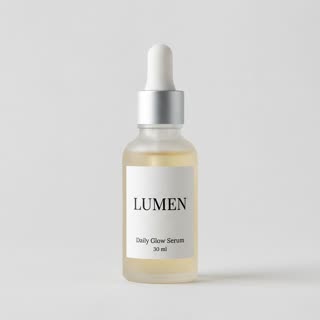
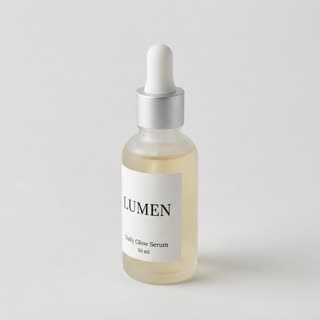

What you get
- Your real product from 1–5 photos, label and all
- 3 shots, 10 seconds, vertical 9:16 for TikTok Shop and Reels
- Paper rustle and table sounds generated with the video
- No watermark, no camera or studio needed
Who it’s for
For brands selling subscription boxes and gifts, for e-commerce shops showing what arrives at the door, and for marketing teams that want an unboxing ad without shipping samples to creators.
The prompt
What the studio fills in for you. Your subject takes the place in brackets; you can change any of it.
- Shot 1Top-down shot of a plain kraft box on a light wooden table in soft daylight; two hands lift the lid and fold back white tissue paper. Paper rustle.
- Shot 2Close-up as the hands lift [your product] out of the box and hold it up, turning it slowly so the label faces the camera.
- Shot 3[your product] stands on the table next to the open box, the camera gently pushing in. Clean, bright, shallow depth of field.
Make it yours
Use your packaging
Describe your real box: its colour, the logo-free print, the tissue colour and any card inside.
Change the table
Swap the wooden table for a marble kitchen counter, a bed with white sheets or a doorstep with the parcel just delivered.
Add a reaction
Add a person as a subject and write their face lighting up as the product comes out of the box.
Photos that work best
Products: 1–5 photos on a plain background — the front with the label readable, then the back and one side. Shoot in soft daylight to avoid glare on glass and gloss; the video keeps the label only as sharp as your best photo.
How it works
- Sign in and add your product from 1–5 photos. Each subject is saved once, so every later template takes one tap.
- The studio opens with this template filled in: all 3 shots, 10 seconds, 9:16. Change any word you like.
- Press Generate. The clip is ready in a few minutes, without a watermark, and the same subject is there for the next one.
Questions
- What photos do I need for an unboxing video?
- One to five sharp photos of the product on a plain background: the front with the label, one from an angle, and one of the back or the top if it matters. RefVid uses them to keep the product the same in every shot.
- Can I show my own packaging?
- Yes. Add a photo of your box as a second product, or describe it in the first shot before you generate. The template opens in the studio with every shot editable.
- Is an AI unboxing video allowed in ads?
- Yes, as long as it shows your own product honestly. Some platforms ask you to label AI-generated content; TikTok and Meta both have a toggle for it when you post.
- Does product unboxing video AI keep my label?
- It keeps the product from your photos, label included, as sharp as your best photo. Check the clip before posting.