Your pet, the ring bearer
Upload a few photos of your pet once and RefVid films the moment every couple imagines: your pet walking down a garden aisle between white chairs and flowers, a small basket with the ring box, guests turning to smile. A clip for the wedding website, the save-the-date or the reception screen.
5 s · 16:9 · silent
Sign in, pick or add your subject, and the studio opens with this template filled in. Your first 3-second clip is free.
Made from these photos

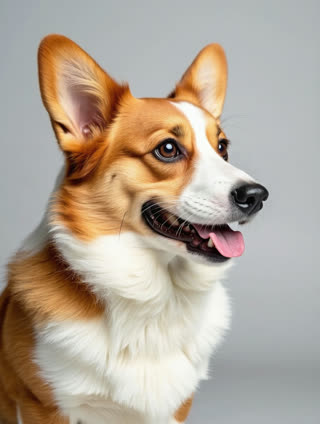

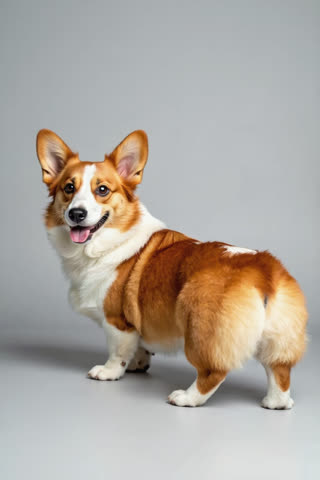
What you get
- Your own pet from 1–5 photos, coat and markings intact
- 1 shot, 5 seconds, wide 16:9
- Garden aisle, flowers and guests
- No watermark
Who it’s for
For couples who want their pet in the wedding even if the venue says no, for wedding planners showing pet-friendly ideas, and for anyone making a wedding website or a reception slideshow.
The prompt
What the studio fills in for you. Your subject takes the place in brackets; you can change any of it.
- A garden wedding in soft afternoon light: [your pet] wearing a small flower collar walks down the aisle between rows of white chairs toward the camera, carrying a little basket with a ring box in its mouth, guests on both sides turning to smile, petals on the grass.
Make it yours
Choose the venue
Swap the garden aisle for a beach at sunset, a barn with fairy lights, or a city hall staircase.
Dress them up
Describe a bow tie, a flower collar or a little lace veil on your pet.
Add the couple
Add the two of you as subjects and write you waiting at the end of the aisle, kneeling to take the rings.
Photos that work best
Pets: 1–5 sharp photos of the same pet, one face-on at eye level and one of the whole body from the side, so the coat, markings and size come through. Daylight beats flash, which turns eyes green or red.
How it works
- Sign in and add your pet from 1–5 photos. Each subject is saved once, so every later template takes one tap.
- The studio opens with this template filled in: the shot, 5 seconds, 16:9. Change any word you like.
- Press Generate. The clip is ready in a few minutes, without a watermark, and the same subject is there for the next one.
Questions
- Which pets work?
- Dogs, cats, rabbits and most other pets work from a few clear photos; the prompt only says "your pet", so nothing assumes a species.
- Can the video show our names or date?
- AI video models often misspell text, so the template leaves it out. Add names and the date as text in any editor.
- How much does this template cost?
- A new RefVid account’s free credits cover one 3-second clip. The full template is 5 seconds: buy it as a single video, with no plan, or use credits from a pack or plan. Current prices are on the pricing page.
- Can I use a dog ring bearer video at the reception?
- Yes: it plays on any screen or projector, and it is a good surprise for guests who know your dog.
- What are some dog ring bearer ideas for the video?
- A flower collar, a bow tie, a little basket or a pillow on the back; describe any of them in the prompt.