A save-the-date video of the two of you
Save the two of you once, each from a few photos, and RefVid films the save-the-date: walking hand in hand through a garden in late afternoon light, a quiet laugh together, then a close shot of the ring. Add your date and names as text when you send it.
10 s · 16:9 · silent
Sign in, add your subject, and the studio opens with this template filled in. Your first 3-second clip is free: this template’s first shot.
Made from these photos

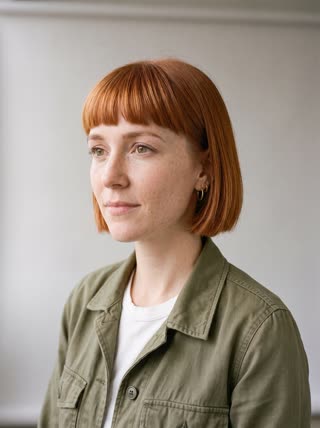

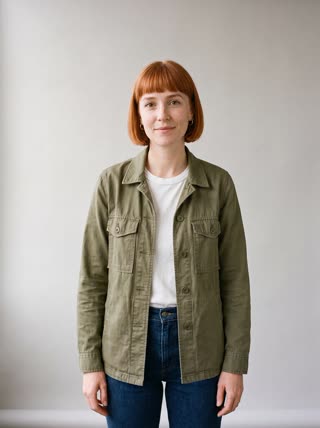

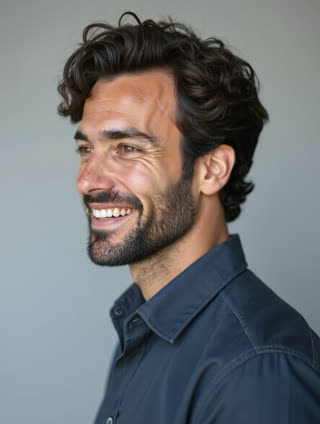
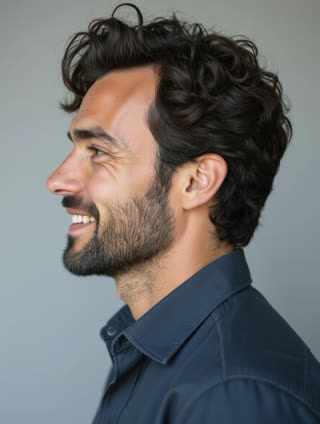

What you get
- The two of you, each from 1–5 photos, in one clip
- 3 shots, 10 seconds, wide 16:9
- Soft garden light, no text to misspell
- No watermark
Who it’s for
For engaged couples sending save-the-dates by message, for wedding websites, and for planners and venues showing what a day there could look like. Both of you are saved once and can appear in more clips later.
The prompt
What the studio fills in for you. Your subject takes the place in brackets; you can change any of it.
- Shot 1Late-afternoon light in a blooming rose garden: [you] and [your partner] walk hand in hand along a gravel path toward the camera, smiling at each other.
- Shot 2Medium shot: [your partner] whispers something to [you], who laughs and leans in; soft bokeh of flowers behind.
- Shot 3Close-up of their joined hands, a simple gold engagement ring catching the light.
Make it yours
Pick your venue
Swap the rose garden for your real venue type: a vineyard, a city hall staircase, a beach or a mountain lodge.
Dress for it
Describe what you will actually wear, or a casual outfit for an engagement-style clip.
End on your detail
Rewrite the last shot to show something that is yours: your dog, a bicycle, a vintage car, or the view from the venue.
Photos that work best
People: 1–5 photos with the face clearly visible and evenly lit — a straight-on portrait first, then a three-quarter angle and a profile. Skip sunglasses, heavy filters and group shots; if a photo shows more than one person, the studio can’t tell who you mean.
How it works
- Sign in and add you and your partner, each from 1–5 photos. Each subject is saved once, so every later template takes one tap.
- The studio opens with this template filled in: all 3 shots, 10 seconds, 16:9. Change any word you like.
- Press Generate. The clip is ready in a few minutes, without a watermark, and the same subject is there for the next one.
Questions
- Does the video show our date and names?
- AI video models often misspell text, so the template leaves it out. Add "Save the date · June 12" as text in any editor or in your invitation app.
- Can I make it with a friend’s or partner’s photos?
- Yes, with their agreement: the studio asks you to confirm that every adult in the photos agreed. Each person is saved once and can be in any later video.
- How much does this template cost?
- A new RefVid account’s free credits cover one 3-second clip. The full template is 10 seconds: buy it as a single video, with no plan, or use credits from a pack or plan. Current prices are on the pricing page.
- How is a save the date video AI clip made from our photos?
- Each of you is saved once from a few photos, with consent. The garden, ring and shots are written; change the venue to yours.