Your jewelry, sparkling on black velvet
Upload a few photos of a ring, necklace or pair of earrings once and RefVid makes the shot jewellers pay studios for: black velvet, a slow turn, and a moving light that sets every facet sparkling. The metal, the stones and the setting stay exactly as in your photos.
5 s · 1:1 · silent
Sign in, pick or add your subject, and the studio opens with this template filled in. Your first 3-second clip is free.
Made from these photos
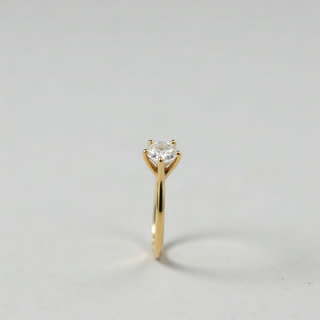
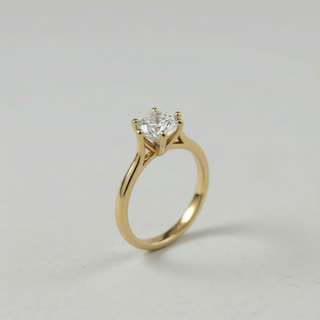
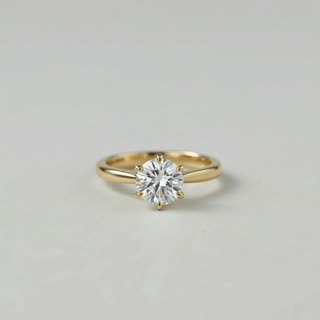
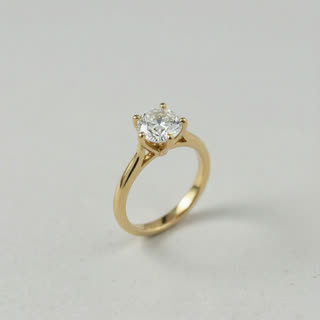
What you get
- Your real piece from 1–5 photos
- 1 shot, 5 seconds, square 1:1 for shop pages and ads
- Moving light, macro detail, black velvet
- No watermark
Who it’s for
For independent jewellers on Etsy and Shopify, for brands launching a new collection, and for resellers of vintage pieces. Rings, pendants and earrings that look flat in photos come alive when light moves across them.
The prompt
What the studio fills in for you. Your subject takes the place in brackets; you can change any of it.
- Macro shot: [your piece] rests on rich black velvet and turns slowly while a soft beam of light sweeps across it, every facet catching sparkles and glints. Deep black background, shallow depth of field, luxurious.
Make it yours
Change the surface
Swap black velvet for white marble, a silk ribbon or a bed of dark stones to match your brand’s style.
Show it worn
Rewrite the shot as a close-up of a hand or neckline wearing the piece, light catching it as the hand turns.
Add a box
Write your piece resting in an open ring box or gift pouch for a proposal or gifting angle.
Photos that work best
Products: 1–5 photos on a plain background — the front with the label readable, then the back and one side. Shoot in soft daylight to avoid glare on glass and gloss; the video keeps the label only as sharp as your best photo.
How it works
- Sign in and add your piece from 1–5 photos. Each subject is saved once, so every later template takes one tap.
- The studio opens with this template filled in: the shot, 5 seconds, 1:1. Change any word you like.
- Press Generate. The clip is ready in a few minutes, without a watermark, and the same subject is there for the next one.
Questions
- What photos work best for jewelry?
- Sharp, well-lit photos on a plain background: the front, a three-quarter view and the side or back. Close-ups of the stone help the macro shot keep its detail.
- Can it be on a hand instead?
- Yes. Change "on black velvet" to "on a woman’s hand, soft natural light" in the prompt before you generate.
- How much does this template cost?
- A new RefVid account’s free credits cover one 3-second clip. The full template is 5 seconds: buy it as a single video, with no plan, or use credits from a pack or plan. Current prices are on the pricing page.
- How does jewelry video AI keep my design?
- It works from 1–5 photos of your real piece, so the setting, stones and metal stay yours. Use sharp, well-lit photos for the best detail.
- Is RefVid a jewelry AI video generator for shops?
- Yes, for showing pieces you sell: save each piece once and open this template for each. The velvet and light stay the same across your collection.