Your superhero landing
Save yourself once from a few photos and RefVid films the classic superhero entrance: you dropping out of a stormy sky onto a city rooftop in an original suit, the concrete cracking under the three-point landing, then rising slowly to face the camera. No film characters, just you.
5 s · 16:9 · silent
Sign in, add your subject, and the studio opens with this template filled in. Your first 3-second clip is free: this template’s first shot.
Made from these photos

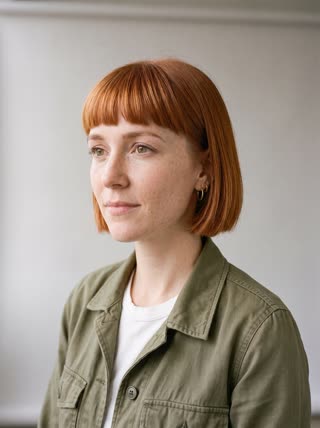
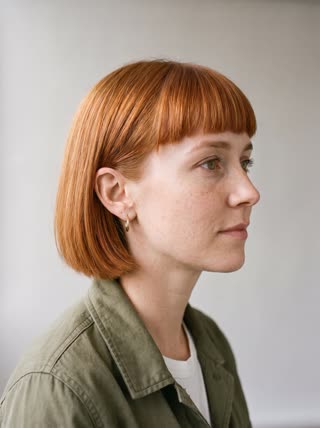
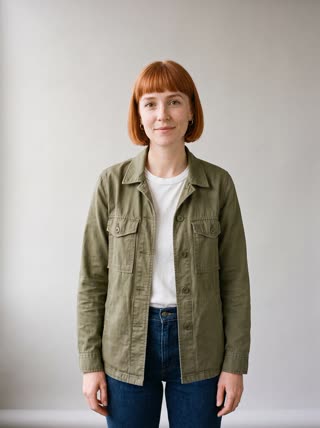
What you get
- You from 1–5 photos, the same face in both shots
- 2 shots, 5 seconds, wide 16:9
- Original suit, rooftop landing, dramatic light
- No watermark
Who it’s for
For anyone who has practised the landing in the living room, for birthday surprises and cosplay creators with their own designs, and for gyms, games and events that want a dramatic hero intro with a real face.
The prompt
What the studio fills in for you. Your subject takes the place in brackets; you can change any of it.
- Shot 1A stormy evening over a city: [you] in an original dark blue armoured suit with silver lines drops from the sky and lands on a rooftop in a three-point landing, one fist on the concrete, cracks spreading and dust blowing outward.
- Shot 2[you] rises slowly from the landing and looks straight into the camera, wind pulling at the suit, lightning flashing behind. Low angle, cinematic.
Make it yours
Design your suit
Describe your own suit by colour and material: a midnight-blue armour with silver lines, a red jacket with a cape, a green stealth suit.
Pick the city
Swap the stormy rooftop for a sunny street, a snowy mountain top or a neon city at night.
Add a power
Write sparks, a gust of wind or a glowing shockwave rippling out from the landing.
Photos that work best
People: 1–5 photos with the face clearly visible and evenly lit — a straight-on portrait first, then a three-quarter angle and a profile. Skip sunglasses, heavy filters and group shots; if a photo shows more than one person, the studio can’t tell who you mean.
How it works
- Sign in and add you from 1–5 photos. Each subject is saved once, so every later template takes one tap.
- The studio opens with this template filled in: both shots, 5 seconds, 16:9. Change any word you like.
- Press Generate. The clip is ready in a few minutes, without a watermark, and the same subject is there for the next one.
Questions
- Can I dress as a famous superhero?
- No: RefVid doesn’t recreate film or comic characters. Describe your own suit by colours and materials; it looks just as good and it’s yours.
- Can I make it vertical?
- Switch the ratio to 9:16 in the studio for Reels and TikTok; the same shots are framed for phones.
- How much does this template cost?
- A new RefVid account’s free credits cover one 3-second clip. The full template is 5 seconds: buy it as a single video, with no plan, or use credits from a pack or plan. Current prices are on the pricing page.
- Do I have to do the superhero landing pose myself?
- No: you only upload a few ordinary photos. The pose, the suit and the cracks in the concrete are generated.