You as a zombie, walking out of the fog
An original zombie look, pale skin, dark eyes, torn clothes, on a foggy street under one flickering lamp. This template keeps your own face recognisable under the make-up, from the photos you upload once, in a two-shot clip with eerie night sound.
5 s · 16:9 · with sound
Sign in, add your subject, and the studio opens with this template filled in. Your first 3-second clip is free: this template’s first shot.
Made from these photos

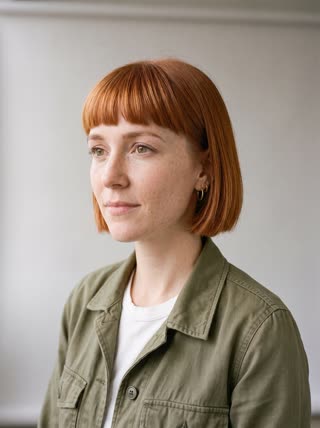
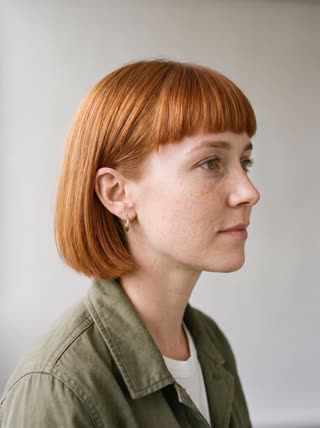
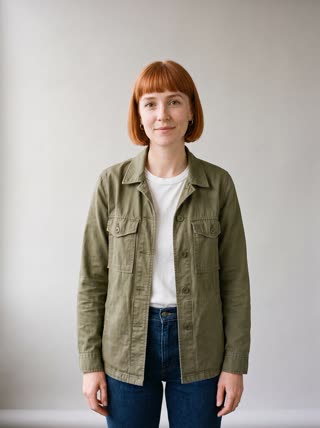
What you get
- You, from 1–5 photos of yourself
- 2 shots, 5 seconds, wide 16:9
- Fog, streetlight and night sounds
- No film or game characters: an original zombie look
Who it’s for
For Halloween fans who want a zombie look without hours of make-up, for haunted-house and escape-room promotions, and for creators making a fun, shareable fright that ends in a grin rather than real gore.
The prompt
What the studio fills in for you. Your subject takes the place in brackets; you can change any of it.
- Shot 1Medium shot on a foggy street at night under one flickering streetlight: [you] dressed as a zombie for Halloween, face covered in heavy grey-green face paint, dark sunken shadows painted around the eyes, fake blood at the corner of the mouth, a ripped and stained flannel shirt, shuffles slowly toward the camera with stiff arms. Cold blue light, drifting fog.
- Shot 2Close-up of [you], still in the grey-green zombie face paint and fake blood, stopping under the lamp, tilting the head, then breaking into a grin at the camera. Low growl, distant wind.
Make it yours
Pick your zombie
Describe a zombie bride in a torn dress, a zombie chef in a stained apron, or a zombie office worker with a lanyard.
Change the location
Move the walk to an empty school corridor, a cornfield at night or an abandoned shopping mall.
Tone it up or down
Remove the fake blood for a family-friendly version, or add a creepy flickering sign for a scarier one.
Photos that work best
People: 1–5 photos with the face clearly visible and evenly lit — a straight-on portrait first, then a three-quarter angle and a profile. Skip sunglasses, heavy filters and group shots; if a photo shows more than one person, the studio can’t tell who you mean.
How it works
- Sign in and add you from 1–5 photos. Each subject is saved once, so every later template takes one tap.
- The studio opens with this template filled in: both shots, 5 seconds, 16:9. Change any word you like.
- Press Generate. The clip is ready in a few minutes, without a watermark, and the same subject is there for the next one.
Questions
- Will I still be recognisable as a zombie?
- Yes, that is the point of the template: RefVid keeps the face from your 1 to 5 reference photos and adds the make-up, so friends see that it is you.
- Is the zombie video too scary to share?
- The template keeps it to Halloween-party spooky: make-up, fog and a slow walk, no gore.
- How much does the zombie walk video cost?
- A new RefVid account’s free credits cover one 3-second clip. The full template is 5 seconds with sound: buy it as a single video, with no plan, or use credits from a pack or plan. Current prices are on the pricing page.
- Do I need a zombie makeup video tutorial first?
- No make-up at all: the grey-green face paint and fake blood are generated on your face from your photos.