A food commercial for your product
Pours and steam are what make food ads look delicious. Upload a few photos of your coffee, tea, sauce or snack pack once and RefVid films two shots: a slow-motion pour with steam curling up in macro, then your pack beside the finished cup with its real label.
5 s · 9:16 · silent
Sign in, add your subject, and the studio opens with this template filled in. Your first 3-second clip is free: this template’s first shot.
Made from these photos
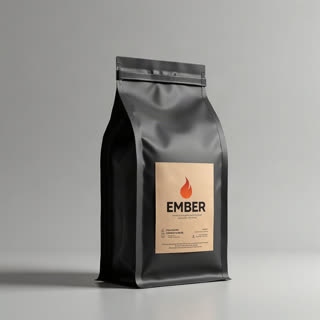
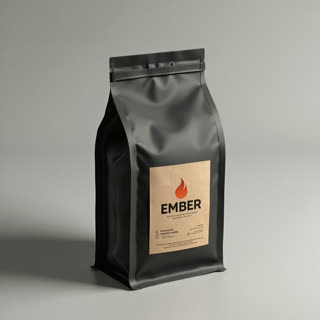
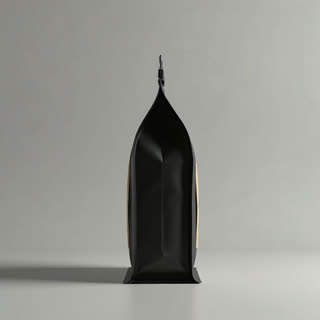
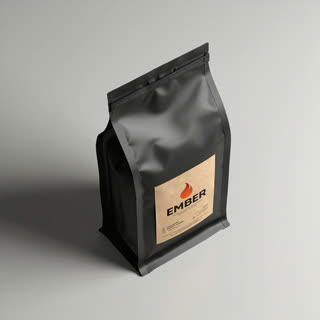
What you get
- Your real pack from 1–5 photos, label and all
- 2 shots, 5 seconds, vertical 9:16
- Slow-motion pour, macro steam, warm light
- No watermark
Who it’s for
For coffee roasters, tea brands, sauce and snack makers, and cafés that sell their own packs. Pours are expensive to shoot well; this gives a social-ready product ad from the photos you already have of the pack.
The prompt
What the studio fills in for you. Your subject takes the place in brackets; you can change any of it.
- Shot 1Slow-motion macro: hot black coffee, dark brown and glossy, pours from a clear glass carafe into a white ceramic cup, a thin crema forming, steam curling up through warm side light against a dark background.
- Shot 2[your product] stands next to the steaming cup on a wooden counter, a few coffee beans scattered around, the camera pushing in until the label fills the frame.
Make it yours
Pour what you sell
Rewrite the first shot for your product: matcha whisked into milk, honey dripping on toast, hot sauce on tacos, broth into a bowl.
Match your brand colours
Change the dark background to a bright pastel set or a rustic wooden kitchen so the clip fits the rest of your feed.
Add the moment of use
Write a hand lifting the cup or a spoon dipping in, so the ad shows someone enjoying it rather than only the pack.
Photos that work best
Products: 1–5 photos on a plain background — the front with the label readable, then the back and one side. Shoot in soft daylight to avoid glare on glass and gloss; the video keeps the label only as sharp as your best photo.
How it works
- Sign in and add your product from 1–5 photos. Each subject is saved once, so every later template takes one tap.
- The studio opens with this template filled in: both shots, 5 seconds, 9:16. Change any word you like.
- Press Generate. The clip is ready in a few minutes, without a watermark, and the same subject is there for the next one.
Questions
- What if I don’t sell coffee?
- Describe your product in the first shot — honey dripping on toast, broth poured into a bowl — and keep the second shot with your pack.
- Can it show the inside of my product?
- Only as described in the prompt: AI recreates a believable pour, not your exact recipe. Keep claims in the text you post accurate.
- How much does this template cost?
- A new RefVid account’s free credits cover one 3-second clip. The full template is 5 seconds: buy it as a single video, with no plan, or use credits from a pack or plan. Current prices are on the pricing page.
- How do food commercials make pours look so good?
- Slow motion, backlight and steam against a dark background. The template writes those in, so your pack gets the same treatment.
- Can I make a coffee commercial for my roastery?
- Yes: save your bag once from a few photos, open the template and change the coffee or the cup to match your brand.