A video introduction, from you
For a profile, a website or a cold email: save yourself once from a few photos and RefVid films a short introduction — you in a bright, modern office, looking into the camera and saying one line about who you are. Edit the line to yours before you generate.
5 s · 16:9 · with sound
Sign in, pick or add your subject, and the studio opens with this template filled in. Your first 3-second clip is free.
Made from these photos


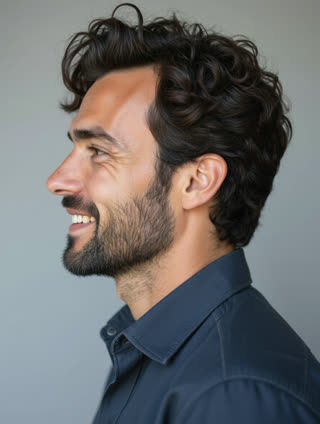
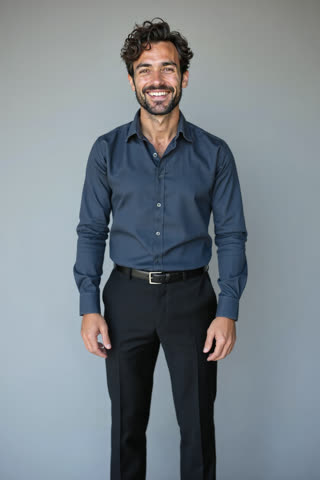
What you get
- You from 1–5 photos, the same face in every version
- 1 shot, 5 seconds, wide 16:9
- Your line spoken, with room sound
- No watermark
Who it’s for
For freelancers and consultants who want a short video intro on their profile, for job seekers adding personality to an application, and for founders who need a welcome clip on a website but hate filming themselves.
The prompt
What the studio fills in for you. Your subject takes the place in brackets; you can change any of it.
- Medium shot of [you] sitting in a bright modern office with plants and a window behind, looking straight into the camera and saying with a calm smile: "Hi, I’m Leo — I help small brands tell their story on video." Soft daylight.
Make it yours
Write your own line
Replace the quoted sentence with who you help and how, in one short line; keep it to a single breath.
Change the room
Move from the office to a home studio with a bookshelf, a workshop, a café, or a clinic, whatever fits your work.
Dress for your field
Describe what you would really wear to meet a client: a blazer, a work apron, scrubs or a hoodie.
Photos that work best
People: 1–5 photos with the face clearly visible and evenly lit — a straight-on portrait first, then a three-quarter angle and a profile. Skip sunglasses, heavy filters and group shots; if a photo shows more than one person, the studio can’t tell who you mean.
How it works
- Sign in and add you from 1–5 photos. Each subject is saved once, so every later template takes one tap.
- The studio opens with this template filled in: the shot, 5 seconds, 16:9. Change any word you like.
- Press Generate. The clip is ready in a few minutes, without a watermark, and the same subject is there for the next one.
Questions
- Is it okay to use an AI video of myself professionally?
- It’s your own face, from your own photos. Say it’s AI-made where a platform or your field expects it; LinkedIn and others have labels for it.
- How long can my introduction be?
- About one short sentence for 5 seconds. For more, pick a longer length in the studio or make two clips.
- How much does this template cost?
- A new RefVid account’s free credits cover one 3-second clip. The full template is 5 seconds with sound: buy it as a single video, with no plan, or use credits from a pack or plan. Current prices are on the pricing page.
- Can I post this as a LinkedIn video introduction?
- Yes: it is a short wide clip that fits a profile or a post. Write a line that says who you help and how.