A texture shot for your skincare product
Beauty ads sell the texture. Upload a few photos of your serum, cream or oil once and RefVid makes two shots: a single glossy drop falling in macro onto a soft surface, then your product standing in soft morning light with its real label.
5 s · 9:16 · silent
Sign in, add your subject, and the studio opens with this template filled in. Your first 3-second clip is free: this template’s first shot.
Made from these photos
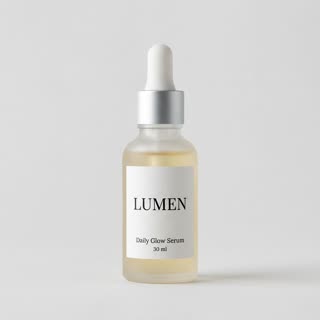
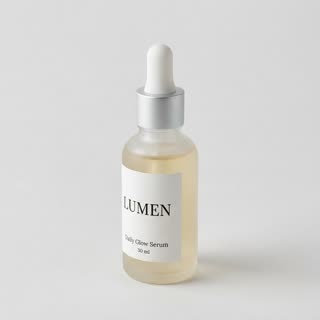
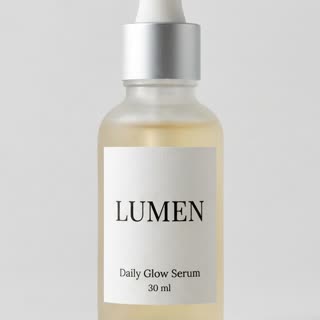
What you get
- Your real product from 1–5 photos, label and all
- 2 shots, 5 seconds, vertical 9:16
- Macro texture, soft daylight, clean set
- No watermark
Who it’s for
For skincare and beauty brands launching a serum, oil or cream, for indie formulators on Shopify and Etsy, and for ads that need the texture shot buyers look for before they trust a product.
The prompt
What the studio fills in for you. Your subject takes the place in brackets; you can change any of it.
- Shot 1Extreme macro: a single glossy golden drop of serum falls from a glass dropper and lands on a smooth pale stone surface, rippling slowly. Soft daylight, creamy background.
- Shot 2[your product] stands on the pale stone next to a sprig of green leaves in soft morning window light, the camera pushing in gently until the label fills the frame.
Make it yours
Show your texture
Describe your formula: a thick white cream swirl, a clear gel, a pink clay mask or a golden oil.
Change the surface
Swap the pale stone for glass, a mirror, a wet leaf or the back of a hand.
Match your ingredients
Replace the green sprig with what is inside: rose petals, citrus slices, oats or aloe.
Photos that work best
Products: 1–5 photos on a plain background — the front with the label readable, then the back and one side. Shoot in soft daylight to avoid glare on glass and gloss; the video keeps the label only as sharp as your best photo.
How it works
- Sign in and add your product from 1–5 photos. Each subject is saved once, so every later template takes one tap.
- The studio opens with this template filled in: both shots, 5 seconds, 9:16. Change any word you like.
- Press Generate. The clip is ready in a few minutes, without a watermark, and the same subject is there for the next one.
Questions
- Does it show my real formula’s texture?
- It shows a believable texture for the kind of product in the prompt (a serum drop, a cream swirl). Describe yours — "a thick white cream", "a clear gel" — so the shot matches.
- Can I add a hand or a face?
- Yes. Add a person subject in the studio and a shot of them applying it; the template keeps the product the same in every shot.
- How much does this template cost?
- A new RefVid account’s free credits cover one 3-second clip. The full template is 5 seconds: buy it as a single video, with no plan, or use credits from a pack or plan. Current prices are on the pricing page.
- Can I use this as a skincare commercial video?
- Yes: it is a short vertical ad with a texture shot and your bottle. Keep claims in your caption accurate.