MiniMax H3 reference to video: what it takes, what it costs - RefVid
Turn your own photos into videos in minutes · Your first video is free, no watermark
First video free, no card
MiniMax H3's reference mode makes a 4 to 15-second clip with sound from a prompt plus up to 9 images, 3 video clips and 3 audio clips, at most 12 files in one request. MiniMax released H3 at the end of July 2026 and published its weights on Hugging Face.
Here are its limits, price and prompt format from MiniMax's own documentation and fal.ai, how it compares with Kling 4, and how to keep one subject the same across clips. We have not generated with H3 ourselves.
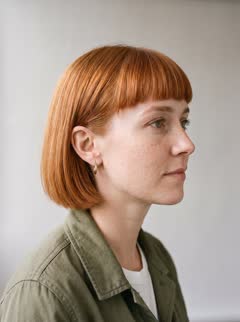
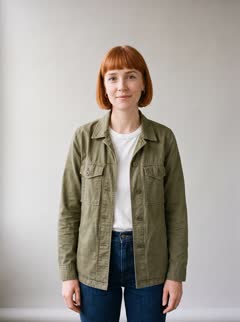
Mia: 4 photos


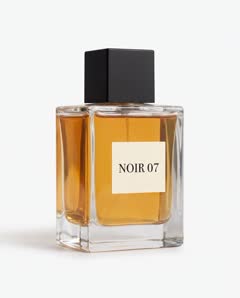
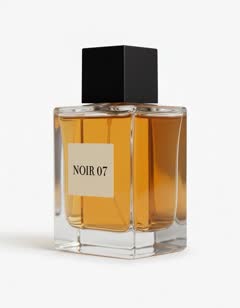
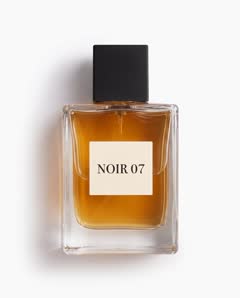
NOIR 07: 3 photos
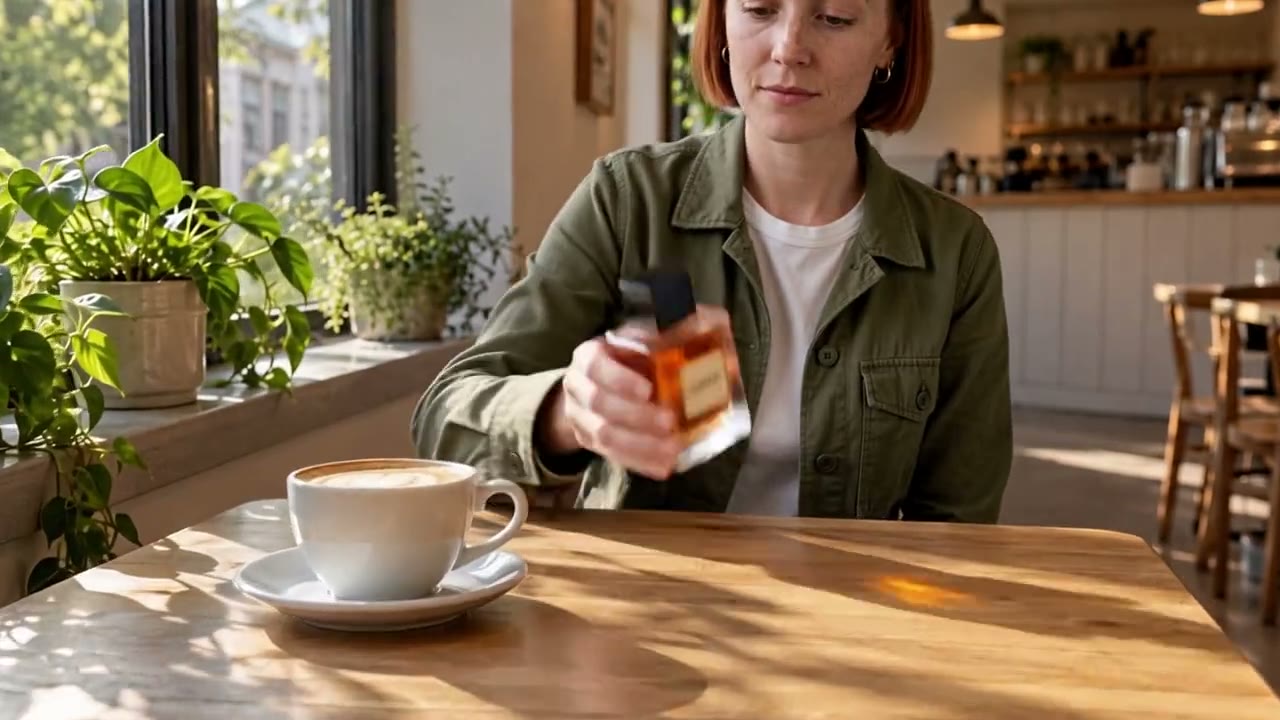
Background: 1 café photo

What MiniMax H3 reference to video does
- You give H3 a prompt and a set of references, and it generates a new clip in which those people, products, places, movements or voices appear. Images set who and what is on screen, video clips set motion, and audio clips set a voice or music. Video and stereo sound come out of the same pass.
- H3 is MiniMax's third video model after Hailuo 01 and Hailuo 02, according to ComfyUI's launch post. Segmind dates its launch on MiniMax's API and in the Hailuo AI app to July 31, 2026; the weights followed on Hugging Face, and ComfyUI announced day-0 support on August 3. MiniMax's model card describes two open checkpoints: one for text, first-frame and last-frame video, and Ref2VA for references.
- Every output runs 4 to 15 seconds at 24 frames per second with 32 kHz stereo audio, and dialogue is supported in 11 languages, including English, Japanese, Korean, German, French, Spanish and Portuguese, according to the model card.
Reference limits: images, video and audio
- One request takes up to 9 reference images, up to 3 video clips and up to 3 audio clips, and no more than 12 files in total. Each video or audio clip must last 2 to 15 seconds, and the clips of each kind add up to 15 seconds at most, according to MiniMax's model card and API documentation.
- MiniMax's API accepts JPG, PNG, WEBP and HEIC images of up to 30 MB, 256 to 5,760 pixels per side, with an aspect ratio between 0.4 and 2.5; reference videos as MP4 or MOV up to 50 MB; and audio as WAV or MP3 up to 15 MB. Reference mode cannot be mixed with first-frame or last-frame mode in the same request.
- Sogni's documentation adds that audio alone is rejected: a reference set needs at least one image or video. fal.ai's endpoint charges nothing for the first 5 reference images and $0.08 for each one after that, so 9 images cost $0.32 on top of the video.
| Reference | Limit | What it is for |
|---|---|---|
| Images | Up to 9 | Subjects, clothing, products, places, style |
| Video clips | Up to 3, 2–15 s each, 15 s in total | Motion, camera movement, a video to edit or continue |
| Audio clips | Up to 3, 2–15 s each, 15 s in total | A voice, music, sound to copy |
| All files | Up to 12 | At least one image or video |
Resolution, length and price
- H3 generates at 768p, and a second step regenerates that result at 2K. fal.ai sells it at $0.05 per second at 480p, $0.06 at 768p, $0.13 at 2K and $0.16 at 4K, and its schema says 2K and 4K are upscaled from a 768p base. A 10-second 768p clip costs $0.60 there before extra images.
- The second step, called H3-Regenerate-2K, feeds the 768p clip and the original references back into H3 rather than running a plain upscaler, according to MiniMax's model card. On fal.ai, a clip lasts 5 to 15 seconds and the aspect ratio is adaptive, 21:9, 16:9, 4:3, 1:1, 3:4 or 9:16.
- MiniMax's own API lists four variants: the standard H3 at 768p or 2K, Highspeed at 768p, Lite at 480p or 768p, and Max at 480p or 768p for 5 to 15 seconds. Segmind charges about $0.16 per second at 2K. Prices differ by provider and change, so check the one you use before a large batch.
MiniMax H3 reference to video prompt guide
- Name every reference by type and order and give it one job: fal.ai's schema asks for Image 1, Video 1, Audio 1 in upload order, as in "Image 1 is the woman's face, Image 2 is her jacket, Video 1 is the walk." Sogni's guide warns that references are loose, not locked frames.
- When several images show the same subject, define them as one subject. MiniMax's reference prompt guide writes it as "<Subject 1> is the woman whose appearance comes from <Picture 1> and whose walking motion comes from <Video 1>", and uses <Audio 1> for a voice: "<Audio 1> is the voice-timbre reference for <Subject 1>." When two references conflict, say which one wins.
- A prompt in that format, for three product photos and one person: "Image 1 to Image 3 are the same glass perfume bottle, Image 4 is the woman. She picks the bottle up from a café table, turns the label to the camera and smiles. Slow push-in, morning daylight. Quiet café sound."
- Leave prompt expansion on to start. MiniMax calls its hosted prompt rewriter, H3-Context-IR, critical to the final quality, and fal.ai runs a balanced expansion by default and returns the expanded prompt. Read that text: if it adds a detail you did not want, write the detail out yourself or switch expansion off.
Kling vs MiniMax: how H3 compares with Kling 4
- H3 is cheaper per second and takes audio references; Kling 4 makes longer clips. On fal.ai, H3 costs $0.06 per second at 768p against Kling 4's $0.157 at 720p, while Kling 4 runs 3 to 30 seconds per clip against H3's 15. Both generate sound with the picture, and both take about 10 reference images.
- Kling 4's Omni Reference groups images into up to 7 elements, so the model knows which photos are the same character, and takes up to 5 reference videos totalling 30 seconds, according to Kling's guide. H3 groups references through the prompt instead, and adds up to 3 audio clips for a voice or music.
- H3 also has open weights; Kling does not. The open checkpoints generate at 768p: MiniMax has not released the 2K step or its prompt rewriter, and the H3 Community License excludes the European Union, the United Kingdom, South Korea and the United States, where a separate license from MiniMax is needed. Its hosted API is available worldwide.
- We have not run the two models with the same references, so this is a comparison of published limits and prices, not of measured likeness.
| MiniMax H3 | Kling 4 | |
|---|---|---|
| Reference images | Up to 9 | Up to 10, in up to 7 elements |
| Reference video | Up to 3 clips, 15 s in total | Up to 5 clips, 30 s in total |
| Reference audio | Up to 3 clips, 15 s in total | Up to 3 voice profiles |
| Clip length | 4–15 s (5–15 s on fal.ai) | 3–30 s |
| Resolution on fal.ai | 480p, 768p; 2K and 4K from a 768p base | 720p, 1080p |
| Price per second on fal.ai | $0.06 at 768p, $0.13 at 2K | $0.157 at 720p, $0.235 at 1080p |
| Open weights | Yes, 768p, outside the EU, UK, South Korea and US | No |
Keeping one subject the same across clips
- Send the same reference set and the same subject sentence with every clip. Consistency across a series comes from repeating identical inputs: if clip two gets a different face photo or a reworded definition, the model has a new subject to draw, whichever model you use.
- Use three to five clean photos per subject rather than all nine slots: front, three-quarter and profile for a person; the hero angle, the back and a close-up of the logo for a product. Even light, plain backgrounds, no filters or text overlays. Spare slots are better spent on a second subject or a location.
- Draft at 480p or 768p, then render the takes you keep at 2K. On fal.ai a 10-second 768p draft costs $0.60 and the same clip at 2K $1.30, so checking likeness and motion first saves most of the cost of a bad take.
- RefVid does not run H3. It runs Kling 4 by default, Kling 3.0 Omni as the cheaper choice, and Seedance 2.5, Wan 3.0, Vidu Q4 and others. You save a character or product once from 1 to 5 photos, and every clip after that reuses the same set, so the repeat-the-inputs step above is done for you.
More on AI video models

Frequently asked questions
How many MiniMax H3 reference image slots are there?
Up to 9 images in one request, alongside up to 3 video and 3 audio clips, with no more than 12 files in total. On fal.ai the first 5 images are free and each extra one costs $0.08. Three to five photos usually cover one subject.
Can I give H3 reference audio for a voice?
Yes. Up to 3 audio clips of 2 to 15 seconds each, 15 seconds in total, as WAV or MP3. Name the clip in the prompt as the voice of a subject, for example "Audio 1 is the voice of the woman in Image 1." Audio alone is not enough: add at least one image or video.
Is H3 reference to video free to run locally?
The weights are free to download from Hugging Face under MiniMax's H3 Community License, and ComfyUI has a reference-to-video workflow. Locally it generates at 768p, because the 2K step and the prompt rewriter are not open yet. The license excludes the EU, UK, South Korea and the US, and companies above $20 million in yearly revenue need MiniMax's written permission.
Kling vs MiniMax: which is better for a consistent character?
We have not tested them side by side. On paper, Kling 4 makes clips up to 30 seconds and groups photos of one character as an element; H3 is cheaper per second on fal.ai and adds reference audio for a voice. Run both on the same three to five photos before you commit.
Is H3 the same as Hailuo AI?
No. Hailuo AI is MiniMax's own video app, and H3 is one of the models it runs: Segmind dates H3's arrival in the app and on MiniMax's API to July 31, 2026. The app's earlier models were Hailuo 01 and Hailuo 02, which is why older guides call MiniMax's video models Hailuo.
Can I use H3 in RefVid?
Not today. RefVid runs Kling 4 by default, plus Kling 3.0 Omni, Seedance 2.5, Wan 3.0 and other models, with your character or product saved once and reused in every clip. H3 is available through MiniMax's own API and the Hailuo AI app, through API providers such as fal.ai, or locally from its open weights.
By Louis Chi