A Halloween video starring your own pet
Upload a few photos of your dog or cat once and RefVid puts that exact pet into a two-shot Halloween clip: a pumpkin costume, a porch lit by jack-o'-lanterns, a bowl of candy and a happy look at the camera. Your pet keeps its own face, coat and markings in both shots.
5 s · 9:16 · with sound
Sign in, add your subject, and the studio opens with this template filled in. Your first 3-second clip is free: this template’s first shot.
Made from these photos
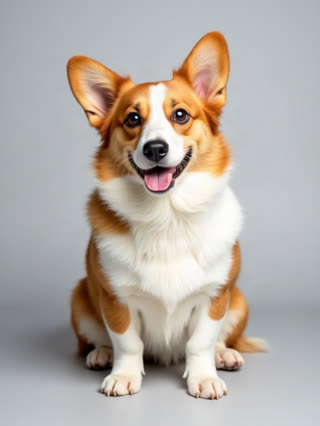
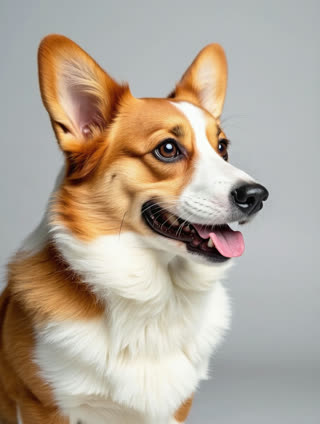
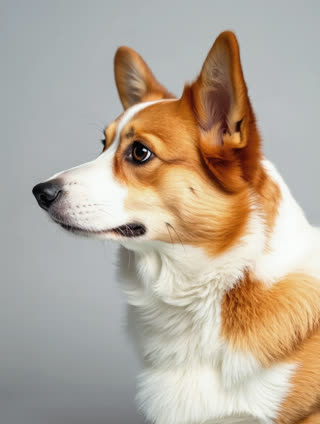
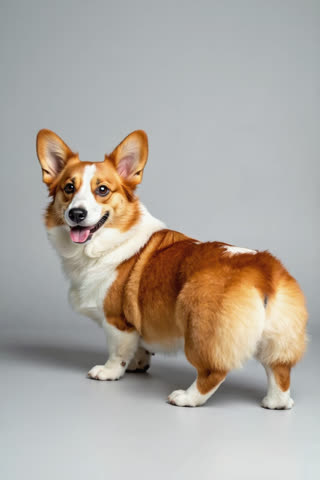
What you get
- Your own pet from 1–5 photos, not a look-alike
- 2 shots, 5 seconds, vertical 9:16 for Reels and TikTok
- Porch sounds and your pet's own happy sound, generated with the video
- No watermark; your first clip is free
Who it’s for
For pet owners who want the Halloween costume photo without putting a real costume on a pet that hates it, for pet shops promoting costumes, and for anyone making a family Halloween post with the pet included.
The prompt
What the studio fills in for you. Your subject takes the place in brackets; you can change any of it.
- Shot 1[your pet] sits on a wooden porch at dusk wearing a soft orange pumpkin costume, carved jack-o'-lanterns glowing on the steps, dry leaves around. Slow push-in, warm candlelight.
- Shot 2[your pet] looks up at the camera next to a bowl of wrapped candy, tilts its head and makes one small happy sound in its own natural voice. Cozy Halloween night, shallow depth of field.
Make it yours
Pick the costume
Replace the pumpkin with a little witch hat, a bat-wing harness, a hot-dog bun or a lion mane described by look and colour.
Move the scene
Swap the porch for a pumpkin patch, a living room with paper bats, or a spooky staircase with candles.
Trick or treat
Write a tiny candy bucket in front of your pet and a doorway with a neighbour reaching down to say hello.
Photos that work best
Pets: 1–5 sharp photos of the same pet, one face-on at eye level and one of the whole body from the side, so the coat, markings and size come through. Daylight beats flash, which turns eyes green or red.
How it works
- Sign in and add your pet from 1–5 photos. Each subject is saved once, so every later template takes one tap.
- The studio opens with this template filled in: both shots, 5 seconds, 9:16. Change any word you like.
- Press Generate. The clip is ready in a few minutes, without a watermark, and the same subject is there for the next one.
Questions
- Which pets work for the Halloween costume video?
- Dogs and cats work best, from 1 to 5 sharp photos of the same pet: one front-on, one from the side and one full body. RefVid keeps that pet's face, coat and markings in every shot.
- Can I change the costume?
- Yes. The template opens in the RefVid studio with the prompt filled in; change "pumpkin costume" to a ghost sheet, a witch hat or anything else before you press Generate.
- How much does the pet Halloween video cost?
- A new RefVid account’s free credits cover one 3-second clip. The full template is 5 seconds with sound: buy it as a single video, with no plan, or use credits from a pack or plan. Current prices are on the pricing page.
- How is this different from dog Halloween costume videos online?
- Those show someone else’s pet. This is your own pet, from your photos, in a costume it never has to wear.
- Is RefVid an AI Halloween video generator for people too?
- Yes: the Halloween templates include a costume try-on, a zombie walk and the pumpkin head and bedsheet ghost trends, all made from your own photos.