A UGC ad with your presenter and your product
The ad format that works on TikTok and Reels: a person at home, phone camera, holding the product and talking about it. RefVid puts two saved subjects in one clip, your presenter and your product, so the face stays the same face and the label stays your label. Change the line before you generate.
10 s · 9:16 · with sound
Sign in, add your subject, and the studio opens with this template filled in. Your first 3-second clip is free: this template’s first shot.
Made from these photos

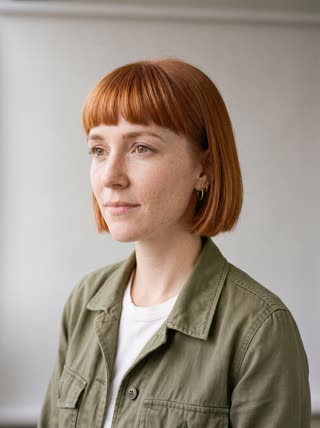
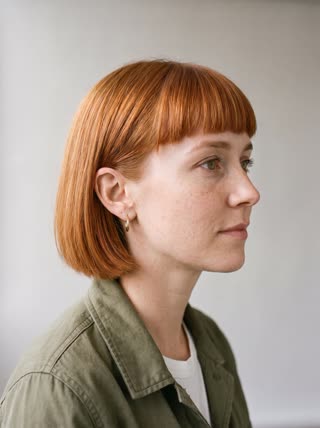
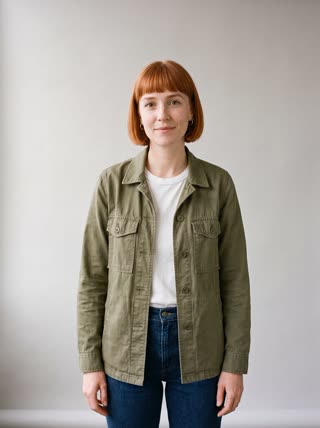
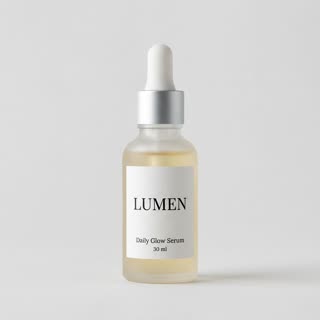
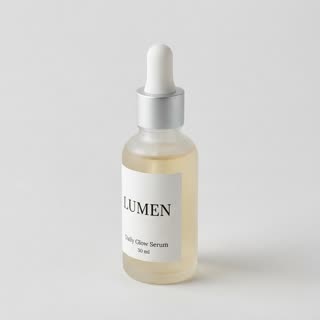

What you get
- Your presenter and your product, each from 1–5 photos
- 2 shots, 10 seconds, vertical 9:16 for TikTok and Reels
- Spoken line and room sound generated with the video
- No watermark; make the next variation from the same subjects
Who it’s for
For brands that need user-generated-style ads every week, for small shops without a creator budget, and for testing several hooks before paying a real creator. Use your own face or someone who agreed to be saved.
The prompt
What the studio fills in for you. Your subject takes the place in brackets; you can change any of it.
- Shot 1Handheld selfie-style video in a bright bathroom: [the presenter] holds [your product] up next to the face, smiles at the phone camera and says: "Okay, this is the one I keep finishing."
- Shot 2Close-up of [your product] in [the presenter]’s hand as a drop of it is pressed onto the back of the hand; then [the presenter] looks back at the camera and nods. Natural daylight.
Make it yours
Write your hook
Replace the opening line with the reason people buy your product, in one short sentence, said the way a friend would say it.
Change the room
Move the clip to a kitchen, a gym bag on a bench, a car, or a desk, wherever your product is really used.
Show the result
Rewrite the second shot to show your product working: a sip, a spray, a swatch, a gadget switching on.
Photos that work best
People: 1–5 photos with the face clearly visible and evenly lit — a straight-on portrait first, then a three-quarter angle and a profile. Skip sunglasses, heavy filters and group shots; if a photo shows more than one person, the studio can’t tell who you mean.
Products: 1–5 photos on a plain background — the front with the label readable, then the back and one side. Shoot in soft daylight to avoid glare on glass and gloss; the video keeps the label only as sharp as your best photo.
How it works
- Sign in and add the presenter and your product, each from 1–5 photos. Each subject is saved once, so every later template takes one tap.
- The studio opens with this template filled in: both shots, 10 seconds, 9:16. Change any word you like.
- Press Generate. The clip is ready in a few minutes, without a watermark, and the same subject is there for the next one.
Questions
- Whose face can I use?
- Your own, or an adult who agreed to it: the studio asks you to confirm consent when you add a person. Public figures and minors aren’t allowed.
- Can I change what the presenter says?
- Yes. The line is in the prompt, in quotes; replace it with your own before you generate. Short lines of one sentence sound most natural.
- How much does this template cost?
- A new RefVid account’s free credits cover one 3-second clip. The full template is 10 seconds with sound: buy it as a single video, with no plan, or use credits from a pack or plan. Current prices are on the pricing page.
- Is a UGC ad video AI clip allowed in paid ads?
- Yes, as long as it does not pretend to be a real customer’s testimonial. Show the product honestly and label AI content where the platform asks.
- How many UGC video ads should I test?
- Several hooks against the same middle. Keep the presenter and product the same and change only the first line.