Your sneakers, walking the street
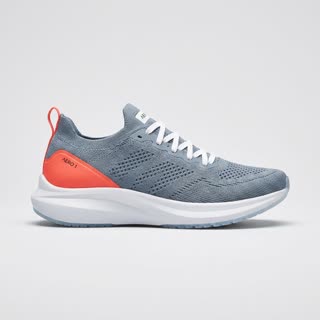
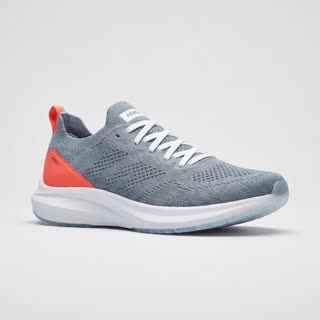
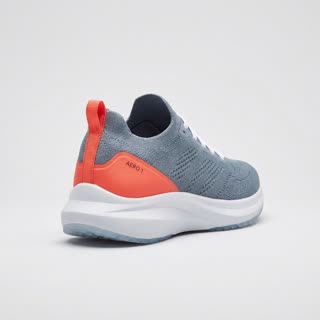
Upload a few photos of your shoes once and RefVid films them where they belong: a low camera tracking alongside feet walking down a city street, then a close-up as one shoe lands mid-step. The colours, sole and logo placement stay as in your photos.
5 s · 9:16 · silent
Sign in, add your subject, and the studio opens with this template filled in. Your first 3-second clip is free: this template’s first shot.
Made from these photos
What you get
- Your real shoes from 1–5 photos
- 2 shots, 5 seconds, vertical 9:16
- Low tracking camera, city light
- No watermark
Who it’s for
For sneaker resellers, small footwear brands and shoe customisers who need on-foot video without a model, and for anyone showing how a pair looks in motion rather than on a shelf.
The prompt
What the studio fills in for you. Your subject takes the place in brackets; you can change any of it.
- Shot 1Low camera at ankle height tracking alongside a pair of feet wearing [your shoes] as they walk briskly down a sunlit city sidewalk, shadows of passers-by, shallow depth of field.
- Shot 2Close-up of [your shoes] landing mid-step on the pavement, a little dust lifting, the camera slowing to a stop beside it.
Make it yours
Change the ground
Move the walk to a basketball court, a forest trail, a wet city street at night or a skate park.
Style the outfit
Describe the trousers and socks above the shoes, such as cuffed jeans and white socks, so the look matches your brand.
End with a detail
Rewrite the last shot to stop on a lace, a sole pattern or a logo-free heel detail you want buyers to notice.
Photos that work best
Products: 1–5 photos on a plain background — the front with the label readable, then the back and one side. Shoot in soft daylight to avoid glare on glass and gloss; the video keeps the label only as sharp as your best photo.
How it works
- Sign in and add your shoes from 1–5 photos. Each subject is saved once, so every later template takes one tap.
- The studio opens with this template filled in: both shots, 5 seconds, 9:16. Change any word you like.
- Press Generate. The clip is ready in a few minutes, without a watermark, and the same subject is there for the next one.
Questions
- Which photos do I need for shoes?
- The side profile, a three-quarter view, the back and the sole, on a plain background. The more sides RefVid sees, the better the shoe holds up while it moves.
- Can it be a gym or a trail?
- Yes. Change "a city street" in the prompt to a gym floor, a running track or a forest trail before you generate.
- How much does this template cost?
- A new RefVid account’s free credits cover one 3-second clip. The full template is 5 seconds: buy it as a single video, with no plan, or use credits from a pack or plan. Current prices are on the pricing page.
- Can I make a sneaker video without a model?
- Yes: only the feet and shoes are in frame, and the shoes come from your photos.
- Does it look like a shoe commercial?
- The low tracking shot and sidewalk light are the classic look; change the street to a court or a trail to match your brand.