A cosy showcase for your crochet
For an Etsy listing, a pattern launch or just showing off: upload a few photos of your amigurumi or knitted piece once and RefVid sets it on a warm wooden table with balls of yarn and a hook, then moves in slowly so every stitch shows. It stays your piece, stitch for stitch.
5 s · 1:1 · silent
Sign in, add your subject, and the studio opens with this template filled in. Your first 3-second clip is free: this template’s first shot.
Made from these photos
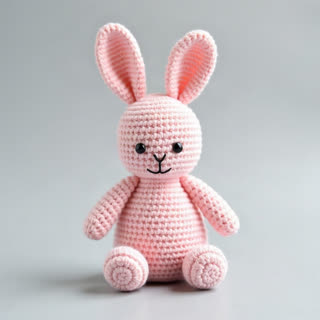
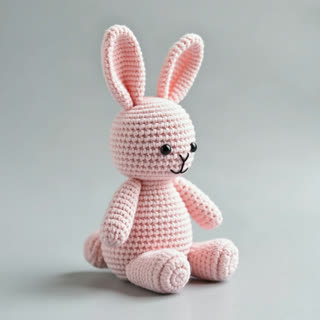
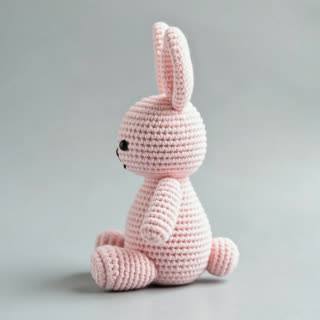
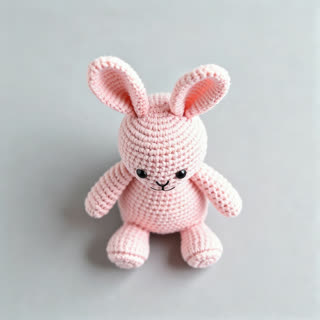
What you get
- Your own handmade piece from 1–5 photos
- 2 shots, 5 seconds, square 1:1 for Etsy and Instagram
- Warm natural light, macro on the stitches
- No watermark
Who it’s for
For makers selling amigurumi and knitwear on Etsy, Instagram or at craft fairs, for designers launching a new pattern, and for anyone who wants their finished piece shown as carefully as it was made. Product photos alone don’t show stitch texture this well.
The prompt
What the studio fills in for you. Your subject takes the place in brackets; you can change any of it.
- Shot 1[your piece] sits on a warm oak table beside two balls of soft yarn and a wooden crochet hook, afternoon window light, the camera gliding slowly around it.
- Shot 2Macro close-up moving across [your piece]’s stitches and face, every loop of yarn visible, shallow depth of field.
Make it yours
Show the yarn you used
Name the yarn colours and texture in the first shot, for example chunky pastel cotton or fluffy mohair, so the props match your piece.
Set the scene
Swap the oak table for a sunny windowsill with plants, a nursery shelf, or a picnic blanket outdoors for a spring collection.
Add a size cue
Write a coin, a teacup or a hand next to the piece so buyers can see how big it really is.
Photos that work best
Figures, toys and handmade pieces: 1–5 photos against a plain background, front first, then each side, close enough that the paint, stitches or material show. Turn the piece rather than moving the camera, so the light stays the same.
How it works
- Sign in and add your piece from 1–5 photos. Each subject is saved once, so every later template takes one tap.
- The studio opens with this template filled in: both shots, 5 seconds, 1:1. Change any word you like.
- Press Generate. The clip is ready in a few minutes, without a watermark, and the same subject is there for the next one.
Questions
- Does it keep my colours and stitches?
- Yes, from your photos: shoot it on a plain background from the front, the side and the back, in daylight, so the yarn colour is true.
- Can it go in my shop listing?
- Yes. The video is yours, without a watermark; say it’s AI-made where the shop asks.
- How much does this template cost?
- A new RefVid account’s free credits cover one 3-second clip. The full template is 5 seconds: buy it as a single video, with no plan, or use credits from a pack or plan. Current prices are on the pricing page.
- Are these crochet amigurumi videos or tutorials?
- They are showcase videos of a piece you finished, for a shop listing or a post. For tutorials, film your hands; use this clip for the finished-piece moment.
- What makes amigurumi videos stand out in a shop?
- Close stitch detail and a sense of scale. Write a teacup or a hand into the prompt so buyers see how big the piece is.