Best AI video generators in 2026: twelve tools, sorted by what you make - RefVid
Turn your own photos into videos in minutes · Your first video is free, no watermark
First video free, no card
Which AI video generator is best depends on what you are making: an ad for a product, a series with the same person in it, a scene from words alone, or a first clip for free.
This page sorts twelve tools by that job, including RefVid, the site you are on, and gives each one's free use, cheapest paid plan and longest clip. Every number was read on the vendor's own pages on November 1, 2026.
3 photos of a product
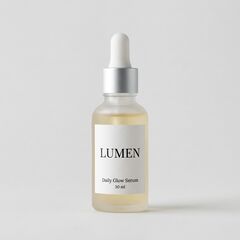
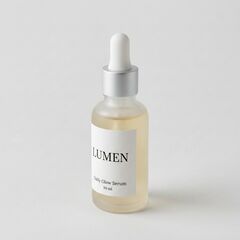
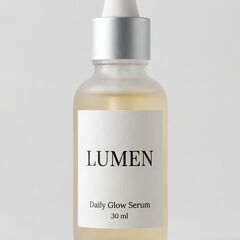
One 5-second ad shot
The short answer
- For product videos, ads and your own character in every clip, RefVid, the site you are on, saves a product or a person once from 1 to 5 photos and runs 8 video models in one studio; a new account's first 5-second clip is free, with no watermark and no card. For the longest single take, Kling 4.0, Seedance 2.5 and Wan 3.0 each reach 30 seconds in one generation.
- For a clip from words alone, Google Flow, Runway's Gen-4.5, Luma's Ray3.2, Kling 4.0 and MiniMax H3 all have a text-to-video mode. For the cheapest start, Google Flow gives 50 credits a day and Google AI Plus costs $4.99 a month in the US. For free video on a phone, Bing Video Creator gives 10 fast creations, then unlimited standard ones.
AI video generators compared: free use, entry price and longest clip
- Each row is what the vendor's own pricing, help, model or terms page said on November 1, 2026, read signed out. Prices are the cheapest paid plan on monthly billing. Credits are not a shared unit, so compare what a clip of the length you need costs, where the vendor publishes it. Where a vendor publishes no number, the table says so instead of guessing.
| Tool | Best for | Free use | Cheapest paid plan, monthly | Longest clip |
|---|---|---|---|---|
| RefVid | Product videos and your own character: save 1 to 5 photos once, then pick one of 8 models | One 5-second 720p clip for a new account, no watermark, no card, commercial use allowed | Packs, plans or a single clip, listed on the pricing page | 30 seconds on Kling 4 |
| Kling AI | Long clips from text, an image or references, on Kling 4.0, with stereo sound | Monthly free credits for non-subscribers, amount not shown signed out; free clips are watermarked and not for commercial use | Standard: $6.99 the first month, then $8.80; 660 credits | 30 seconds (Kling 4.0) |
| Google Flow | The cheapest start: text or frames to video on Veo 3.1 and Gemini Omni Flash | 50 credits a day, per Flow's credits help page; a 4-second 720p Omni Flash clip costs 7 | Google AI Plus: $4.99 a month (US), 200 Flow credits | 10 seconds on Omni Flash, 8 on Veo 3.1 |
| Runway | Text to video and image to video on Gen-4.5 | 125 credits once, never expiring; Gen-4.5 costs 12 credits a second | Standard: $15 a month, 625 credits | 10 seconds (Gen-4.5 from an image) |
| Luma (Dream Machine) | Ray3.2: text to video, image to video, keyframes and editing a video in one model | No free plan on its pricing page; trial credits, amount not published | Plus: $30 a month, 10,000 credits | 10 seconds, longer with Extend |
| Hailuo AI (MiniMax) | MiniMax H3: video from text, an image or up to 12 reference files | One-time trial credits; the sign-up offer showed 150 | Standard: $14.99 a month, shown discounted that day | 15 seconds (MiniMax H3) |
| Dreamina (Seedance) | Seedance 2.5: the most inputs, up to 50 pictures, clips and sounds | A free option with credits; amount not on the pricing page | Basic: $15 a month, 1,575 credits | 30 seconds, extendable twice |
| Wan | Wan 3.0: 30-second clips from a first frame or up to 10 reference images | Daily check-in credits, amount not published; free downloads are watermarked | Pro: $6.50 a month (shown against $10), 300 credits | 30 seconds (over 10 on paid plans only) |
| Vidu | Vidu Q4: video from images, with up to 15 reference images | Trial and daily log-in credits, amounts not published; watermarked, no commercial use | Standard: $10 a month, 800 credits | 16 seconds (Vidu Q4) |
| PixVerse | Start and end frames on V6 and C1, with a published daily free allowance | 60 credits once, then 30 a day | Standard: $10 a month, 1,200 credits | 15 seconds |
| Adobe Firefly | Video next to Adobe's image and audio tools; Adobe says its model outputs are safe for commercial use | Free daily generations of image, video and audio; the number of videos is not published | Firefly Standard: $11.99 a month including VAT as shown, 2,000 credits, up to 20 five-second videos | Not published |
| Bing Video Creator | Free video on a phone, in the Bing app | 10 fast creations, then unlimited in Standard mode | No paid plan | Not published |
Which tool for what you make
- Start from the job, not the brand. A product ad and a recurring character both need the model to see the subject in every clip, so they favour tools that take reference images. A scene from words alone can run on any text-to-video model. A free first clip depends on whose allowance refills.
| What you make | Tools to shortlist | Why |
|---|---|---|
| Product videos and ads | RefVid, Kling 4.0, Vidu Q4 and MiniMax H3 | They keep the product from reference images for the whole clip, so the label stays readable as it turns |
| Your own character in every clip | RefVid, Kling AI, Hailuo AI and Vidu | The same photos of the face and outfit go with every clip, instead of a description in words |
| A clip from text only | Google Flow, Runway, Luma, Kling 4.0 and MiniMax H3 | Each publishes a text-to-video mode; nothing in the clip has to match a real subject |
| A clip from one picture | Kling 4.0, Seedance 2.5 and Wan 3.0 | Up to 30 seconds from an image in one generation |
| Free video | Google Flow, Bing Video Creator, PixVerse and Adobe Firefly | Free allowances that refill every day |
For product videos and ads
A product clip is only usable if the product still looks like itself: the shape, the colour and the words on the label. A model that only sees one start frame has to invent the back and the sides once the camera moves, and small print is where it fails first. Tools that take the photos as reference images, such as Kling 4.0, Vidu Q4 and MiniMax H3, keep the product in view for the whole clip.
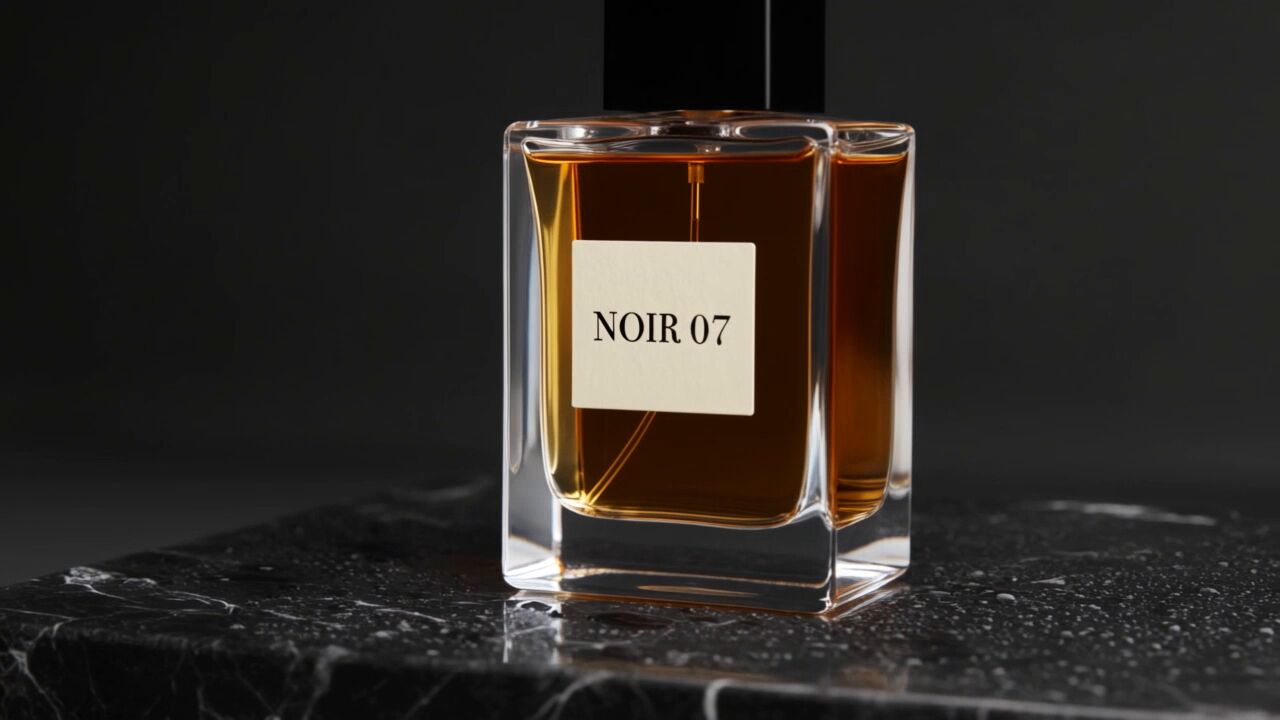
RefVid saves a product once from 1 to 5 photos, front, side and label, and every clip after that starts from the same set, on any of its models. It has 26 product templates, such as a turntable, an unboxing and the bullet-time shot at the top of this page, which fill in the scene and camera so you only add the photos.
Two ad formats from the same photos
For your own character in every clip
Words describe a type, not a person, so a prompt alone draws a different face each time. To keep one person across a series, the model needs the same pictures with every clip. Kling 4.0 takes up to 10 reference images, Vidu Q4 up to 15, and MiniMax H3 up to 9 images among 12 files.
RefVid saves the person once from 1 to 5 photos and sends the same set with every clip, with up to 3 people or products in one clip. Realistic faces need the person's consent, and some models refuse them.
Two photos in, one clip out
From text only
Text to video is the quickest way from an idea to a clip, and it suits b-roll, moods and one-off scenes. Google Flow makes text to video on Veo 3.1 and Gemini Omni Flash, Luma's Ray3.2 makes 5- or 10-second clips from text, Kling 4.0 from 3 to 30 seconds, and MiniMax H3 from 4 to 15. On RefVid, 7 of its models make a clip from a prompt alone, at the same cost as one from photos.
The catch is the same as above: three prompts that describe the same woman in the same words give three different women, as the clips below show.
Three prompts, no photos
From a picture
Image to video starts from your own photo, either as the first frame, so the clip opens on exactly that picture, or as a reference the model keeps in view while it draws a new shot. Kling 4.0, Seedance 2.5 and Wan 3.0 make up to 30 seconds from an image; Vidu Q4 16, PixVerse and MiniMax H3 15, and Runway's Gen-4.5 and Luma's Ray3.2 10.
One picture shows only one side of a face or a product. Two or three more angles help a clip keep the subject when it turns.
1 front photo

Free to start
Free allowances refill daily on Google Flow (50 credits), PixVerse (30 credits), Adobe Firefly (a number it does not publish) and Bing Video Creator (unlimited in Standard mode). Kling refills monthly, with watermarked clips for personal use. Runway gives 125 credits once, and Hailuo AI trial credits.
RefVid's free start is one 5-second clip of your own product or character, with no watermark, no card, and commercial use allowed.
3 photos of a product
Making videos for YouTube Shorts and TikTok
For Shorts and TikTok, check three things before the look: whether the tool makes vertical 9:16 clips, whether free clips carry a watermark, and whether you may use them commercially on a channel you earn from. Kling, Hailuo AI, Vidu and Wan watermark free downloads, and Kling, Vidu and PixVerse keep commercial use for paying users.
A feed also rewards a face or a product viewers recognise from post to post, which is the reference-image job again. RefVid makes 9:16, 16:9 and 1:1 clips, with sound on Kling 4, and downloads them without a watermark.
How we compared
- We read every price, allowance and limit on the vendor's own site on November 1, 2026, signed out: pricing pages, help centres, model pages, terms and API docs. We did not use review sites or price trackers, and we did not sign up to any of them. Where a vendor publishes no number, or its page would not load for us, the tables say so instead of guessing.
- We have not run the same prompt or photos through every tool, so this page compares published features, limits and prices, not measured quality. The clips on this page are RefVid's own output. Google's Flow help pages disagree on whether video needs a subscription; one gives 50 free credits a day, another lists Google AI Plus, Pro or Ultra. Hailuo showed two different discounts on its Standard plan that day, so the table gives the list price. PixVerse's figures come from its own AI info page, because its pricing page stayed on a security check.
- Left out: Pika, Higgsfield and CapCut, whose free plans give no video (they are on the free list page); OpenAI's Sora, Pollo AI and Canva, whose pages did not load for us; Grok Imagine and Meta AI, which publish no prices or limits signed out.
- Sources: kling.ai/app/membership/membership-plan, kling.ai/docs/user-policy and kling.ai/quickstart/kling-4-model-user-guide; support.google.com/flow and gemini.google/us/subscriptions; runway.com/pricing, runway.com/terms-of-use, runway.com/research/introducing-runway-gen-4.5 and docs.dev.runwayml.com; lumalabs.ai/pricing and lumalabs.ai/ray; hailuoai.video/subscribe and platform.minimax.io video generation docs; dreamina.capcut.com/pricing/dreamina-seedance-price, dreamina.capcut.com/seedance/seedance-2-5 and seed.bytedance.com/en/seedance2_5; create.wan.video/pricing and Alibaba Cloud Model Studio's Wan 3.0 video API reference; vidu.com/pricing and vidu.com/vidu-q4; pixverse.ai/en/ai-info-page, pixverse.ai/en/terms-of-service and docs.platform.pixverse.ai; adobe.com/products/firefly/plans; bing.com/create and Bing's Image and Video Creator terms.
Start from a template
Each one opens the studio with the shots, shape and length already set. Add your own product and generate.
More on AI video models

Frequently asked questions
What is the best AI video generator in 2026?
It depends on the job. For product videos and your own character, RefVid saves the subject from 1 to 5 photos and runs 8 models in one studio, with one free 5-second clip. Kling 4.0, Seedance 2.5 and Wan 3.0 make the longest clips, 30 seconds. Google Flow is the cheapest start, with 50 credits a day. Prices and limits were read on November 1, 2026.
What is the best AI video generator for YouTube?
One whose clips you may use on a channel you earn from: no watermark and commercial use allowed. Kling, Vidu and PixVerse allow commercial use on paid plans only; RefVid allows it on the free clip too. For Shorts, make vertical 9:16 clips and keep the same face or product across videos, so viewers recognise it.
What is the best AI video generator for TikTok?
Pick one that makes vertical 9:16 clips without a watermark, with sound if the clip needs it. RefVid makes 9:16 clips with sound on Kling 4 and downloads them clean. Kling, Hailuo AI, Vidu and Wan watermark free downloads, so on those a paid plan is the way to a clean clip.
Which AI video generators have a phone app?
Google Flow has apps for Android and iPhone, Bing Video Creator works only in the Bing mobile app, Kling AI and Runway have iOS and Android apps, and Hailuo AI has an iOS app. RefVid works in your phone's browser, with no app to install.
Which AI video generator makes the longest clips?
Kling 4.0, Seedance 2.5 and Wan 3.0 each make up to 30 seconds in one generation, according to their makers, and RefVid runs all three. Vidu Q4 reaches 16 seconds, MiniMax H3 and PixVerse 15, and Google's Gemini Omni Flash, Runway's Gen-4.5 and Luma's Ray3.2 10.
Which AI video generator is the cheapest?
On published prices, Google AI Plus at $4.99 a month in the US, with 200 Flow credits on top of 50 free a day. Wan's Pro plan was $6.50 and Kling's Standard $6.99 for the first month on November 1, 2026. RefVid sells a single clip, credit packs and plans, listed on its pricing page.
Can I use AI-generated videos commercially?
On paid plans, yes, on every tool here that states it. Free clips differ: Kling, Vidu and PixVerse keep commercial use for paying users, Adobe says Firefly outputs are safe for commercial use, Runway's terms do not restrict it, and RefVid allows it on the free clip. Only upload photos you have the right to use.
Is there an AI video generator without restrictions?
No. Every tool here has content rules and a limit on free use: credits, a daily cap, a watermark, a lower resolution or personal use only. Realistic faces need the person's consent everywhere, and some models refuse them outright.
How current is this list?
Every price and limit was read on November 1, 2026, on the vendor's own pages, except PixVerse's, whose own AI info page was last updated on October 19, 2026. AI video tools change prices and models often, so check the vendor's page before you subscribe.