The characters stayed the same. Every retake in GuaPi Episode 2 was our own mistake, and each one left a rule.
By Louis Chi · · 6 min read
- shots
- 16
- clips generated
- 22
- versions
- 6
- of video generation
- ≈ $5.50
Made with
- Studio
- RefVid
- Video model
- Kling 3.0 Omni, 3 s per shot, 9:16, 720p, sound off
- Keyframes
- An image model, 14 pictures for 16 shots; two shots continue from the previous clip's last frame
- Sound
- CC0 sound effects, honks from Episode 1's generated audio, a public-domain recording of Night on Bald Mountain
GuaPi Episode 2 is 36 seconds long and has 16 shots. Henry, GuaPi and Xiaobai look like themselves in all of them, because the characters saved for Episode 1 were used again without changes.
It still took 22 clips for 16 shots and six versions of the edit. Each extra clip came from something we wrote or skipped, not from the characters drifting. This article shows the retakes side by side, the prompts that fixed them, and the rules we now check before every generation.
Five rounds: an AI animated fight scene from five clips
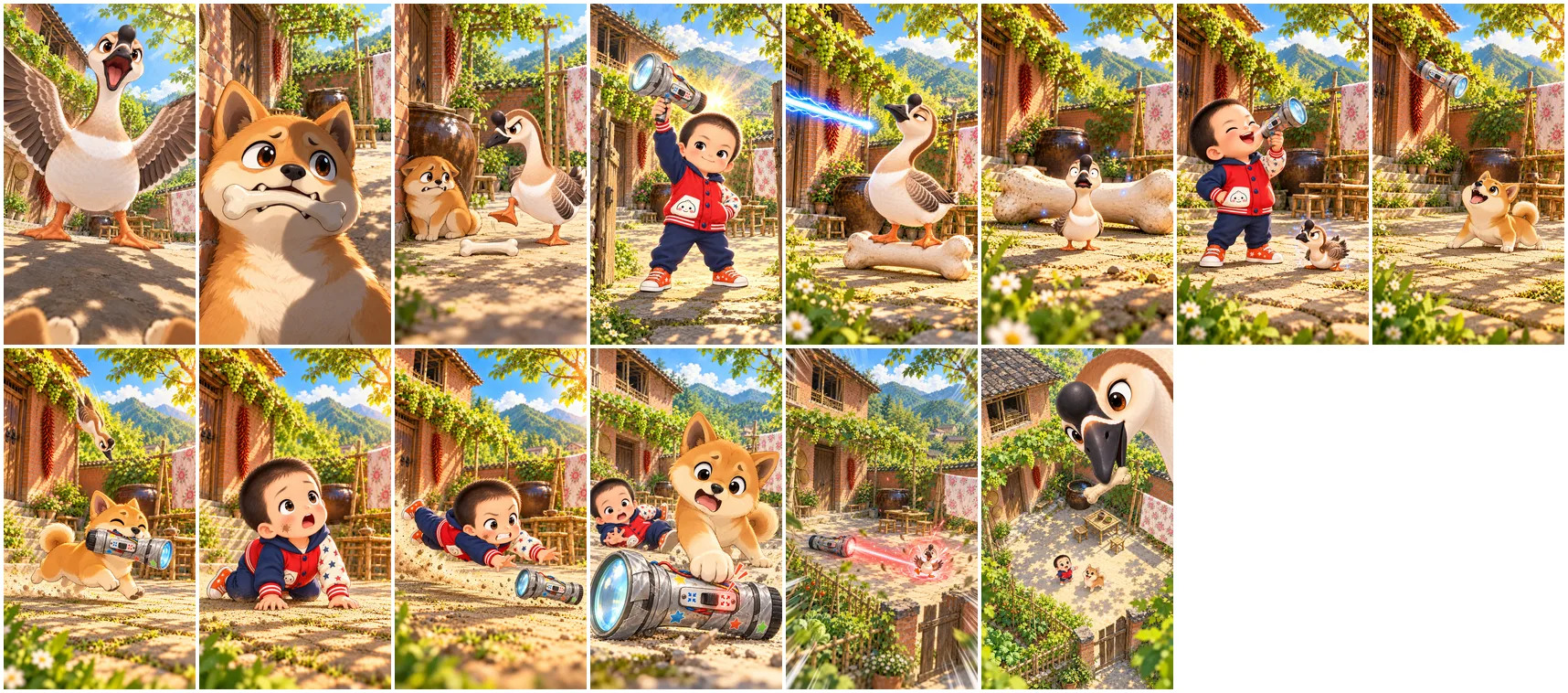
A single 3-second clip will not fight for you. Ask it for a scramble and you get two seconds of characters hugging in place. So the fight over the torch was written as five rounds, and each round got its own keyframe and its own clip.
Every round flips who is winning: the goose pecks Henry and the torch flies, Xiaobai catches it, the goose lands on Xiaobai's head, Henry dives and grabs it, and the dog crashes into him. Cut together with a white flash and a little shake on each hit, the five clips become eleven seconds of fight.
The keyframes, drawn in shot order with the previous keyframe as a reference, so each one starts where the last one ends.
Six retakes, and what each one taught us
A shrunk character grows back. GuaPi's reference pictures show a full-size goose, and in three of five takes the tiny goose was back to full size within two seconds. Jumping and riding brought the size back; a small action close to the ground kept it small. Round 1 was rewritten from a leap at Henry's thumb to a peck on his sneaker, and the third take held.
A character the prompt names but the shot does not include gets invented. Round 5 asked for a tiny goose on the dog's head without adding GuaPi to the shot, and the model drew a yellow duckling. A story beat the viewer must see needs its own shot: the switch moving from shrink to grow was too small to read until it was shot again as a close-up.
Write every character into the AI cartoon animation prompt
The prompt describes the one thing that happens in three seconds, how hard it happens and how the face changes, and it ends with "Keep the drawn style." Every character it mentions must also be one of the shot's saved characters. For a character at an unusual size, the prompt gives it something to be measured against and says the size holds from the first frame to the last.
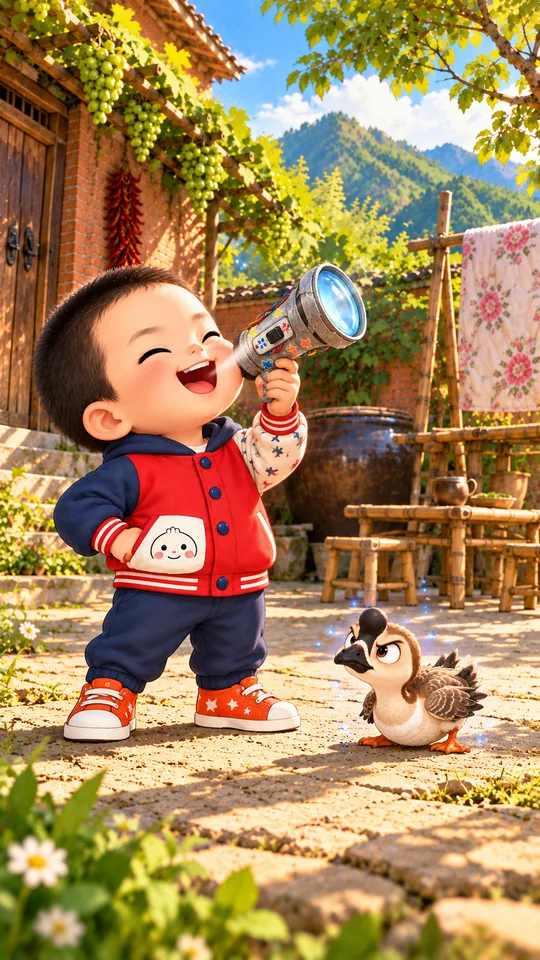
- Shot
- Round 1, the peck
- Characters
- Henry, GuaPi
- Settings
- Kling 3.0 Omni · 3 s · 9:16 · 720p · sound off · keyframe as first frame
The sparrow-sized goose dashes in low along the ground and pecks Henry hard on the toe of his sneaker; Henry hops up on one foot in pain, his laugh turning into a wide-open pained grimace with bulging eyes, and the shrink torch flies out of his hand, spinning up to the upper right. The goose stays sparrow-sized the whole time. Fast, snappy. Keep the drawn style.
Watch each shot the way a viewer would
Checking that the action happened is not enough. One reaction shot had a red glow washing over Henry's face as the torch switched to grow. The action was there, but a viewer would read it as the beam hitting Henry, while the next shot shows it hitting the goose. The shot was cut from the episode.
So every take now gets a second look with one question: from the picture alone, what does a viewer think just happened?
Look before you cut: 29 seconds became 36
Version 5 was 29 seconds. We had set a length for each segment first, to keep the pace fast, and trimmed every clip to it without watching what came after the cut. That threw away Xiaobai trotting off with the torch, Henry grinning in the dust and the giant goose's whole blast.
Version 6 watches every clip to its end and removes only three things: real mistakes, holds where nothing moves for more than a second, and frames that do not join the next shot.
| Shot | Version 5 | Version 6 |
|---|---|---|
| Henry fires the torch | 2.5 s | 3.0 s |
| Xiaobai catches the torch | 1.7 s | 2.5 s |
| Henry's dive | 2.3 s | 3.0 s |
| The giant goose | 2.2 s | 3.0 s |
| The whole episode | 29.3 s | 35.9 s |
Every sound on its frame, from the first second
Every hit is a CC0 sound effect placed on the frame where it happens: the stomp on the bone, the blaster, the pop as GuaPi shrinks, each round of the fight, the switch, the growth. The honks come from the generated audio of Episode 1. A public-domain recording of Night on Bald Mountain runs under the music version and stops dead when GuaPi grows.
One version had the whole soundtrack 0.43 seconds early. The first sound started after a short silence, and the mixer started counting at that sound instead of at zero. A silent track as long as the film now sits under every mix, and the sound and the picture must come out the same length.
Six versions
None of the six versions needed new characters or new keyframes for the whole episode. Three needed new clips; the rest were recuts of takes we already had.
- v1 and v2The first cut, 27.6 seconds. A missing white flash fixed in v2.
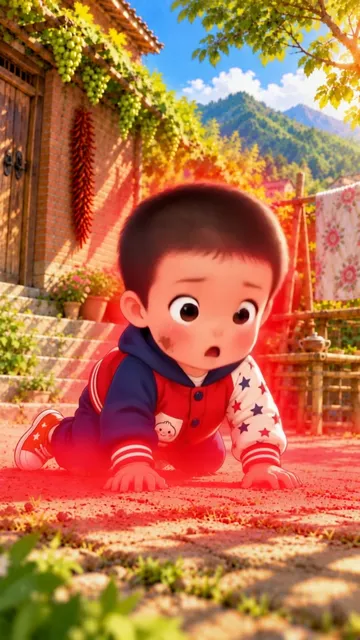
- v3The red glow on Henry cut, so the beam only hits the goose.
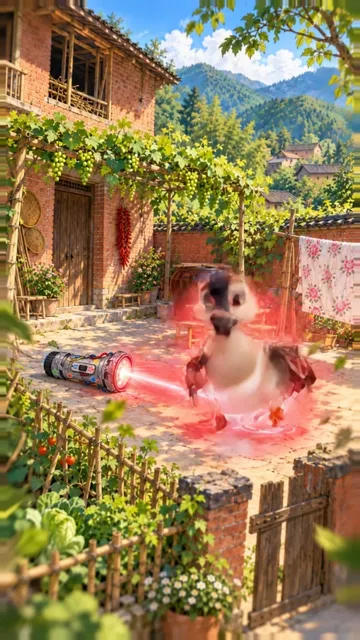
- v4Opens on Xiaobai with his bone; the switch shot again as a close-up.
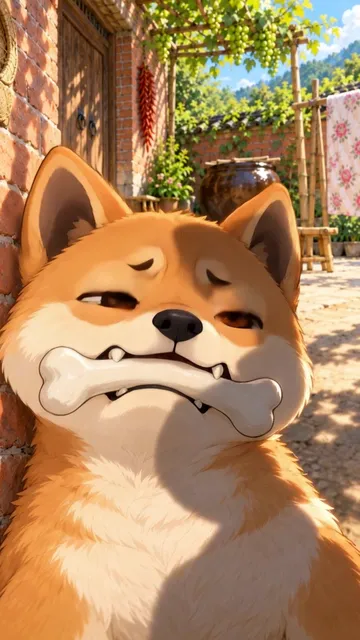
- v5An ending: the giant goose turns and walks off.
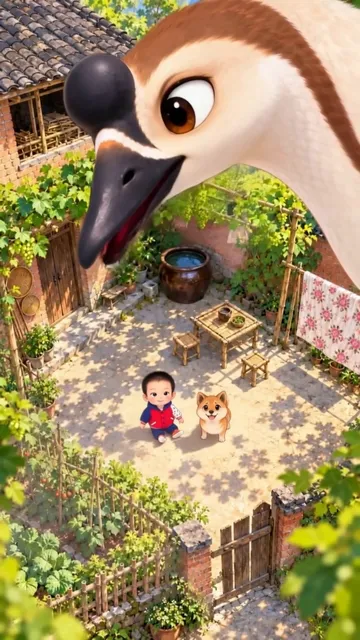
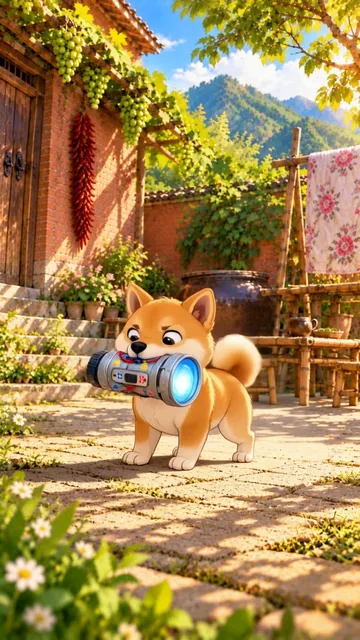
- v6Every clip watched to its end; 29 seconds became 36.
What it cost
About $5.50 of video generation, against about $10 for Episode 1. There was no throwaway first version this time; six of the 22 clips were retakes.
| Step | What we generated | Generation cost |
|---|---|---|
| First pass | 16 clips of 3 seconds, silent | ≈ $4.00 |
| Retakes | 6 clips of 3 seconds, silent | ≈ $1.50 |
| Versions 1 to 6 | Nothing new beyond the retakes: recuts of existing takes | $0 |
The checklist we run before every generation
- 1Every character named in the prompt is one of the shot's saved characters.
- 2A shrunk or giant character does small actions close to the ground and is measured against something in the shot.
- 3Light, smoke and blasts land only on the character who is meant to be hit.
- 4A story beat the viewer must see, like a switch, gets its own close-up shot.
- 5The keyframe is the first frame, and the settings are 3 seconds, 9:16, 720p, sound off.
- 6Shoot two or three clips, watch them frame by frame, then shoot the next ones.
Questions
- Why did the shrunk goose keep growing back?
- The model keeps a saved character close to its reference pictures, and GuaPi's pictures show a full-size goose. Big movements such as jumping or riding pulled him back to full size. Small actions close to the ground, plus a prompt that gives him something to be measured against, kept him sparrow-sized.
- How many clips does a 36-second episode take?
- Sixteen shots of 3 seconds each, one clip per shot, then the retakes. Episode 2 used 22 clips: 16 for the first pass and 6 retakes, about $5.50 of generation in the RefVid studio.
- Can I reuse these prompts for my own characters?
- Yes. Swap in your own characters' names, save each character once in RefVid from a few pictures, use a keyframe as the first frame, and keep the closing line "Keep the drawn style." for a drawn look.