Watch AI prompt list: 10 prompts for watch videos that keep your dial - RefVid
Turn your own photos into videos in minutes · Your first video is free, no watermark





First video free, no card
A good watch AI prompt says where the watch lies, what the light does to the case and the dial, and one slow move; your reference photos say which watch it is. Below are 10 prompts you can copy, grouped into macro and studio shots, on the wrist, and water and gift shots.
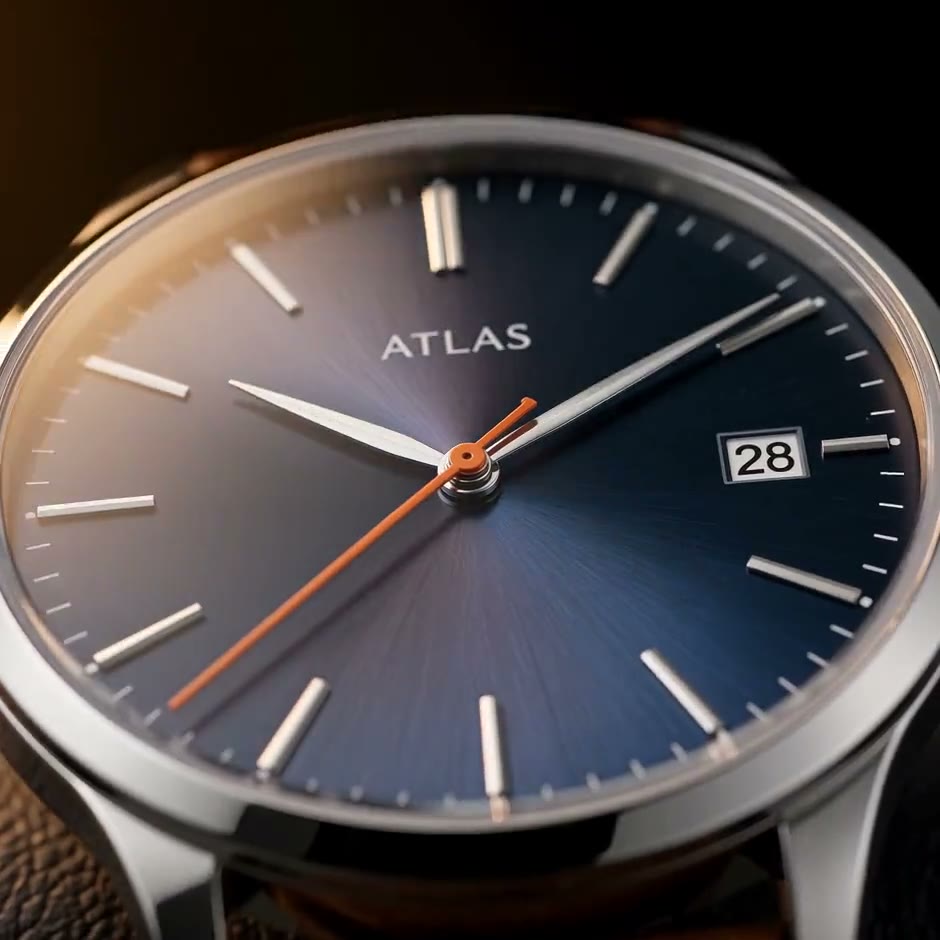
Prompt 1 made the clip above, word for word, from two photos of ATLAS, an invented watch; the other nine are template prompts first shot with other products, each linked to its template.
How to use these prompts
- Save the watch once from 3 to 5 sharp photos: the dial from straight above with no glare, so the markers, hands and logo are legible; the side of the case with the crown; the strap or bracelet laid out; and the case back if it is worth showing. One watch takes up to 10 photos. In the prompts below, "the watch" stands for that saved watch.
- Length and shape are settings, given in brackets before each prompt; they are not prompt text. Where a prompt names a template, open the template, add your photos, and the studio starts from that shot. Several templates were written for a labelled product, so where a prompt says "the label", read the dial.
- Name what the light does to the metal. In prompt 1, "light rolling over the polished case and the hour markers" is the line that makes the clip look expensive; keep a line like that in any prompt you write.
Macro and studio prompts
- 1. Dial macro (5 s, 1:1): Extreme macro of the watch: the camera glides slowly across the dial as the seconds hand sweeps, light rolling over the polished case and the hour markers, then pulls back to show the whole watch resting on dark leather. Warm low-key light, shallow depth of field, luxurious detail. Template: watch-macro (this is its prompt); the clip at the top of the page.
- 2. Beam of light on a pedestal (5 s, 16:9): Darkness, then a narrow beam of warm light sweeps slowly across the watch standing on a black stone pedestal, catching its edges and reflections. Low-key, cinematic, wisps of haze. Slow push-in on the watch as the light settles, the label sharp and centred, deep black background. Template: product-hero-reveal (its two shots joined). The luxury watch cinematic video in its simplest form.
- 3. Turntable (5 s, 1:1): The watch, matching the reference appearance and proportions, is on a circular white studio turntable against a light grey seamless background, under soft even studio light, with the entire product in sharp focus. Template: product-360-turntable (this is its prompt). Add a photo of the case back, or the model will invent one.
- 4. Edge light for a smartwatch (5 s, 16:9): The watch rests on a dark matte surface in near-darkness; a thin line of cool blue light traces its edges, then the light opens up and the camera glides in a slow arc around it, catching clean reflections on its surface, ending front-on with every detail sharp. Sleek tech-launch style, deep black background, subtle haze. Template: tech-gadget-reveal (this is its prompt). Suits a smartwatch or a sports watch.
- Prompt 1: the watch-macro template
- Prompt 2: the product-hero-reveal template
- Prompt 3: the product-360-turntable template
Product Reveal
Kling 3.0 Omni · 3 reference photos · 5 s · 16:9 · silent
- Shot 1Darkness, then a narrow beam of warm light sweeps slowly across [your product] standing on a black stone pedestal, catching its edges and reflections. Low-key, cinematic, wisps of haze.
- Shot 2Slow push-in on [your product] as the light settles, the label sharp and centred, deep black background.
Tech Reveal
Kling 4 · 2 reference photos · 5 s · 16:9 · with sound
- [your device] rests on a dark matte surface in near-darkness; a thin line of cool blue light traces its edges, then the light opens up and the camera glides in a slow arc around it, catching clean reflections on its surface, ending front-on with every detail sharp. Sleek tech-launch style, deep black background, subtle haze.
Wrist watch AI prompts: on the hand and in the air
- 5. On the wrist (5 s, 1:1): Close-up: a woman's hand with a soft natural manicure, wearing the watch, rests on cream silk and turns slowly toward the camera, the watch catching small sparkles in warm window light. Shallow depth of field, gentle slow push-in, elegant and natural. Template: jewelry-on-hand (this is its prompt, first shot with a ring). For a man's watch, write "a man's wrist in a crisp white shirt cuff" instead of the hand.
- 6. Floating in zero gravity (5 s, 9:16): The watch floats weightlessly in mid-air against a soft peach-to-lavender gradient background, turning slowly through half a turn while drifting gently up and down, a soft round shadow on the floor below. Zero gravity, bright soft studio light, locked-off camera, crisp detail on the label. Template: product-floating (this is its prompt). A clean shot for a product page.
Jewelry on Hand
Kling 4 · 4 reference photos · 5 s · 1:1 · with sound
- Close-up: a woman’s hand with a soft natural manicure, wearing [your jewelry], rests on cream silk and turns slowly toward the camera, [your jewelry] catching small sparkles in warm window light. Shallow depth of field, gentle slow push-in, elegant and natural.
Floating Product
Kling 4 · 3 reference photos · 5 s · 9:16 · with sound
- [your product] floats weightlessly in mid-air against a soft peach-to-lavender gradient background, turning slowly through half a turn while drifting gently up and down, a soft round shadow on the floor below. Zero gravity, bright soft studio light, locked-off camera, crisp detail on the label.
Water and gift prompts
- 7. Drop into water (5 s, 9:16): Slow motion: the watch drops into a tank of crystal-clear water against a soft blue gradient background, a burst of bubbles and droplets exploding around it, then it settles upright with the label facing the camera. Bright studio light, macro detail. Template: product-water-splash. Made for a dive watch or anything water resistant.
- 8. Frozen droplets, bullet time (5 s, 9:16): Bullet time: the watch hangs frozen in mid-air inside a burst of crystal-clear water droplets and splashes, every drop suspended and perfectly still, while the camera orbits smoothly half a circle around it and ends with the label facing the lens. Soft blue-white gradient background, bright studio light, crisp macro detail. Template: product-bullet-time.
- 9. Unboxing (10 s, 9:16): Top-down shot of a plain kraft box on a light wooden table in soft daylight; two hands lift the lid and fold back white tissue paper. Paper rustle. Close-up as the hands lift the watch out of the box and hold it up, turning it slowly so the label faces the camera. The watch stands on the table next to the open box, the camera gently pushing in. Clean, bright, shallow depth of field. Template: product-unboxing (its three shots joined).
- 10. Gift box under the tree (5 s, 9:16): A white gift box with a red satin ribbon sits under a glowing Christmas tree, warm fairy-light bokeh; a pair of hands pulls the ribbon loose and lifts the lid. Looking into the open box: the watch rests on crisp white tissue paper, the label sharp and facing the camera, golden lights twinkling around it as the camera pushes in slowly. Template: product-christmas-gift.
Watch AI prompt rules: keep the dial, hands and case exact
- Let the photos carry the watch. Do not describe the dial colour, the markers or the logo in the prompt: a second description competes with the photos, and the model may split the difference. Name the light and the surface instead, as prompt 1 does.
- End on the dial. Your photos show it straight on, so frames that end there have the most to match. Check the clip frame by frame against your photos: the logo, the number of markers, the date window and the hands.
- One effect per clip. A splash, a spin and a hand each move a lot of pixels; two at once give the model more to get wrong around the small details of a dial.
- Your first 3-second clip on Kling 3.0 Omni is free, with no card and no watermark. After it, a single video costs from $2.99, a credit pack from $9.90 and a monthly plan from $10; credits never expire.
Start from a template
Each one opens the studio with the shots, shape and length already set. Add your own product and generate.
More product videos
Product videos →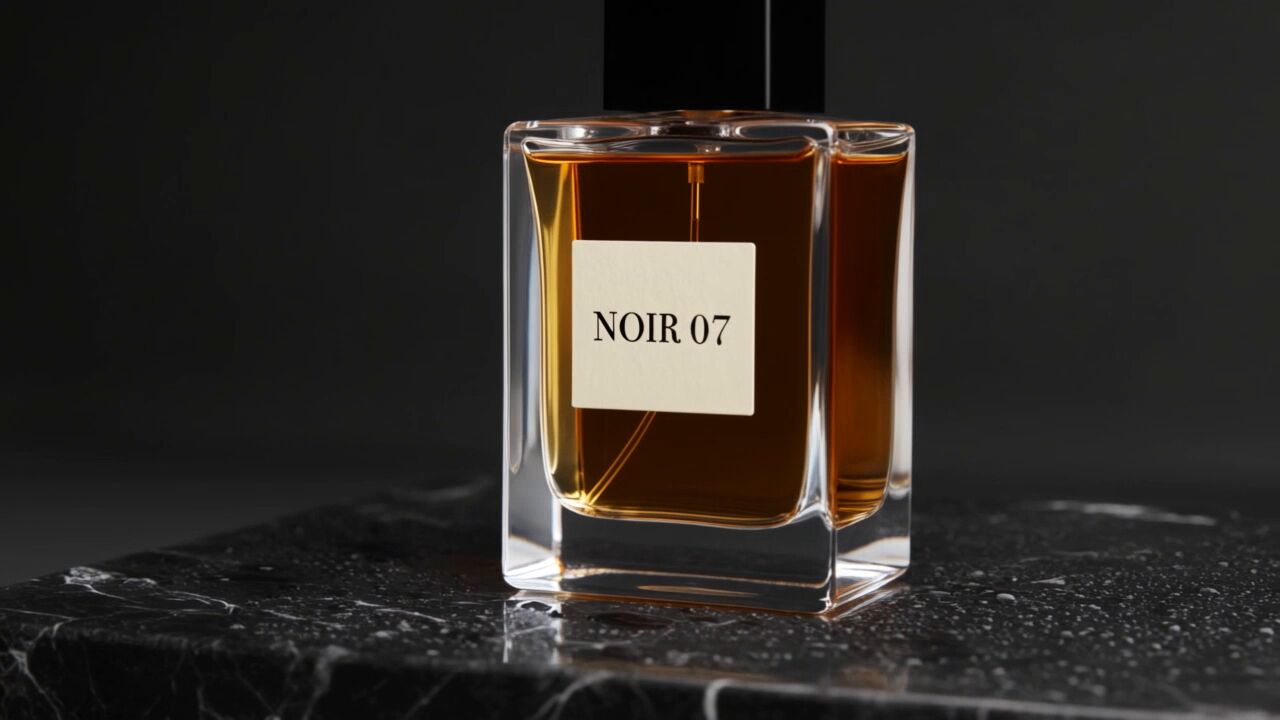


Frequently asked questions
What is a good watch AI prompt?
One that sets the surface, what the light does to the case and the dial, and one slow move, while 3 to 5 reference photos say which watch it is. The prompt behind the RefVid clip on this page: "Extreme macro of the watch: the camera glides slowly across the dial as the seconds hand sweeps, light rolling over the polished case and the hour markers."
What is a good wrist watch AI prompt?
Prompt 5 on this page: a hand rests on cream silk and turns slowly toward the camera, the watch catching small sparkles in warm window light. For a man's watch, write a wrist in a crisp white shirt cuff instead of the hand.
How do I make a luxury watch cinematic video from my photos?
On RefVid, save the watch once from up to 10 photos, open a template such as watch-macro or paste a prompt from this page, and press Generate. The same saved watch goes into every clip, so a macro, a wrist shot and a gift shot all show the same dial and case.
Can I use these prompts in Kling, Veo or Gemini?
Yes, they are plain English. What keeps the watch exact is the reference photos sent with the prompt; a tool that takes only text or only one picture will redraw the dial. On RefVid each watch is saved from up to 10 photos and sent with every prompt.
Is there a free watch AI video generator?
The prompts on this page are free to copy. On RefVid your first 3-second clip on Kling 3.0 Omni is free, with no card and no watermark; after it, a single video costs from $2.99.