Car AI video prompt list: 8 prompts that keep your own car - RefVid
Turn your own photos into videos in minutes · Your first video is free, no watermark




First video free, no card
A good car AI video prompt says where the car is, what the light does to the paint, and one camera move; your reference photos say which car it is. Below are 8 prompts you can copy, grouped into drives, showroom reveals and ad shots.
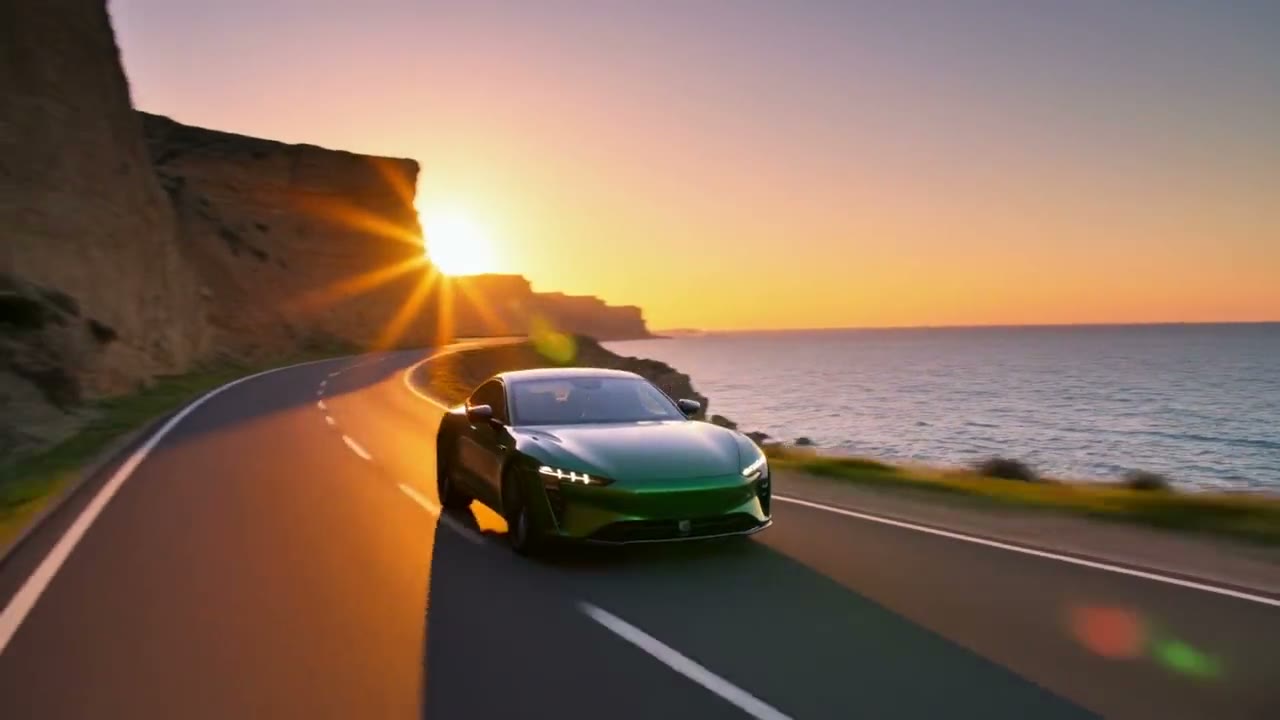
Prompt 1 made the clip above, word for word, from four photos of VELA, an invented electric car; prompts 2 and 3 change only its road, and the other five are template prompts first shot with other products.
How to use these prompts
- Save the car once from 3 to 5 sharp photos: a full side profile with every wheel in frame, a front three-quarter view, a rear three-quarter view, and the front straight on if the grille or lights matter. One car takes up to 10 photos. In the prompts below, "the car" stands for that saved car.
- Length and shape are settings, given in brackets before each prompt; they are not prompt text. Where a prompt names a template, open the template, add your photos, and the studio starts from that shot. The others you paste into the studio as they are.
- Name what the light does to the paint. In prompt 1, "sunlight flaring off the paint" and "the warm light running along its body from front to back" are the lines that make the clip look like a commercial; keep a line like that whatever road you choose.
Driving prompts
- 1. Coastal road at golden hour (5 s, 16:9): Low tracking shot alongside the car as it drives along a winding coastal road at golden hour, the sea and cliffs behind, sunlight flaring off the paint. The car passes slowly close to the camera on the same road, the warm light running along its body from front to back, then drives on toward the sunset. Template: car-cinematic-drive (its two shots joined); this is the prompt of the clip at the top of the page.
- 2. Wet city streets at night (5 s, 16:9): Low tracking shot alongside the car as it drives through wet city streets at night, neon signs reflected in the puddles and running along the paint. The car passes slowly close to the camera on the same street, the coloured light sliding along its body from front to back, then drives on into the city. Prompt 1 with only the road and the light changed.
- 3. Mountain pass with hairpins (5 s, 16:9): Low tracking shot alongside the car as it climbs a mountain pass with hairpin bends in clear morning light, snowy peaks behind, sunlight flaring off the paint. The car passes slowly close to the camera on the same bend, the light running along its body from front to back, then drives on up the pass. Prompt 1 with only the road changed; the side profile in your photos matters most here.
Showroom and reveal prompts
- 4. Turntable (5 s, 1:1): The car, matching the reference appearance and proportions, is on a circular white studio turntable against a light grey seamless background, under soft even studio light, with the entire product in sharp focus. Template: product-360-turntable (this is its prompt). The clean way to show every side, so add a rear photo.
- 5. Edge light in the dark (5 s, 16:9): The car rests on a dark matte surface in near-darkness; a thin line of cool blue light traces its edges, then the light opens up and the camera glides in a slow arc around it, catching clean reflections on its surface, ending front-on with every detail sharp. Sleek tech-launch style, deep black background, subtle haze. Template: tech-gadget-reveal (this is its prompt). Suits an electric car or a launch teaser.
- 6. Beam of light (5 s, 16:9): Darkness, then a narrow beam of warm light sweeps slowly across the car standing on a black stone pedestal, catching its edges and reflections. Low-key, cinematic, wisps of haze. Slow push-in on the car as the light settles, the label sharp and centred, deep black background. Template: product-hero-reveal (its two shots joined). For a car, read "the label" as the badge on the grille.
- Prompt 4: the product-360-turntable template
- Prompt 5: the tech-gadget-reveal template
- Prompt 6: the product-hero-reveal template
Product 360
Kling 3.0 Omni · 3 reference photos · 5 s · 1:1 · silent
- [your product], matching the reference appearance and proportions, is on a circular white studio turntable against a light grey seamless background, under soft even studio light, with the entire product in sharp focus.
Tech Reveal
Kling 4 · 2 reference photos · 5 s · 16:9 · with sound
- [your device] rests on a dark matte surface in near-darkness; a thin line of cool blue light traces its edges, then the light opens up and the camera glides in a slow arc around it, catching clean reflections on its surface, ending front-on with every detail sharp. Sleek tech-launch style, deep black background, subtle haze.
Ad and social prompts
- 7. Giant 3D billboard (5 s, 9:16): A curved 3D LED billboard wraps the corner of a tall city building at dusk, seen from the street below: a giant car fills the screen, turns slowly, then appears to push out beyond the screen's edge over the street in forced perspective while traffic moves below. Anamorphic CGI ad style, the camera tilting up slowly, city lights. Template: product-3d-billboard (this is its prompt). The format behind many viral car clips on Instagram.
- 8. Floating in zero gravity (5 s, 9:16): The car floats weightlessly in mid-air against a soft peach-to-lavender gradient background, turning slowly through half a turn while drifting gently up and down, a soft round shadow on the floor below. Zero gravity, bright soft studio light, locked-off camera, crisp detail on the label. Template: product-floating (this is its prompt). Works best for a toy, a model car or a small city car.
3D Billboard
Kling 4 · 4 reference photos · 5 s · 9:16 · with sound
- A curved 3D LED billboard wraps the corner of a tall city building at dusk, seen from the street below: a giant [your product] fills the screen, turns slowly, then appears to push out beyond the screen’s edge over the street in forced perspective while traffic moves below. Anamorphic CGI ad style, the camera tilting up slowly, city lights.
AI car video prompt rules: keep the body, wheels and paint exact
- Let the photos carry the car. Do not describe the make, the body lines or the badge in the prompt: a second description competes with the photos, and the model may split the difference. The paint colour is the one thing worth naming when the light changes it, as in prompt 2.
- Give every shot one move. A tracking shot, a pass, an orbit or a push-in each moves the whole frame; two at once give the model more to get wrong around the wheels. Check the clip frame by frame against your photos: the number of wheels, the rims, the lights and the badge.
- Show only the sides your photos show. A turntable or an orbit asks the model to draw the back; without a rear photo it will invent one. A side-on drive needs the full side profile most.
- Your first 3-second clip on Kling 3.0 Omni is free, with no card and no watermark. After it, a single video costs from $2.99, a credit pack from $9.90 and a monthly plan from $10; credits never expire.
More product videos
Product videos →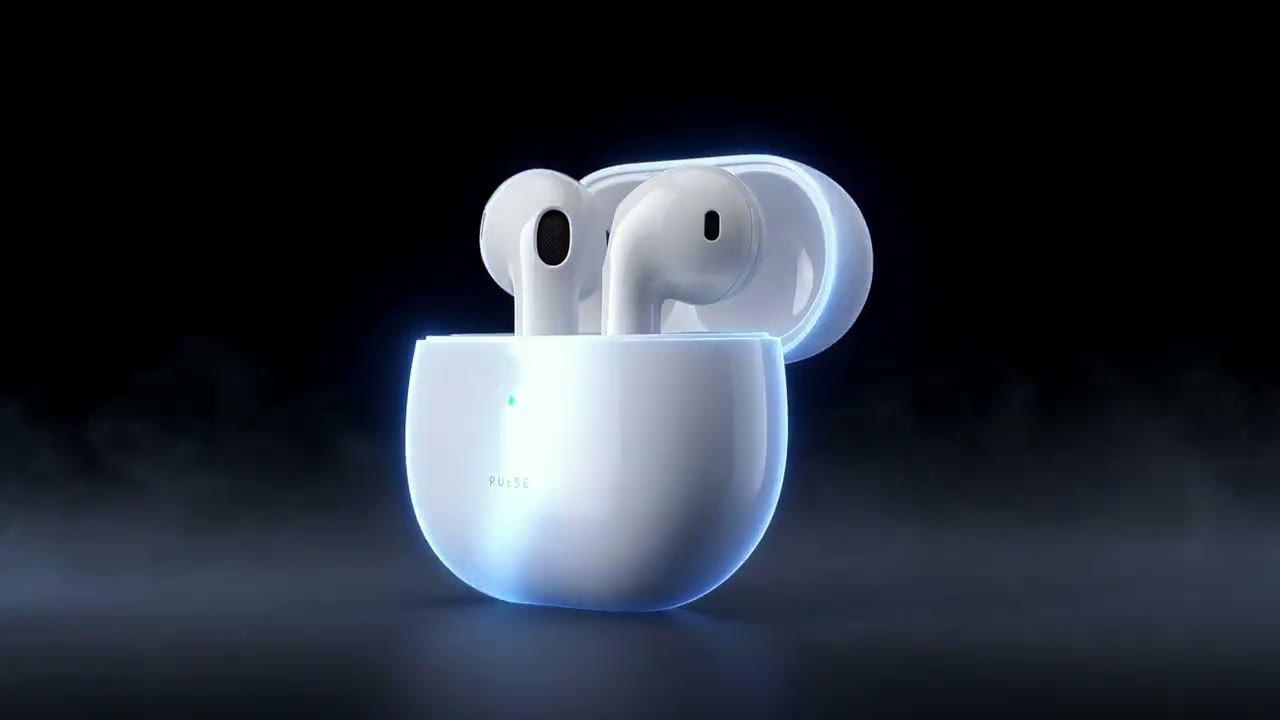

Frequently asked questions
What is a good car AI video prompt?
One that sets the road or the set, what the light does to the paint, and one slow camera move, while 3 to 5 reference photos say which car it is. The prompt behind the RefVid clip on this page: "Low tracking shot alongside the car as it drives along a winding coastal road at golden hour, the sea and cliffs behind, sunlight flaring off the paint."
Where can I copy an AI car video prompt for Instagram?
All 8 prompts on this page are free to copy. For Instagram Reels pick a 9:16 one, such as the 3D billboard (prompt 7), or set any prompt to 9:16 in the studio before you generate.
How do I make a video of my own car with AI?
On RefVid, save the car once from up to 10 photos, open a template such as car-cinematic-drive or paste a prompt from this page, and press Generate. The same saved car goes into every clip, so a drive, a turntable and a billboard all show the same body and wheels.
Can I use this car video prompt in Kling, Veo or Gemini?
Yes, the prompts are plain English. What keeps the car exact is the reference photos sent with the prompt; a tool that takes only text or only one picture will redraw the car. On RefVid each car is saved from up to 10 photos and sent with every prompt.
Is there a free car AI video generator?
The prompts on this page are free to copy. On RefVid your first 3-second clip on Kling 3.0 Omni is free, with no card and no watermark; after it, a single video costs from $2.99.