Shoes AI video prompt list: 10 prompts for sneakers on foot and in the studio - RefVid
Turn your own photos into videos in minutes · Your first video is free, no watermark





First video free, no card
A good shoes AI video prompt says where the camera sits, what the feet or the shoe do and what the ground or set is; your reference photos say what the shoe is. Below are 10 prompts you can copy, grouped into on-foot shots, studio shots, and unboxing and sale shots.
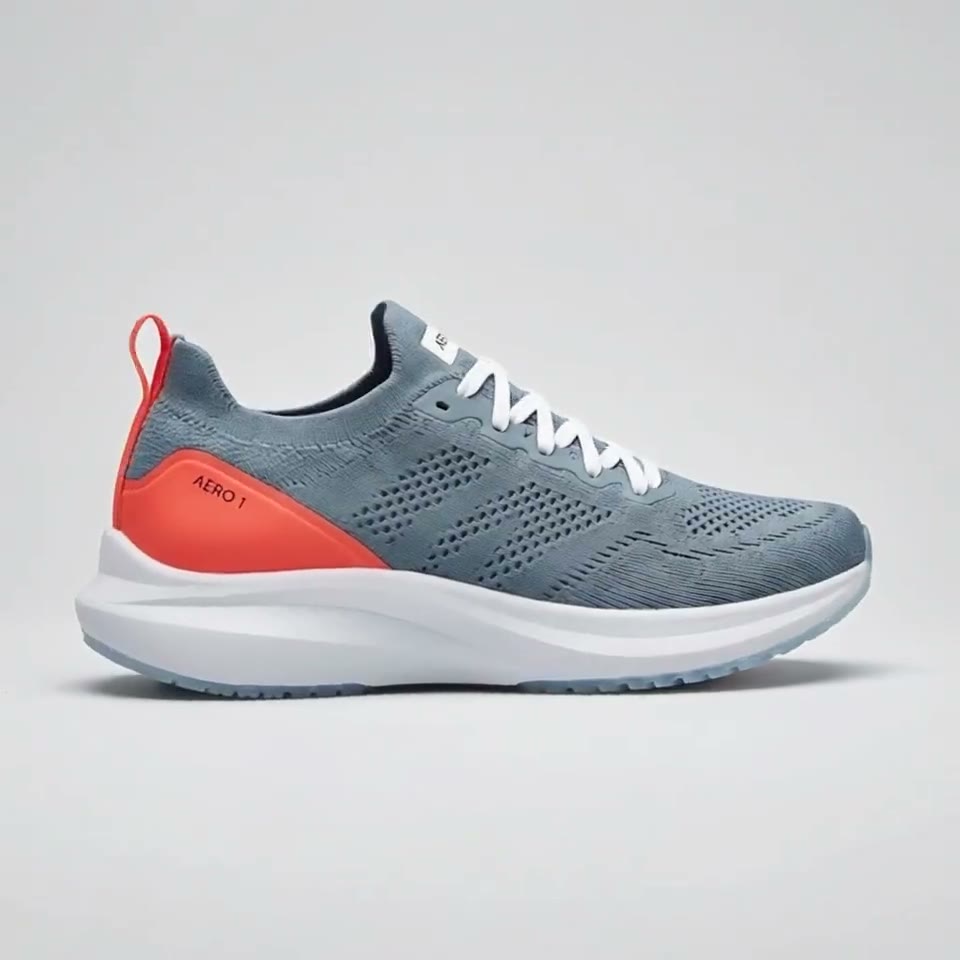
Six of them made real RefVid clips of the same running shoe, AERO 1, word for word, the clip above included; the rest are template prompts first shot with other products.
How to use these prompts
- Save the shoe once from 3 to 5 sharp photos on a plain background: the outer side profile, a three-quarter front view, the back with the heel, and the sole. One shoe takes up to 10 photos. In the prompts below, "the shoes" stands for that saved pair.
- Length and shape are settings, given in brackets before each prompt; they are not prompt text. Where a prompt names a template, open the template, add your photos, and the studio starts from that shot. The others you paste into the studio as they are.
- Put the camera at shoe height. Every on-foot prompt below says "low", "ground level" or "floor-level": from there the shoe fills the frame and the model spends its detail on the upper and the sole, not on a face.
On-foot prompts
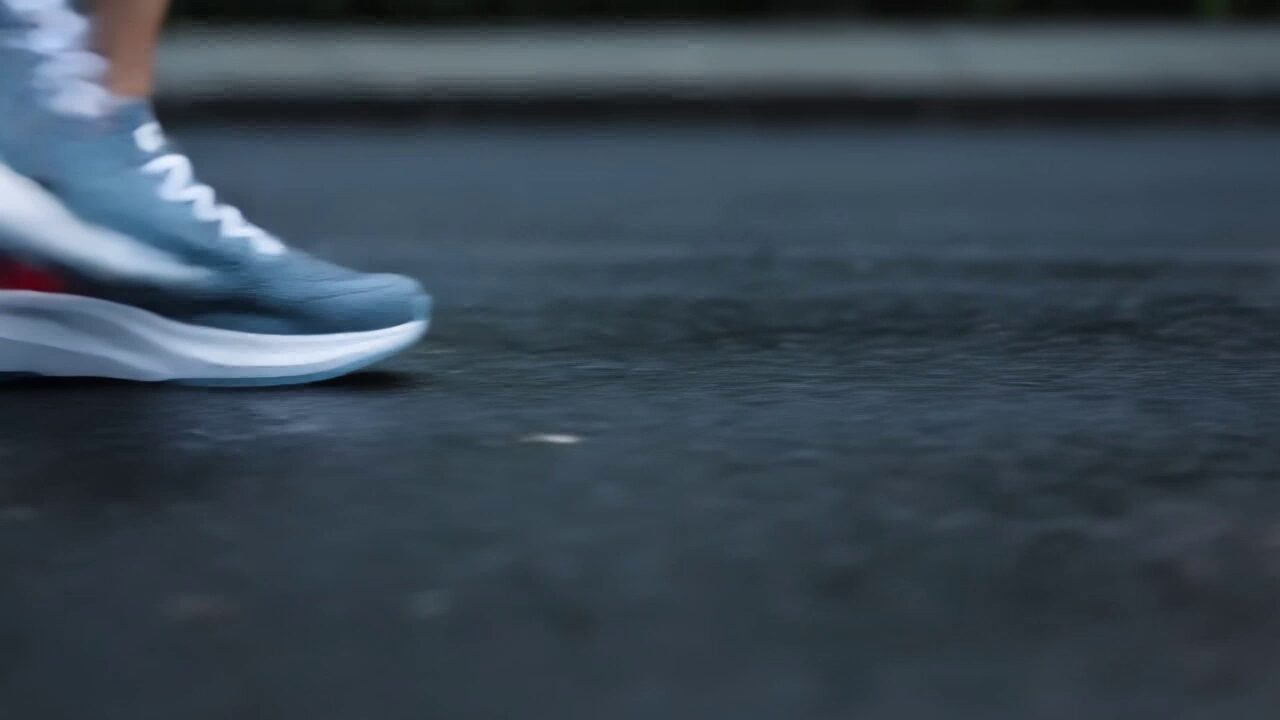
- 1. Wet pavement at dawn (5 s, 16:9): A runner wearing the shoes strides across wet city pavement at dawn. Low tracking shot at ground level follows the shoes as they hit the asphalt, small splashes rise from shallow puddles, streetlight reflections ripple on the wet ground, the coral heel counter with the AERO 1 text stays visible. Slow motion, cinematic running-shoe commercial, shallow depth of field, cool blue light with warm highlights. This is the prompt of the clip at the top of the page; change the heel detail to your own.
- 2. City street walk (5 s, 9:16): Low camera at ankle height tracking alongside a pair of feet wearing the shoes as they walk briskly down a sunlit city sidewalk, shadows of passers-by, shallow depth of field. Close-up of the shoes landing mid-step on the pavement, a little dust lifting, the camera slowing to a stop beside it. Template: sneaker-street-walk (its two shots joined).
- 3. Gym sprint start (5 s, 16:9): Floor-level close-up in a modern gym with a dark rubber floor: an athlete wearing the shoes pulls the white laces tight, then drives off the floor into a sprint start and the shoe flexes as it pushes away from the camera. Hard side light, fine chalk dust floating in the air, crisp sports commercial look, shallow depth of field. This made a RefVid clip of AERO 1; change "white laces" to your own.
Sneaker Ad
Kling 3.0 Omni · 3 reference photos · 5 s · 9:16 · silent
- Shot 1Low camera at ankle height tracking alongside a pair of feet wearing [your shoes] as they walk briskly down a sunlit city sidewalk, shadows of passers-by, shallow depth of field.
- Shot 2Close-up of [your shoes] landing mid-step on the pavement, a little dust lifting, the camera slowing to a stop beside it.
Studio prompts
- 4. Rotating plinth (5 s, 16:9): The shoes slowly rotate on a round white plinth in a minimal studio with a smooth grey backdrop and a soft coral glow behind it. Static camera at shoe height while the plinth turns, soft key light gliding over the knit texture, the white foam midsole and the translucent blue outsole. Clean premium product commercial, sharp focus. This made a RefVid clip of AERO 1; name your own upper, midsole and outsole.
- 5. Turntable packshot (5 s, 1:1): The shoe, matching the reference appearance and proportions, is on a circular white studio turntable against a light grey seamless background, under soft even studio light, with the entire product in sharp focus. Template: product-360-turntable. A full turn needs photos of every side, the inner side included.
- 6. Floating in mid-air (5 s, 9:16): The shoe floats weightlessly in mid-air against a soft peach-to-lavender gradient background, turning slowly through half a turn while drifting gently up and down, a soft round shadow on the floor below. Zero gravity, bright soft studio light, locked-off camera, crisp detail on the label. Template: product-floating.
- 7. Frozen splash, bullet time (5 s, 9:16): Bullet time: the shoe hangs frozen in mid-air inside a burst of crystal-clear water droplets and splashes, every drop suspended and perfectly still, while the camera orbits smoothly half a circle around it and ends with the side profile facing the lens. Soft blue-white gradient background, bright studio light, crisp macro detail. Template: product-bullet-time, with the label changed to the side profile.
- Prompt 5: the product-360-turntable template
- Prompt 6: the product-floating template
- Prompt 7: the product-bullet-time template
- 8 car AI video prompts
Product 360
Kling 3.0 Omni · 3 reference photos · 5 s · 1:1 · silent
- [your product], matching the reference appearance and proportions, is on a circular white studio turntable against a light grey seamless background, under soft even studio light, with the entire product in sharp focus.
Floating Product
Kling 4 · 3 reference photos · 5 s · 9:16 · with sound
- [your product] floats weightlessly in mid-air against a soft peach-to-lavender gradient background, turning slowly through half a turn while drifting gently up and down, a soft round shadow on the floor below. Zero gravity, bright soft studio light, locked-off camera, crisp detail on the label.
Unboxing and sale prompts
- 8. Shoebox unboxing (10 s, 9:16): Top-down shot of a plain kraft box on a light wooden table in soft daylight; two hands lift the lid and fold back white tissue paper. Close-up as the hands lift the shoes out of the box and hold them up, turning them slowly so the side profile faces the camera. The shoes stand on the table next to the open box, the camera gently pushing in. Template: product-unboxing (its three shots joined).
- 9. Neon sale drop (5 s, 9:16): A dark studio set lit by pink and blue neon tubes, stacks of black gift boxes with satin ribbons; the shoes sit on top of the tallest box as the camera rises slowly toward them. Slow push-in on the shoes, neon reflections sliding across them, glittering confetti drifting down. Glossy, premium, high contrast. Template: product-black-friday, without its label line.
- 10. Gift under the tree (5 s, 9:16): A white gift box with a red satin ribbon sits under a glowing Christmas tree, warm fairy-light bokeh; a pair of hands pulls the ribbon loose and lifts the lid. Looking into the open box: the shoes rest on crisp white tissue paper, golden lights twinkling around them as the camera pushes in slowly. Template: product-christmas-gift, without its label line.
Shoes video AI rules: keep the sole, laces and logo exact
- Let the photos carry the shoe. Do not describe the colourway, the logo or the sole pattern in the prompt unless the shot turns on it, as prompt 1 does with the heel: a second description competes with the photos, and the model may split the difference.
- Show the sides your photos show. A side-on walk or a half turn stays on the profile you photographed; a full turn or a top-down shot asks the model to invent the inner side or the insole. Add a photo of that side first.
- Keep feet simple. Brisk walking, one step landing or a sprint start reads well; jumps, tricks and laces being tied in close-up give the model hands, feet and laces to tangle. Check the clip frame by frame against your photos: the outline, the sole, the laces and the logo position.
- Your first 3-second clip on Kling 3.0 Omni is free, with no card and no watermark. After it, a single video costs from $2.99, a credit pack from $9.90 and a monthly plan from $10; credits never expire.
Start from a template
Each one opens the studio with the shots, shape and length already set. Add your own product and generate.
More product videos
Product videos →

Frequently asked questions
What is a good shoes AI video prompt?
One that puts the camera at shoe height, gives the feet one simple action and sets the ground, while 3 to 5 reference photos say what the shoe is. The prompt behind the RefVid clip on this page: "A runner wearing the shoes strides across wet city pavement at dawn. Low tracking shot at ground level follows the shoes as they hit the asphalt, small splashes rise from shallow puddles."
How do I make a shoe AI video from my photos?
On RefVid, save the shoe once from up to 10 photos (side profile, three-quarter, back and sole), open a template such as sneaker-street-walk or paste a prompt from this page, and press Generate. The same saved shoe goes into every clip, so a street walk, a turntable and an unboxing all show the same pair.
Do I need a model to wear the shoes?
No. The on-foot prompts above keep the camera at shoe height, so only feet and legs are in frame and they are generated. The clip at the top of this page was made on Kling 3.0 Omni from three packshots of the shoe alone.
Can I use these prompts in Kling, Veo or other tools?
Yes, they are plain English. What keeps the shoe exact is the reference photos sent with the prompt; a tool that takes only text or only one picture will redraw it. On RefVid each shoe is saved from up to 10 photos and sent with every prompt.
Is there a free shoes video AI tool?
The prompts on this page are free to copy. On RefVid your first 3-second clip on Kling 3.0 Omni is free, with no card and no watermark; after it, a single video costs from $2.99.