Jewellery AI video prompt list: 12 prompts for rings, necklaces and earrings - RefVid
Turn your own photos into videos in minutes · Your first video is free, no watermark





First video free, no card
A good jewellery AI video prompt says where the piece lies, where the light comes from, what moves and how the stones should look; your reference photos say what the piece is.
Below are 12 prompts you can copy, three each for rings, necklaces, earrings, and bracelets and watches, each linked to the RefVid template that runs it with your photos. The sparkle wording comes from a real necklace job where half a sentence decided the result.

How to use these prompts
- Save the piece once from 3 to 5 sharp photos: straight on, a macro of the stones or setting, the clasp or back, and one on a hand or neck for scale. One piece takes up to 10 photos. In the prompts below, "the ring", "the necklace" and so on stand for that saved piece.
- Length and shape are settings, given in brackets before each prompt; they are not prompt text. Each prompt names the template that runs it: open the template, add your photos, and the studio starts from that shot.
- Describe the sparkle, do not just ask for it. On our necklace job, "brilliant sparkles" gave one big cross-shaped star on the metal prong; "dozens of tiny white pinpoint glints… inside the facets" plus "no star-shaped flare, no glow" put the light inside the stones. Most prompts below reuse that wording.
Ring prompts
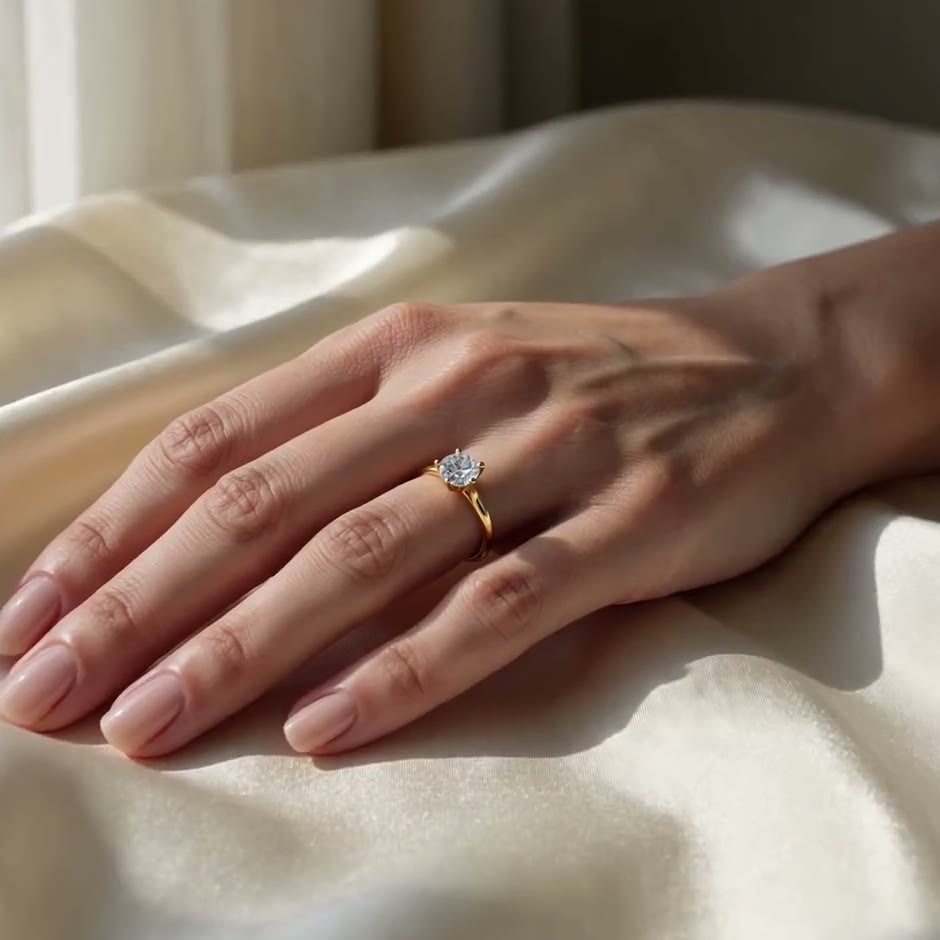
- 1. Ring on the hand (5 s, 1:1): Close-up: a woman's hand with a soft natural manicure, wearing the ring, rests on cream silk and turns slowly toward the camera, the ring catching small sparkles in warm window light. Shallow depth of field, gentle slow push-in, elegant and natural. Template: jewelry-on-hand (this is its prompt).
- 2. Ring on black velvet (5 s, 1:1): Macro shot: the ring rests on rich black velvet and turns slowly while a soft beam of light sweeps across it; dozens of tiny white pinpoint glints flicker inside the stone's facets as it turns. No star-shaped flare, no glow. Deep black background, shallow depth of field. Template: jewelry-sparkle.
- 3. Ring box opening (5 s, 9:16): Top-down on a light wooden table in soft daylight: two hands open a small velvet ring box toward the camera, revealing the ring standing in its slot; the camera pushes in until the ring fills the frame, small pinpoint glints across the stones. Template: product-unboxing.
- Prompt 1: the jewelry-on-hand template
- Prompt 2: the jewelry-sparkle template
- Prompt 3: the product-unboxing template
Jewelry on Hand
Kling 4 · 4 reference photos · 5 s · 1:1 · with sound
- Close-up: a woman’s hand with a soft natural manicure, wearing [your jewelry], rests on cream silk and turns slowly toward the camera, [your jewelry] catching small sparkles in warm window light. Shallow depth of field, gentle slow push-in, elegant and natural.
Necklace prompts
- 4. Pendant lifted into the sun (5 s, 1:1): The necklace lies on cream satin silk in natural afternoon sunlight from a window. One woman's hand enters from the left, pinches the top of the pendant and lifts it slowly toward the camera, the chain trailing back onto the silk; as it rises, dozens of tiny white pinpoint glints twinkle across its stones, with small flashes of rainbow fire inside them. No star-shaped flare, no glow; the metal stays plain and polished. Template: necklace-lift-sparkle (its full prompt is a little longer).
- 5. Pendant turntable (5 s, 1:1): The necklace hangs from a small clear stand on a slowly turning white turntable against a light grey seamless background, soft even studio light, the whole pendant in sharp focus, the chain falling straight. Template: product-360-turntable. Only use it if your photos show the back of the pendant; otherwise the model invents it.
- 6. Gift under the tree (8 s, 9:16): A small white gift box with a red satin ribbon sits under a glowing Christmas tree; a pair of hands pulls the ribbon loose and lifts the lid. Looking into the box: the necklace rests on white tissue paper, fairy lights twinkling around it as the camera pushes in slowly. Template: product-christmas-gift.
Earring prompts
- 7. Earrings on velvet (5 s, 1:1): Macro shot: the pair of earrings rests side by side on rich black velvet while a soft beam of light sweeps slowly across them; tiny white pinpoint glints flicker across the stones. No star-shaped flare, no glow. Deep black background, shallow depth of field. Template: jewelry-sparkle.
- 8. Floating earrings (5 s, 9:16): The pair of earrings floats weightlessly in mid-air against a soft peach-to-lavender gradient, turning slowly through half a turn while drifting gently up and down, a soft round shadow on the floor below. Bright soft studio light, locked-off camera, crisp detail on the stones. Template: product-floating.
- 9. Earrings with falling petals (5 s, 9:16): Slow motion: soft pink rose petals drift down through warm light around the earrings, which hang from a small pale stone stand against a blush-pink background; the camera pushes in gently until the earrings fill the frame. Template: product-petal-fall.
Bracelet, watch and bridal set prompts
- 10. Bracelet on the wrist (5 s, 1:1): Close-up: a woman's wrist wearing the bracelet rests on cream silk and turns slowly toward the camera in warm window light, small pinpoint glints moving along the links. Shallow depth of field, gentle slow push-in. Template: jewelry-on-hand.
- 11. Watch macro (5 s, 1:1): Extreme macro of the watch: the camera glides slowly across the dial as the seconds hand sweeps, light rolling over the polished case and the hour markers, then pulls back to show the whole watch resting on dark leather. Warm low-key light, shallow depth of field. Template: watch-macro (this is its prompt).
- 12. Bridal set flat lay (5 s, 1:1): Top-down on warm beige linen: the bridal set (necklace, earrings and ring) lies in the centre as a few small wedding props, a sprig of white flowers and a lace ribbon, slide into the frame one by one around it. Soft even daylight. Template: product-flat-lay. Save the set as one piece, photographed together.
- Prompt 10: the jewelry-on-hand template
- Prompt 11: the watch-macro template
- Prompt 12: the product-flat-lay template
Watch Macro
Kling 4 · 2 reference photos · 5 s · 1:1 · with sound
- Extreme macro of [your watch]: the camera glides slowly across the dial as the seconds hand sweeps, light rolling over the polished case and the hour markers, then pulls back to show the whole watch resting on dark leather. Warm low-key light, shallow depth of field, luxurious detail.
Jewellery ad video prompt rules: keep the stones and metal exact
- Let the photos carry the design. Do not describe the metal colour, the stone count or the shape in the prompt: a second description competes with the photos, and the model may split the difference. Name the piece by its role or saved name and stop there.
- Keep the move small and the piece front to camera. A slow turn of up to about 45 degrees, a lift or a push-in shows the stones; a full spin asks the model to invent any side your photos do not show.
- Check the clip frame by frame against your photos: the outline, the number of stones, the prongs and the clasp. If one detail drifts, change one thing in the prompt and run it again, not everything at once.
- Your first 3-second clip on Kling 3.0 Omni is free, with no card and no watermark. After it, a single video costs from $2.99, a credit pack from $9.90 and a monthly plan from $10; credits never expire.
Start from a template
Each one opens the studio with the shots, shape and length already set. Add your own product and generate.
More product videos
Product videos →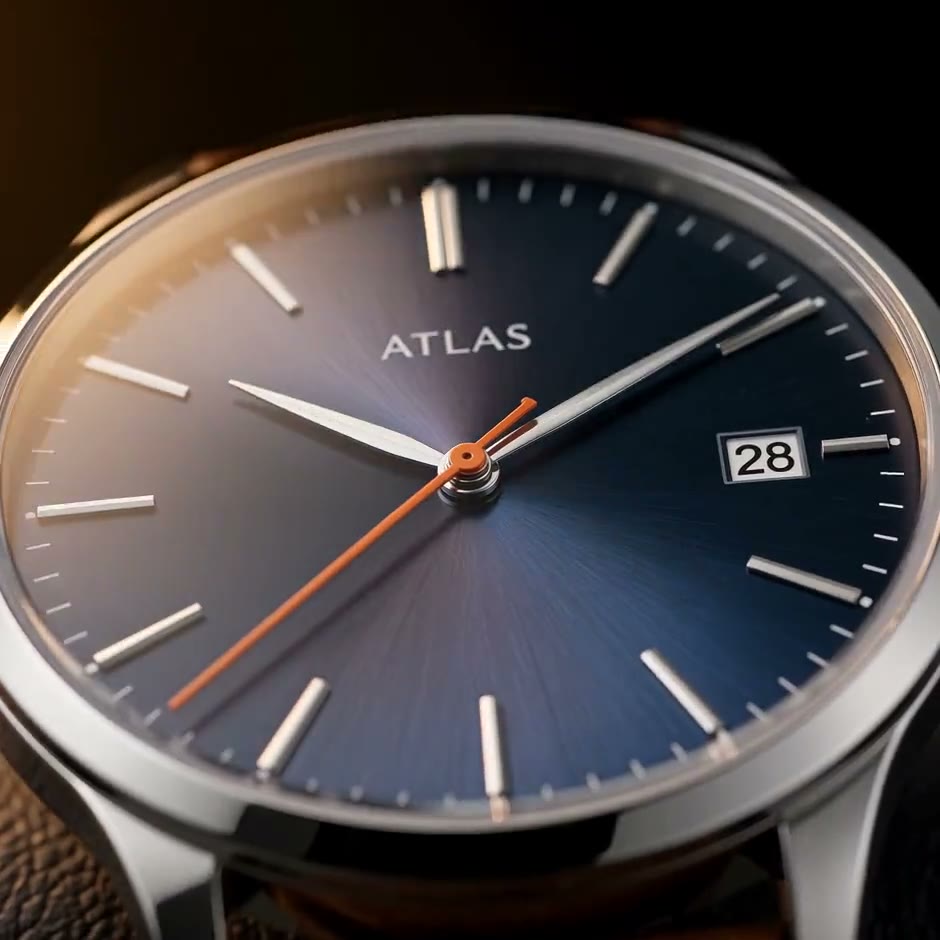
Frequently asked questions
What is a good jewellery AI video prompt?
One that says where the piece lies, where the light comes from, one small move, and how the stones look on camera, while 3 to 5 reference photos say what the piece is. For example: "the ring rests on rich black velvet and turns slowly while a soft beam of light sweeps across it; dozens of tiny white pinpoint glints flicker inside the stone's facets. No star-shaped flare, no glow."
Which jewelry video prompt words make stones sparkle?
Describe what a camera sees: many tiny white pinpoint glints across the stones and inside the facets, flickering as the piece moves, with small flashes of rainbow fire. Then rule out what you don't want: no star-shaped flare, no glow, plain polished metal. "Brilliant sparkles" alone gave us one big star on the prong on Kling 4.
Can I use these prompts in Gemini, Kling or other tools?
Yes, they are plain English. What keeps the piece exact is the reference photos sent with the prompt; a tool that takes only text or only one picture will redraw the design. On RefVid each piece is saved from up to 10 photos and sent with every prompt.
How do I keep the metal colour and stones exact?
Use 3 to 5 sharp photos in neutral light, leave the metal colour and stone count out of the prompt, keep the move small and the piece front to camera, and check the clip frame by frame against the photos.
Is there a free jewellery AI video prompt tool?
The prompts on this page are free to copy. On RefVid your first 3-second clip on Kling 3.0 Omni is free, with no card and no watermark; after it, a single video costs from $2.99.