AI product ad generator: a video ad of your own product, from photos - RefVid
Turn your own photos into videos in minutes · Your first video is free, no watermark


First video free, no card
Yes: RefVid is an AI product ad generator that turns one to ten photos of your product into a short video ad. Pick an ad template, such as a cinematic reveal, a perfume-style mist shot or a presenter holding the item, or write one sentence of your own, and press Generate.
The product in the ad is the one in your photos, label included, and the clip has no watermark and may be used in paid ads.

Three steps. No prompt skills, no 20 photos.
Some tools train a face from 20 or more photos, others want long, careful prompts. RefVid needs a few photos and one line.
- 01
Upload 1–10 photos
A clear front view of the person or product. Add a side view or a close-up of the label if you have one.
- 02
Pick a template or write one line
Start from a ready-made template, or describe the scene in one sentence, such as “she pours coffee in a bright kitchen”.
- 03
Generate
The clip keeps the same face, outfit or label. Make the next scene from the same photos whenever you like.
What a product video ad needs that a product clip does not
- A product video ad has a few seconds to earn attention and one thing to say, so it is built in three beats: something that stops the eye, the product doing or looking like the one thing you sell, and a last frame on the label. An AI ad generator is useful when it gives you those beats with your real product in them.
- Most AI video tools draw a product from words, which gives a plausible bottle or gadget, not yours; an ad that shows the wrong cap or label is a problem with the ad platform and with buyers. RefVid builds every frame around your photos, so the reveal, the splash and the presenter all show the item you ship.
Three ad formats from the same photos
Each format is a template that opens the studio with the shots, shape and length already written; you add your product and generate. Make all three from the same photos and test them against each other.
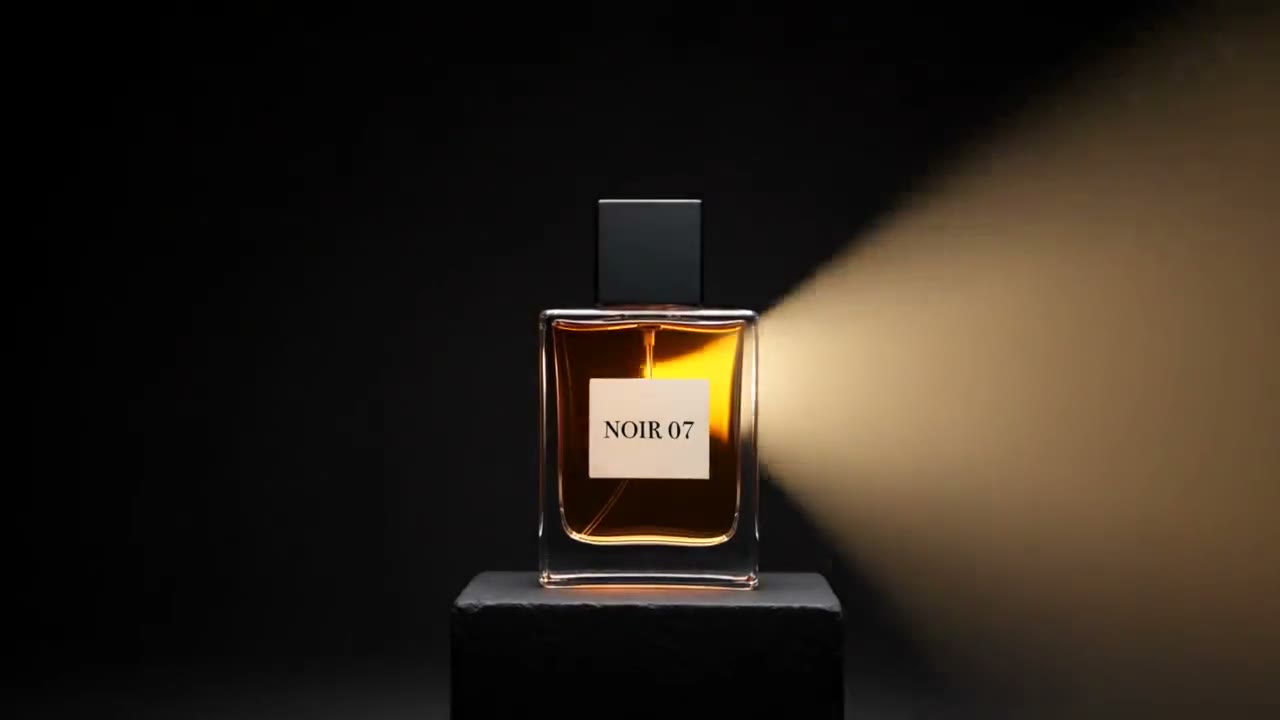
1. A cinematic reveal: darkness, a beam of warm light across your product on a black pedestal, a push-in to the label, wide 16:9. For YouTube pre-roll, a landing page header or a launch post.
2. A mood shot: mist, one puff of spray in warm backlight, light passing through the glass, vertical 9:16 with sound. Made for fragrance, it works for any bottle or jar in Reels and TikTok ads.
3. A presenter ad: a saved person holds your product to a phone camera and says one line, vertical with sound. The closest thing to a creator ad, without booking a creator for every hook.
Wide and vertical
AI commercial generator: writing the ad prompt
- Write the ad as its beats, one short clause each: the opening image, the one motion, the light, and the last frame on the label. Let the photos carry the product and use its saved name in the prompt; a second description in words competes with the photos and is the most common reason a product drifts.
- The hero reveal template's prompt, word for word, is a good starting point: "Darkness, then a narrow beam of warm light sweeps slowly across [your product] standing on a black stone pedestal, catching its edges and reflections. Low-key, cinematic, wisps of haze." then "Slow push-in on [your product] as the light settles, the label sharp and centred, deep black background." Change the pedestal, the colour of the light and the haze to fit your brand, and keep the last frame on the label.
Length, shape and sound for each placement
- Choose the shape by where the ad runs: 9:16 for TikTok, Reels and Shorts, 1:1 for feeds and shopping placements, 16:9 for YouTube and your site. Because the product is saved once, each shape is another generation from the same photos, and the versions match.
- Clips run from 3 to 30 seconds on Kling 4 and up to 15 on Kling 3.0 Omni, with sound if you want it. Five seconds is enough for a reveal; ten to fifteen leaves room for a presenter's line. A clip can hold up to three subjects, for example two products of a bundle and a presenter.
What an AI product ad costs
- Your first clip is free with no card. After that, a single video costs from $2.99, a one-time credit pack from $9.90 and a plan from $10 a month; credits never expire. Every clip, free or paid, has no watermark and may be used in paid ads.
Check the ad before it runs
- Watch the ad at full size before you upload it. The label, logo and colours must match the real product, and the ad must not show features, results or accessories the product does not have; ad platforms reject or limit ads whose claims they cannot back, and buyers return what does not match.
- Each ad platform has its own rules on AI-generated content, claims and disclosure, and they change; check them in the platform's ad policy before you launch. Keep the take where small print holds, and make one version per hook so the results tell you which one sells.
Start from a template
Each one opens the studio with the shots, shape and length already set. Add your own product and generate.
More product videos
Product videos →


Frequently asked questions
What is the best AI product ad video generator for my own product?
One that builds the ad around photos of your product rather than a description, so the label and shape stay yours. RefVid does that from one to ten photos, with ad templates for reveals, mood shots and presenters, and no watermark.
Can I use RefVid as an AI commercial generator for paid ads?
Yes: clips may run in paid ads, the free one included, with no watermark, in 9:16 for Reels and TikTok, 1:1 for feeds and 16:9 for YouTube. Check each ad platform's rules on claims and AI-generated content before you run them.
Can I make a product ad from one photo?
Yes. One sharp front photo with the label readable is enough, your first 5-second clip is free, and with one photo the product's page offers Draw 3 more angles from your photo. Add real side and back photos if the ad turns the product round or shows it in a hand.
Can the ad have a voice or a person in it?
Yes: add a saved person as a second subject (one clip takes up to 3) and write the line they say in quotes, with Sound on. The person and the product each come from their own photos, so both stay the same across versions.
How long should an AI product video ad be?
Five seconds is enough for a reveal or a splash; ten to fifteen for a presenter with a line. RefVid clips run from 3 to 30 seconds on Kling 4 and up to 15 on Kling 3.0 Omni.