Your jewelry, sparkling on black velvet
Upload a few photos of a ring, necklace or pair of earrings once and RefVid makes the shot jewellers pay studios for: black velvet, a slow turn, and a moving light that sets every facet sparkling. The metal, the stones and the setting stay exactly as in your photos.
5 s · 1:1 · silent
Use this template
Sign in, pick or add your subject, and the studio opens with this template filled in. Your first 3-second clip is free.
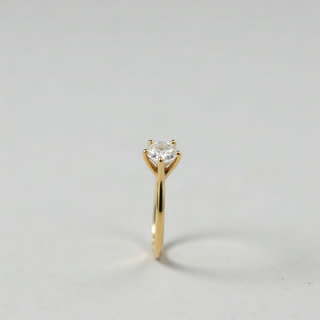
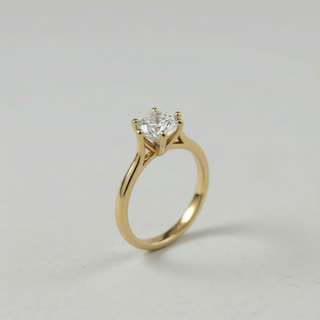
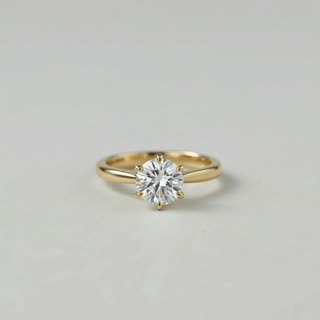
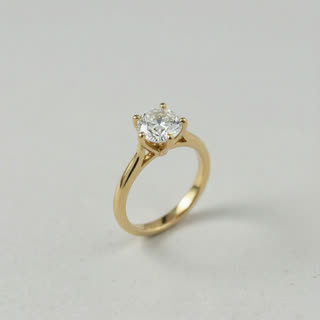
Made from these photos
What you get
- Your real piece from 1–5 photos
- 1 shot, 5 seconds, square 1:1 for shop pages and ads
- Moving light, macro detail, black velvet
- No watermark
The prompt
What the studio fills in for you. Your subject takes the place in brackets; you can change any of it.
- Macro shot: [your piece] rests on rich black velvet and turns slowly while a soft beam of light sweeps across it, every facet catching sparkles and glints. Deep black background, shallow depth of field, luxurious.
Questions
- What photos work best for jewelry?
- Sharp, well-lit photos on a plain background: the front, a three-quarter view and the side or back. Close-ups of the stone help the macro shot keep its detail.
- Can it be on a hand instead?
- Yes. Change "on black velvet" to "on a woman’s hand, soft natural light" in the prompt before you generate.
- How much does this template cost?
- A new RefVid account’s free credits cover one 3-second clip. The full template is 5 seconds: buy it as a single video, with no plan, or use credits from a pack or plan. Current prices are on the pricing page.