Your figure in a miniature world
Save your figure or toy once from a few photos and RefVid places it in a detailed miniature diorama, shot with a tilt-shift look: a tiny town with a model train passing, little trees and street lamps, the camera drifting slowly past at figure height.
5 s · 16:9 · silent
Sign in, pick or add your subject, and the studio opens with this template filled in. Your first 3-second clip is free.
Made from these photos
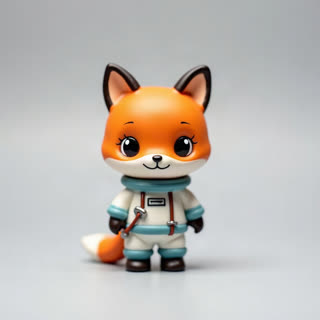
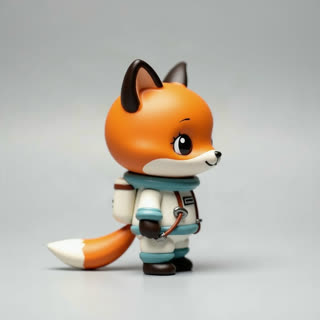
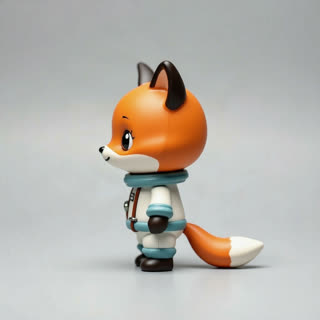
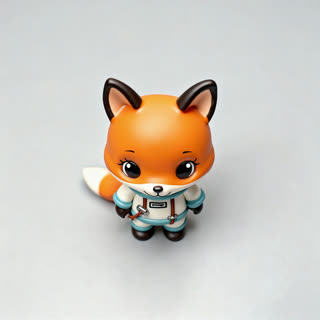
What you get
- Your own figure from 1–5 photos
- 1 shot, 5 seconds, wide 16:9
- Tilt-shift blur, model train, tiny details
- No watermark
Who it’s for
For figure collectors and diorama builders, for toy brands showing a character in its world, and for model railway fans who want a moving scene starring their own piece.
The prompt
What the studio fills in for you. Your subject takes the place in brackets; you can change any of it.
- Tilt-shift miniature diorama of a tiny town square with model trees, street lamps and little houses; [your figure] stands in the middle as a model train passes slowly behind it, the camera gliding past at its eye level, the edges softly blurred. Bright daylight.
Make it yours
Pick the world
Swap the town for a tiny harbour with boats, a snowy mountain village, or a busy model city at night.
Change the scale joke
Write your figure standing next to a giant coffee cup or a pencil, so the miniature world looks even smaller.
Add movement
Describe a model car driving past, birds lifting off a roof, or streetlights switching on one by one.
Photos that work best
Figures, toys and handmade pieces: 1–5 photos against a plain background, front first, then each side, close enough that the paint, stitches or material show. Turn the piece rather than moving the camera, so the light stays the same.
How it works
- Sign in and add your figure from 1–5 photos. Each subject is saved once, so every later template takes one tap.
- The studio opens with this template filled in: the shot, 5 seconds, 16:9. Change any word you like.
- Press Generate. The clip is ready in a few minutes, without a watermark, and the same subject is there for the next one.
Questions
- What kinds of figures work?
- Vinyl toys, resin figures, painted miniatures and plush all work from a few clear photos against a plain background.
- Does my figure move?
- In this template the world moves around it. Write a small wave or a turn of the head if you want the figure to move too.
- How much does this template cost?
- A new RefVid account’s free credits cover one 3-second clip. The full template is 5 seconds: buy it as a single video, with no plan, or use credits from a pack or plan. Current prices are on the pricing page.
- What is a tilt shift video?
- A look where the top and bottom of the frame are blurred, so a real scene looks like a tiny model. Here it is the other way round: your figure in a real miniature set.