Your clay character, in stop-motion
Stop-motion takes days of tiny moves. Save your clay or plasticine character once from a few photos and RefVid animates it on a handmade set — a little paper-and-felt village — with the slightly jerky charm of real claymation, fingerprints and all.
5 s · 16:9 · silent
Sign in, add your subject, and the studio opens with this template filled in. Your first 3-second clip is free: this template’s first shot.
Made from these photos
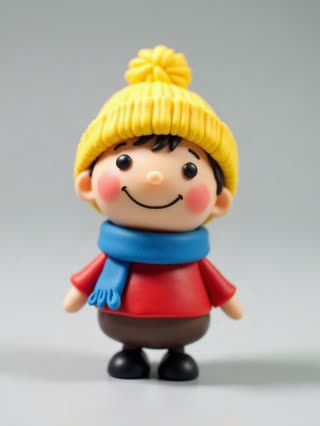

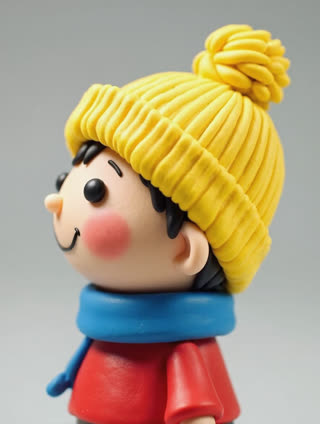
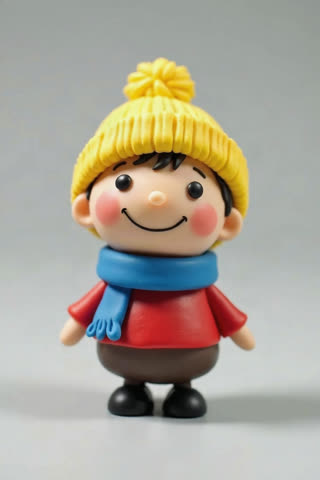
What you get
- Your own clay figure from 1–5 photos, texture intact
- 2 shots, 5 seconds, wide 16:9
- Stop-motion feel, handmade set
- No watermark
Who it’s for
For clay artists and sculptors sharing their characters, for stop-motion hobbyists testing an idea before animating it by hand, and for teachers and kids who made a figure and want to see it move.
The prompt
What the studio fills in for you. Your subject takes the place in brackets; you can change any of it.
- Shot 1Stop-motion claymation style, slightly stepped movement: [your clay character] walks across a small handmade set of a paper-and-felt village street with tiny houses and a cotton-wool cloud, its clay texture and fingerprints visible. Warm tabletop light.
- Shot 2[your clay character] stops, turns to the camera and waves with one clay hand, then gives a little hop. Stop-motion feel, shallow depth of field.
Make it yours
Build the set
Describe your own set: a cardboard kitchen, a felt forest, a tabletop city made of paper boxes.
Choose the action
Write a jump into a puddle, a little dance, or the character picking up a tiny letter and reading it.
Add a co-star
Add a second figure as a subject and write them meeting in the middle of the set and shaking hands.
Photos that work best
Figures, toys and handmade pieces: 1–5 photos against a plain background, front first, then each side, close enough that the paint, stitches or material show. Turn the piece rather than moving the camera, so the light stays the same.
How it works
- Sign in and add your clay character from 1–5 photos. Each subject is saved once, so every later template takes one tap.
- The studio opens with this template filled in: both shots, 5 seconds, 16:9. Change any word you like.
- Press Generate. The clip is ready in a few minutes, without a watermark, and the same subject is there for the next one.
Questions
- Does it really look like stop-motion?
- The prompt asks for a stop-motion feel, so movement is slightly stepped and the clay texture stays. For true frame-by-frame work, animate it by hand — this is a fast way to test an idea.
- Should I save my figure as a character or a product?
- As a character when it should move, blink or walk; as a product when it should stay still while the camera moves.
- How much does this template cost?
- A new RefVid account’s free credits cover one 3-second clip. The full template is 5 seconds: buy it as a single video, with no plan, or use credits from a pack or plan. Current prices are on the pricing page.
- Is this a claymation AI video generator from scratch?
- No: it animates the clay figure you already made, from your photos. That keeps your sculpt, colours and fingerprints instead of inventing a new character.
- Can stop motion AI replace animating by hand?
- It is a fast way to test an idea or make a short clip. Frame-by-frame animation still gives you full control over every move.